AI in Customer Service: Use Cases, Benefits, Costs & Implementation
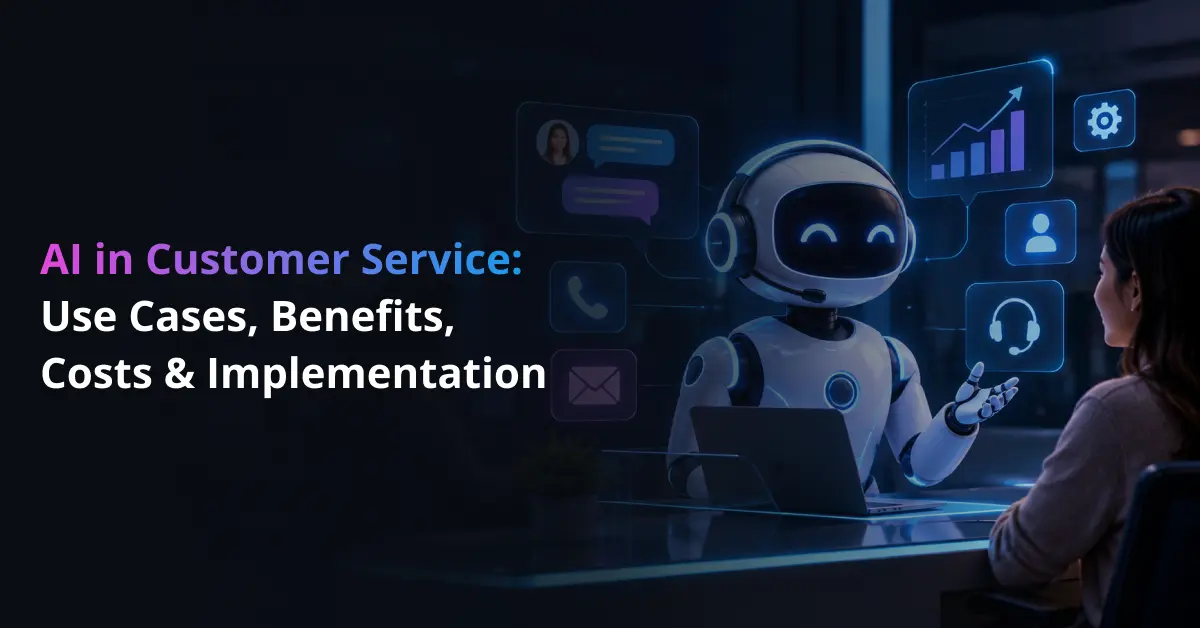
AI in customer service uses artificial intelligence to understand customer requests, find relevant information, support human agents, and automate routine service tasks. It combines technologies such as natural language processing, machine learning, generative AI, and AI agents to help businesses respond faster across chat, email, voice, and self-service channels.
The shift goes beyond traditional scripted bots. Modern conversational AI can understand natural language, while AI agents can connect with approved systems to check an order, update account details, start a return, or escalate a case when human judgment is needed. This broader use of AI in customer experience helps companies manage repetitive interactions without removing people from complex or sensitive conversations.
Adoption is already moving quickly. Salesforce’s 2025 State of Service research found that service teams estimate AI handles 30% of cases today and expect that share to reach 50% by 2027. The change shows why customer service AI is becoming an operating priority rather than a limited support experiment.
This article explains the main AI customer service use cases, business benefits, implementation costs, risks, and practical steps for deployment. It also looks at how organizations can measure performance and decide where automation creates real value.
Turn Repetitive Customer Service Requests Into AI-Powered Workflows
Prismetric helps automate FAQs, ticket routing, order updates, returns, scheduling, and other routine service tasks while keeping complex cases with human agents.
Explore AI Customer Service
Why Is AI Becoming Important in Customer Service?
Customer expectations have changed as digital service has become faster and more available. Zendesk’s 2026 CX Trends research found that 74% of consumers now expect customer service to be available 24/7 because of AI, while 88% expect faster response times than they did a year earlier. For businesses, this raises the standard for response speed, availability, and consistency across channels. It also makes slow, disconnected support more noticeable to customers.
Support teams are under pressure at the same time. Salesforce reported that 69% of agents find it difficult to balance speed and quality. AI can help by handling repetitive questions, summarizing conversations, finding relevant knowledge, and routing requests before a human agent becomes involved. Used well, enterprise AI can reduce manual work while allowing service teams to spend more time on complex cases that need judgment or empathy.
Several technologies make this possible. Natural language processing helps systems identify intent and meaning in customer messages. Generative AI can draft replies and summaries, while retrieval-augmented generation, or RAG, allows a model to pull information from approved company sources before answering. Machine learning can identify patterns in service data, and AI agents can use connected tools to complete defined actions.
These capabilities matter because customer service is not one task. A support operation may need to answer questions, retrieve account information, route tickets, detect frustration, update records, or complete transactions. Combining the right AI customer support tools with clear human handoff rules allows companies to automate suitable work without forcing every customer into an automated process. This balance matters because speed only helps when the answer is accurate and the customer can reach a person when needed.
Major AI in Customer Service Use Cases and Their Benefits
AI customer service works best when it solves a clear service problem. The most useful applications either resolve routine requests, help human agents work faster, or improve how service teams use customer data. The following AI customer service use cases show where the technology creates practical value across the support journey.
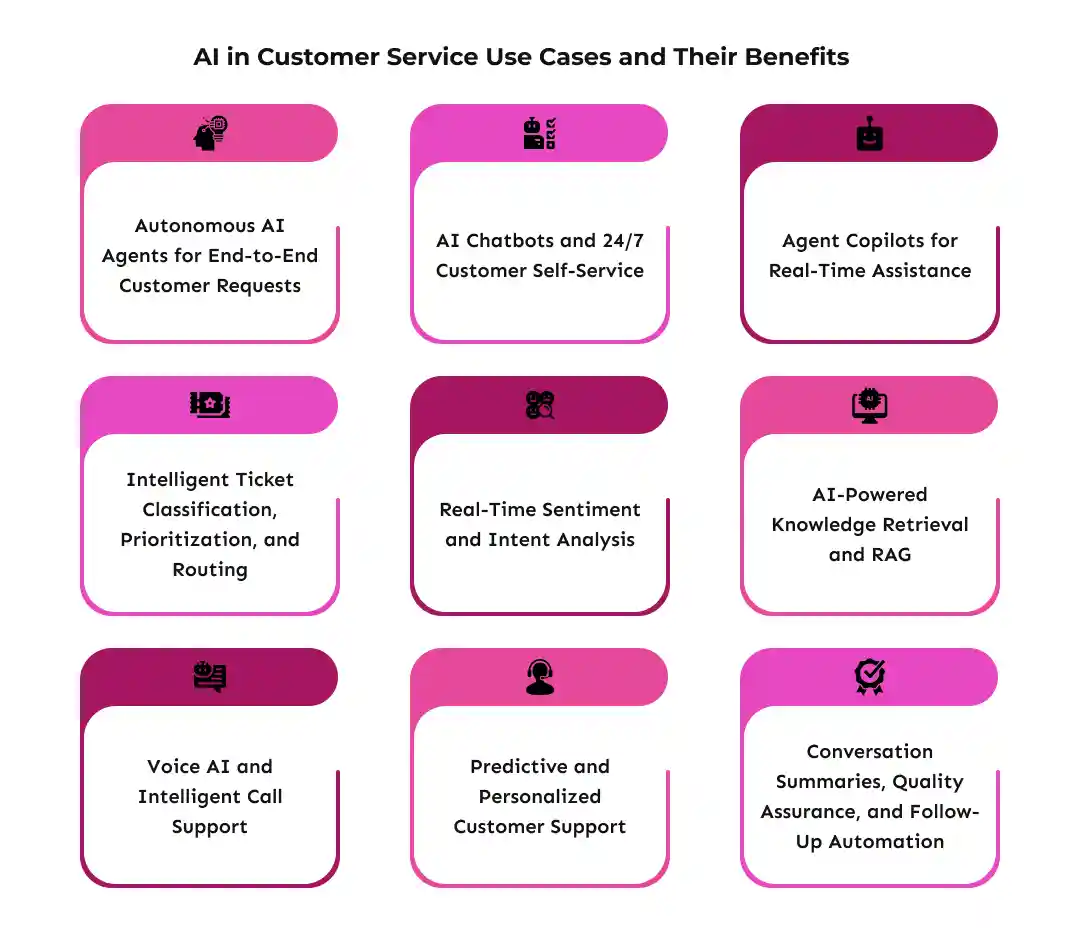
1. Autonomous AI Agents for End-to-End Customer Requests
Autonomous AI agents combine language understanding with access to approved tools and business systems. Unlike a chatbot that only provides information, an agent can check data, take a permitted action, and confirm the result. Common agentic AI use cases include returns, appointment changes, subscription updates, and order-related actions.
For example, an agent can verify an order, check the return policy, create a return request, and update the CRM. Businesses exploring how to build an AI agent still need clear permissions and fallback rules, while an AI agent development company can help connect these controls with the workflow. Gartner predicts that agentic AI will autonomously resolve 80% of common customer service issues by 2029, potentially cutting operational costs by 30%. The forecast shows why businesses are moving from AI that only answers questions toward systems that can complete defined service tasks.
2. AI Chatbots and 24/7 Customer Self-Service
AI chatbots answer common questions without making customers wait for an available representative. They can handle FAQs, order-status checks, troubleshooting, returns, and account questions. Modern enterprise chatbots also retain conversational context, making interactions less rigid than older decision-tree bots.
A retailer, for example, can let a customer ask, “Where is my order?” The bot identifies the intent, checks the order system, and returns the latest status. Companies planning how to build an AI chatbot should define where self-service ends and human support begins. More complex deployments may require enterprise AI chatbot development services for integrations, access controls, and escalation logic.
3. Agent Copilots for Real-Time Assistance
Agent copilots help human representatives during live conversations. They can retrieve product information, summarize previous interactions, draft replies, and suggest the next action. These are practical generative AI use cases because the human agent remains responsible for the final response.
The main benefit is less time spent searching across knowledge bases, CRM records, and support tools. Zendesk reports that AI-powered assistance helps nine out of ten agents save time, averaging about seven hours per week among the agents it studied. This suggests that some of the immediate value of AI comes from supporting employees rather than replacing the human interaction. Zendesk Understanding the roles of AI chatbots, AI agents, and LLM applications also helps teams choose the right tool for each service task.
4. Intelligent Ticket Classification, Prioritization, and Routing
AI customer service automation can classify tickets by intent, topic, language, urgency, and required expertise. It then sends each request to the right queue or specialist, reducing manual triage across email, chat, and support forms.
For example, a password-reset request can move to self-service, while a suspected fraudulent transaction goes to a trained specialist. AI workflow automation can connect classification with routing, while AI-driven business process automation can update records or trigger follow-up tasks after assignment.
5. Real-Time Sentiment and Intent Analysis
Sentiment analysis examines conversational signals to estimate whether a customer is satisfied, confused, frustrated, or likely to escalate. Intent detection focuses on what the customer wants to achieve. Together, they can help service teams prioritize high-risk conversations.
For instance, repeated negative language combined with cancellation intent may trigger an earlier handoff to a retention specialist. However, sentiment models can misread sarcasm, cultural differences, or short messages. Teams should evaluate AI agent performance against real conversations instead of treating sentiment scores as unquestionable facts.
6. AI-Powered Knowledge Retrieval and RAG
Retrieval-augmented generation, or RAG, lets an AI system search approved company information before answering. It can retrieve content from policies, product manuals, help-center articles, CRM records, or internal procedures and use that context to form a response.
This matters when accuracy depends on current business information. A support assistant can retrieve the latest warranty policy instead of relying only on model training. Companies can connect LLMs with enterprise databases for controlled access to current data, while grounding responses in approved knowledge can reduce unsupported answers.
7. Voice AI and Intelligent Call Support
Voice AI brings conversational automation to phone support by combining speech recognition, language understanding, text-to-speech, and workflow logic. Common AI voice agent capabilities include call routing, appointment management, account queries, transcription, and summaries.
For example, a caller can describe an issue naturally instead of moving through several “press 1” menus. Reliable systems also need low latency, telephony integration, identity checks, and clear transfer rules. Understanding the voice agent telephony stack helps teams plan these components, while businesses with complex requirements may need to develop voice-based customer support around existing contact-center systems.
8. Predictive and Personalized Customer Support
Predictive AI uses historical and real-time data to identify patterns that may signal a future support need. A telecom provider, for example, can detect repeated network problems and contact affected customers before they open tickets. AI can also personalize responses using permitted account, purchase, and interaction data.
Generative AI in CRM can help service systems use relevant customer context when drafting a response or recommending the next action. Zendesk’s 2026 CX Trends research reports that 83% of CX leaders see memory-rich AI agents as key to truly personalized customer journeys. The figure reflects growing demand for systems that retain useful context instead of making customers explain the same issue repeatedly.
9. Conversation Summaries, Quality Assurance, and Follow-Up Automation
AI can keep working after a conversation ends. It can summarize the issue, record the resolution, update CRM fields, draft a follow-up email, trigger a survey, or flag an interaction for quality review. These tasks reduce after-call administration and improve record consistency.
More advanced systems can coordinate several steps through agentic process automation. For example, an unresolved billing issue can create a ticket, attach the summary, assign the correct team, and schedule a follow-up. Human agents can then spend more time on service work that requires judgment.
The value of these use cases depends on accuracy, integration quality, human oversight, and operating cost. That makes total cost of ownership the next important part of the decision.
Connect Customer Service AI With the Systems Your Team Already Uses
Integrate AI with CRM, help desk, billing, order management, knowledge bases, and identity systems so conversations can lead to real business actions.
Discuss Your AI Integration
How Much Does AI in Customer Service Cost?
The cost of AI in customer service ranges from a focused automation project to a large enterprise investment. Price depends on what the system must do, how many channels and business systems it connects to, how much autonomy it has, and the required level of security and reliability.
A simple FAQ assistant and an autonomous service agent are not comparable projects. Businesses should estimate cost from the workflow, integrations, data, and operating requirements rather than from the visible interface alone.
1. Cost by AI Customer Service Complexity
Prismetric’s 2026 planning ranges place basic or reactive AI agents at about 8,000–25,000— workflow agents at 25,000–80,000, advanced autonomous agents at 80,000–200,000, and enterprise multi-agent platforms at 200,000–500,000+. These are general custom-agent estimates, not fixed customer-service quotations.
Conversational AI may require a larger budget when it includes deeper integrations and enterprise controls. Prismetric’s conversational AI chatbot cost guide estimates 40,000–400,000+ for custom solutions in the USA, with architecture, system connectivity, security, and deployment complexity driving the range.
2. What Determines AI Customer Service Development Cost?
Several factors shape the budget:
- Channels: Web chat, mobile, email, messaging, and voice require different integrations.
- System integrations: CRM, help desk, billing, order management, identity, and ERP connections add engineering work.
- AI architecture: RAG, memory, tool use, model orchestration, and autonomous actions increase complexity.
- Data readiness: Scattered or outdated knowledge requires preparation.
- Security and compliance: Sensitive customer data needs stronger access and audit controls.
- Volume and performance: High traffic and low-latency requirements can increase infrastructure costs.
A useful AI development cost estimate should include these backend requirements, not just the customer interface. Projects using enterprise knowledge should also consider the cost and compliance requirements of RAG applications early in planning.
3. One-Time and Ongoing AI Costs
Initial spending usually covers discovery, architecture, development, data preparation, integrations, testing, security, and deployment. These costs create the production system but do not represent its full total cost of ownership.
After launch, businesses continue paying for model inference, cloud infrastructure, vector storage, APIs, monitoring, evaluation, security updates, and maintenance. High-volume support can make model usage a meaningful recurring expense, which is why teams often look for ways to reduce LLM inference costs without reducing quality. Companies can also evaluate model and deployment choices before committing to a high-cost architecture.
4. Build vs. Buy and Expected ROI
Buying a SaaS customer service platform usually offers a faster launch and lower initial engineering effort. Custom development costs more upfront but gives businesses greater control over workflows, integrations, data access, and agent behavior. A custom AI vs. off-the-shelf AI assessment helps compare these trade-offs against long-term requirements.
ROI should be measured through cost per resolution, response time, first-contact resolution, agent productivity, and customer satisfaction. McKinsey estimates that generative AI in customer-care functions could create productivity value equal to 30%–45% of current function costs, but describes this as potential direct productivity impact rather than a guaranteed result for every deployment. This makes baseline metrics important before a business calculates expected returns. McKinsey & Company Organizations can shape the investment around measurable AI goals before choosing a platform or custom build.
Challenges, Risks, and the Future of AI Customer Service
AI can improve customer service, but greater automation also creates new risks. A chatbot that gives an incorrect answer may cause confusion. An AI agent with permission to issue refunds, change account details, or access customer records can create a much larger problem if its actions are not properly controlled.
Trust is becoming especially important as customer-facing AI gains more autonomy. Zendesk’s 2026 CX Trends research found that 95% of consumers expect an explanation for AI-made decisions, while only 37% of CX leaders currently provide reasoning behind those decisions. The gap shows why transparency, clear escalation paths, and human oversight need to be part of AI customer service design from the start.
The main risks include:
- Hallucinations and inaccurate answers: Generative AI can produce information that sounds correct but conflicts with company policy or current data. RAG, approved knowledge sources, testing, and human review can reduce this risk.
- Prompt injection and unauthorized actions: Customers may intentionally or unintentionally provide instructions that interfere with an AI agent’s intended behavior. Businesses should restrict tool permissions, validate actions, and apply approval rules before sensitive transactions are completed.
- Privacy and security: Customer service systems often process names, account details, payment information, and conversation history. Organizations need clear access controls, retention policies, and appropriate data privacy and compliance requirements. Deployment choices also matter when teams compare cloud and on-premise LLM environments.
- Poor integration and fragmented data: AI cannot provide reliable service when customer information is spread across disconnected or outdated systems. A well-planned AI integration architecture for legacy systems helps define how models access business data without creating uncontrolled connections.
- Automation frustration and model drift: Customers need an easy route to a human when automation fails. Teams should also monitor AI behavior over time because changing products, policies, and customer language can reduce performance.
The future of AI customer service is likely to move from standalone chatbots toward connected copilots, voice systems, and AI agents that work across the service journey. However, AI-driven digital transformation should not mean automating every interaction. Even when companies use AI to reduce operating costs, accuracy, trust, and customer outcomes remain the stronger measures of success.
Steps to Implement AI in Customer Service
Successful AI customer service implementation starts with a specific business problem, not with selecting a model. Companies need to identify where AI can improve a measurable workflow, prepare the required data, connect the right systems, and test the solution before expanding it.
Salesforce’s 2025 State of Service research found that 62% of service operations and leaders using AI said implementation was about as difficult as expected, while 10% found it more difficult than expected. The results suggest that AI implementation is manageable for many organizations, but it still requires realistic planning around security, data, integration, and change management.
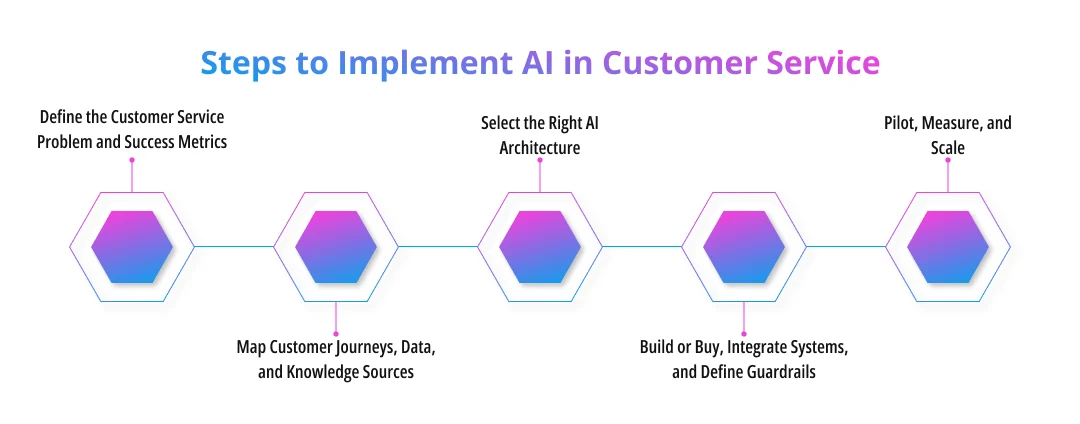
1. Define the Customer Service Problem and Success Metrics
Start by identifying the workflow that creates the most useful opportunity for improvement. An AI workflow discovery process can help teams compare ticket volume, repeatability, business impact, data availability, and risk before deciding what to automate.
Baseline metrics should include first-response time, average handle time, first-contact resolution, CSAT, escalation rate, repeat contacts, and cost per resolution. Organizations that need a broader rollout plan can use AI implementation services to connect technical requirements with these business goals.
2. Map Customer Journeys, Data, and Knowledge Sources
The next step is to identify the information AI needs at each stage of the customer journey. This may include CRM records, ticket history, product documentation, policies, account data, and knowledge-base articles.
Teams should remove outdated or conflicting information before connecting it to an AI system. For workflows that also rely on historical patterns, machine learning development can support tasks such as escalation prediction, intent classification, or service-demand forecasting.
3. Select the Right AI Architecture
Not every customer service problem needs an autonomous AI agent. Deterministic rules may work better for simple processes, while machine learning suits prediction and classification. Generative AI can draft responses and summaries, RAG can ground answers in company knowledge, and agents can complete controlled multi-step tasks.
A clear AI strategy helps organizations match each use case with the simplest architecture that meets its requirements. When language generation is central to the workflow, businesses may also need to develop custom generative AI capabilities around their data, policies, and support processes.
4. Build or Buy, Integrate Systems, and Define Guardrails
Once the architecture is clear, teams can decide whether to configure an existing platform, customize a commercial product, or build a tailored solution. The choice depends on workflow complexity, data control, integration requirements, and long-term operating cost.
The system then needs secure connections with CRM, help-desk, billing, order-management, identity, and other relevant platforms. AI integration services can support these connections, while workflow automation can define how information and actions move between systems.
Guardrails should specify what AI can access, which actions it can perform, when human approval is required, and when the conversation must be escalated.
5. Pilot, Measure, and Scale
Begin with one limited workflow or customer segment rather than deploying AI across the entire service operation. A focused AI proof of concept allows teams to test answer quality, integrations, task execution, security controls, and human handoffs with less operational risk.
Measure the pilot against the original baseline. Useful metrics include answer accuracy, task success, containment rate, first-contact resolution, CSAT, escalation accuracy, and cost per resolution. An AI automation ROI framework can then compare operating benefits with development and ongoing AI costs.
Companies should scale only after the system consistently meets predefined quality, customer experience, and business-performance targets.
Validate Customer Service AI Before You Scale It
Start with one focused workflow, test answer quality, task success, escalation, security, CSAT, and cost per resolution, then expand only after the results are proven.
Start Your AI Customer Service PoC
How Prismetric Can Help Build AI-Powered Customer Service Solutions
Building AI customer service requires more than choosing an AI model. Companies need the right architecture, clean data, secure integrations, workflow rules, and clear human approval points. Prismetric can help businesses plan and implement these components through AI implementation services, from use-case validation and system design to deployment and monitoring.
For organizations working with existing CRM, help-desk, billing, or knowledge systems, Prismetric can also integrate AI with existing business applications. Depending on the use case, the solution may include conversational AI, RAG-based knowledge assistants, voice agents, predictive models, or autonomous AI agents.
The goal is to match the technology with a measurable customer-service problem while maintaining security, accuracy, and appropriate human oversight.
Frequently Asked Questions
AI in customer service uses technologies such as natural language processing, machine learning, generative AI, and AI agents to answer questions, assist human representatives, route requests, retrieve information, and automate defined support workflows.
Common applications include:
- AI chatbots and self-service
- AI agents for routine transactions
- agent copilots
- intelligent ticket routing
- sentiment analysis
- voice AI
- predictive support
- conversation summarization
Costs vary widely by complexity. A basic AI agent may cost tens of thousands of dollars, while advanced autonomous or multi-agent systems can reach several hundred thousand dollars. Integrations, data preparation, security, voice capabilities, and ongoing model usage also affect total cost.
AI can automate many repetitive and predictable requests, but it does not remove the need for people. Complex disputes, sensitive conversations, unusual cases, and high-risk decisions often require human judgment, empathy, or approval.
A practical implementation process includes five steps: define the service problem, prepare data and knowledge sources, select the right AI architecture, integrate systems and guardrails, then pilot the solution and measure results before scaling.
Businesses should start with high-volume, repetitive, and low-risk tasks such as FAQs, order tracking, ticket classification, appointment changes, and conversation summaries. These workflows are easier to measure and usually require less human judgment than complaints, disputes, or sensitive account issues.
AI customer service may use knowledge-base articles, product documentation, customer records, ticket history, policies, FAQs, and CRM data. The exact data depends on the use case. Businesses should also remove outdated information and control which customer data the AI can access.
Implementation time depends on the scope, integrations, data readiness, and security requirements. A limited chatbot or proof of concept may take a few weeks, while a custom AI agent connected to several enterprise systems can take several months to design, test, and deploy safely.
Businesses can track first-response time, resolution time, first-contact resolution, CSAT, containment rate, escalation accuracy, cost per resolution, and agent productivity. They should also measure AI-specific metrics such as answer accuracy, groundedness, task completion, and successful human handoffs.