Top 10 AI Automation Companies in 2026: Services, Use Cases & Comparison
Key Takeaways
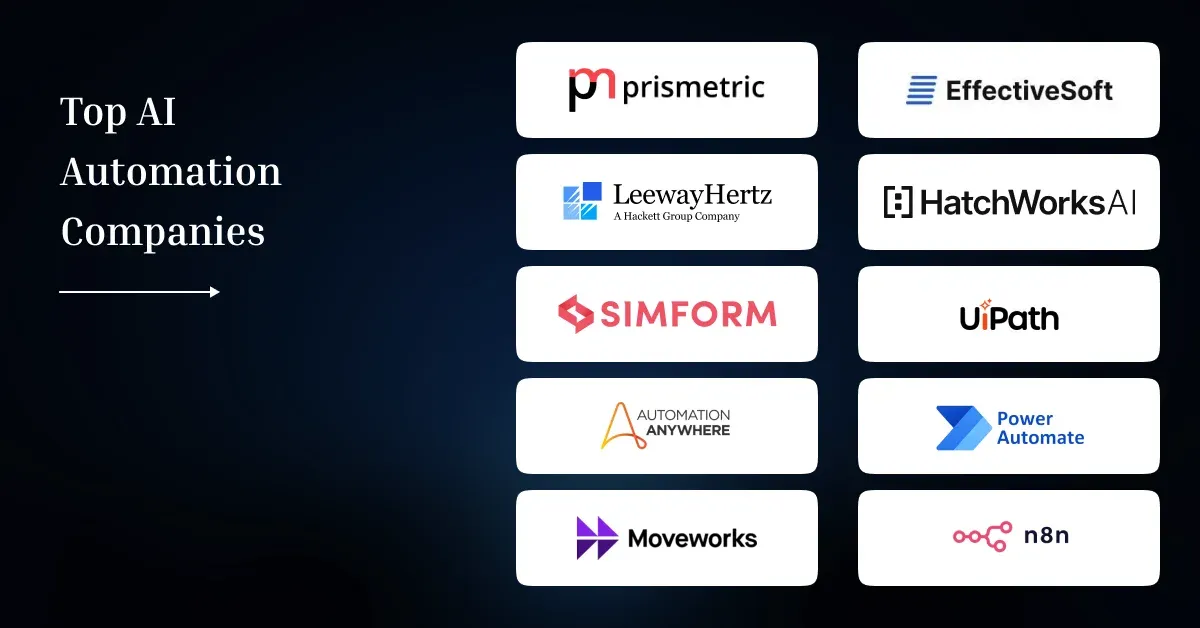
- Prismetric, EffectiveSoft, LeewayHertz, HatchWorks AI, and Simform suit businesses that need custom automation, deeper integrations, or tailored AI agents.
- UiPath, Automation Anywhere, and Microsoft Power Automate are stronger fits for standardized enterprise automation and large-scale process orchestration across existing systems.
- Moveworks focus on employee-service automation, while n8n gives technical teams flexible control over API-driven, model-connected, and self-managed workflows.
- The right provider depends on workflow complexity, existing systems, data readiness, governance requirements, deployment model, and how much customization the business needs.
- Businesses comparing AI workflow automation tools should look beyond feature lists and assess integration depth, human approval controls, monitoring, security, and production support.
AI automation companies help businesses turn AI experiments into production workflows that process data, trigger actions, and reduce repetitive work across connected systems. A specialist AI automation partner becomes useful when these workflows must connect with CRM, ERP, databases, APIs, and internal approval processes.
The market includes custom engineering firms as well as enterprise automation platforms. Modern AI workflow automation can combine AI agents, document processing, RPA, APIs, and human review. McKinsey’s 2026 State of AI survey found that 40% of respondents at large organizations were scaling AI agents, up from 27% a year earlier, showing that agent-based automation is moving beyond isolated pilots.
Automate the Workflows That Create the Most Manual Effort
Prismetric helps identify high-value automation opportunities and build AI workflows around your existing systems, data, approvals, and business rules.
Explore AI Automation Opportunities
Selection Criteria for the Top AI Automation Companies in 2026
We compared each provider using six factors that influence whether AI automation can work reliably in business operations.
- AI Automation Expertise: Experience with AI agents, RPA, document processing, workflow orchestration, NLP, and agentic process automation.
- Enterprise Integration: Ability to connect CRM, ERP, APIs, databases, and legacy applications and move AI workflows into production.
- Workflow Fit: Strong providers identify workflows worth automating before choosing models, agents, or automation tools.
- Business Value: We looked for a clear approach to measuring AI automation ROI through operating metrics.
- Security and Governance: Access controls, audit trails, human approval, data privacy, and monitoring matter when AI performs business actions.
- Scalability and Support: Providers should support testing, deployment, monitoring, and expansion as automation needs grow.
The table below compares the 10 companies by best fit, automation focus, and notable capabilities.
Top 10 AI Automation Companies in 2026: Comparison
Companies use AI in business process automation in different ways. Some providers build custom workflows, while others provide platforms for RPA, AI agents, process orchestration, and low-code automation.
Disclosure:
Prismetric appears in this list. Its inclusion is disclosed for transparency, and the company has been evaluated using the same selection criteria applied to every other AI automation provider covered in this article.
| Company |
Best Fit |
Company Type |
AI Automation Focus |
Notable Capabilities |
| Prismetric |
Custom enterprise workflows |
AI engineering company |
AI agents and workflow automation |
CRM, ERP, API integration |
| EffectiveSoft |
Complex business workflows |
Product engineering company |
AI-enabled process automation |
Agentic workflows, system integration |
| LeewayHertz |
Custom AI systems |
AI development company |
AI agents and enterprise AI |
Multi-agent systems, GenAI |
| HatchWorks AI |
Data-heavy automation |
AI-native engineering company |
Agentic automation |
Data engineering, AI-native products |
| Simform |
Enterprise modernization |
Digital engineering company |
Agentic workflows and intelligent automation |
Cloud, data, enterprise integration |
| UiPath |
Large enterprise automation |
Automation platform |
RPA and agentic automation |
Agents, robots, orchestration, governance |
| Automation Anywhere |
Enterprise process automation |
Automation platform |
Agentic process automation |
AI agents, RPA, document automation |
| Microsoft Power Automate |
Microsoft-based organizations |
Low-code automation platform |
AI-powered workflow automation |
Cloud flows, RPA, Copilot |
| Moveworks |
Employee service workflows |
Agentic AI platform |
Enterprise task automation |
IT, HR, search, service workflows |
| n8n |
Technical automation teams |
Workflow automation platform |
API and AI orchestration |
AI agents, integrations, human approval |
Custom and Specialized AI Automation Companies
Disclosure:
Prismetric is included in this ranking and has been assessed using the same criteria applied to every other company on the list. The evaluation considers AI automation expertise, technical delivery, enterprise integration, production readiness, governance, and overall business fit.
For additional context, Prismetric holds ISO 9001:2015 certification and has an average rating of 4.8/5 across Clutch, GoodFirms, and TopDevelopers.co, based on 140+ client reviews. These third-party signals provide supporting context on delivery quality and client experience but do not determine the ranking on their own.
Every company has been reviewed against the same evaluation framework. Where a provider performs particularly well in one area or has limitations in another, those differences are reflected in its individual profile.
1. Prismetric
Prismetric is a custom AI engineering company that builds AI agents, workflow automation systems, and connected enterprise applications. As an AI agent development company, it suits businesses that need tailored automation rather than workflows limited by a pre-built platform.
Key AI Automation Services
AI agent development, enterprise workflow automation, LLM applications, RAG systems, AI integration, and custom automation software.
Latest AI Automation Case Studies
- Custom AI Agent Builder: Prismetric reports 93% process automation and 12× faster development for a no-code platform that helps businesses create and deploy AI agents.
- Finance Workflow Automation: An AI workflow platform reduced manual processing time by 70% and document-related errors by 80%, according to Prismetric.
- Compliance Automation: An LLM-based access governance platform automated 85% of compliance tasks and reduced audit time by 70%.
Why Choose Prismetric for AI Automation?
- Supports custom workflows that connect business systems and data.
- Builds agents with APIs, enterprise tools, and approval controls.
- Covers the process from building AI agents to production integration.
Build AI Automation Around Your Business, Not Platform Limits
Connect AI agents, RAG, APIs, CRM, ERP, and legacy systems with the controls, integrations, and human approvals your workflow actually needs.
Discuss Your Automation Workflow
2. EffectiveSoft
EffectiveSoft is an AI-enabled product engineering company with more than 20 years of software delivery experience. Its automation work focuses on agentic workflows, legacy modernization, intelligent RPA, and enterprise integration, making it relevant when AI must operate inside complex existing systems.
Key AI Automation Services
AI workflow automation, AI agents, intelligent RPA, enterprise AI integration, predictive analytics, and legacy system modernization.
Latest AI Automation Case Studies
- Automotive Integration: EffectiveSoft built a governed Claude workflow with 40 packaged skills; it records roughly 205 tool invocations per week after rollout.
- ETL Modernization: A multi-agent system supports modernization of an ETL environment processing 100,000+ files daily across 10,000+ dealerships.
- Analytics Automation: An AI assistant reduced complex dashboard configuration time by approximately 60%.
Why Choose EffectiveSoft for AI Automation?
- Strong fit for AI-enabled modernization of established enterprise systems.
- Keeps engineers involved in validation and production approval.
- Useful when AI must connect with legacy architecture rather than replace it outright.
3. LeewayHertz
LeewayHertz is best suited to businesses that need custom AI agents, LLM applications, and enterprise automation built around proprietary data and workflows. Its work covers AI strategy through deployment, including applications that retrieve business information, support decisions, and automate knowledge-heavy tasks.
Key AI Automation Services
AI agents, generative AI, large language model development services, RAG applications, enterprise AI, and workflow automation.
Latest AI Automation Case Studies
- Manufacturing: Built an LLM-powered machinery troubleshooting application that combines equipment information with changing safety policies to guide maintenance teams.
- Compliance: Developed an LLM application for Scrut that gives users faster access to compliance benchmarks, audit data, and risk information.
- E-commerce: Created a multilingual wine recommendation application that uses proprietary data and LLMs to support personalized search and product discovery.
Why Choose LeewayHertz for AI Automation?
- Suitable for knowledge-intensive workflows built around private enterprise data.
- Supports custom applications rather than only preconfigured automation templates.
- Relevant when connecting LLMs with enterprise databases is part of the automation architecture.
4. HatchWorks AI
HatchWorks AI is best suited to organizations where automation depends on both AI engineering and a strong data foundation. The company builds AI agents, multi-agent systems, data pipelines, and production applications designed to automate business processes while keeping security, monitoring, and human oversight in place.
Key AI Automation Services
Agentic AI, multi-agent systems, AI strategy, enterprise data preparation and integration, machine learning, and workflow automation.
Latest AI Automation Case Studies
- Commercial Real Estate: Built a production multi-agent platform supporting knowledge search, document generation, and lease abstraction for 70+ users.
- Real Estate Underwriting: Deployed three production ML models that reduced prediction error by 31% for ARV and 69% for time-to-sell.
- Software Delivery: Created 41 production-ready deliverables and trained 180 team members as part of a governed AI operating model.
Why Choose HatchWorks AI for AI Automation?
- Strong fit when AI automation depends on fragmented or complex business data.
- Combines data engineering, AI implementation, and production monitoring.
- Useful for organizations moving from pilots toward scalable enterprise AI.
5. Simform
Simform is best suited to organizations that need AI automation alongside broader application, cloud, and data engineering. Its work includes agentic workflows, document processing, field operations, and enterprise AI systems where automation must connect with existing applications, governed data, and business rules.
Key AI Automation Services
Agentic AI, intelligent process automation, LLM applications, data engineering, cloud modernization, and enterprise AI development services.
Latest AI Automation Case Studies
- Field Operations: Azure AI agents reduced reporting time by 80% while automating timecards, expenses, billing, and job documentation.
- Document Processing: A Claude-based transcript service reduced manual data entry by 99% while handling changing document formats.
- Real Estate Marketing: An AI system generated 6,000+ property case studies across 50+ brokerages, with a median generation time below 40 seconds.
Why Choose Simform for AI Automation?
- Fits businesses that need AI automation combined with software modernization.
- Supports governed workflows that include agents, applications, and enterprise data.
- Useful when deciding between custom AI and off-the-shelf AI for complex workflows.
Established Enterprise AI Automation Platforms
6. UiPath
UiPath is best for large organizations that need to automate high-volume processes across multiple systems. Its platform combines robotic process automation, AI agents, document understanding, process mining, and orchestration so businesses can coordinate software robots, people, applications, and AI within governed workflows.
Key AI Automation Capabilities
RPA, AI agents, document processing, process mining, workflow orchestration, human approvals, and enterprise automation governance.
Latest AI Automation Case Studies
- PLDT: AI agents reduced information-query response times by 99% and save tens of thousands of workforce hours annually.
- WEX: Its automation program saves 70,000 hours annually and has generated $2.7 million in reported value.
- Siam Food Services: AI-powered automation reduced order-processing steps by 90% and eliminated 15,000 hours of yearly manual work.
Why Choose UiPath for AI Automation?
- Suits enterprises scaling automation across many departments and systems.
- Combines rule-based automation with agentic and AI-driven workflows.
- Provides governance and human oversight that support ongoing AI agent evaluation.
7. Automation Anywhere
Automation Anywhere is best for enterprises that want to combine RPA with AI agents for end-to-end process execution. Its Agentic Process Automation platform connects agents, automation, enterprise applications, and people, helping organizations automate finance, customer service, HR, operations, and document-heavy workflows.
Key AI Automation Capabilities
AI agents, RPA, document automation, process discovery, workflow orchestration, human oversight, and enterprise governance.
Latest AI Automation Case Studies
- Cargill: An AI-supported order workflow processes orders in under one minute and reports annual savings above $10 million.
- Vale: AI-powered process discovery cut discovery time by 89%, freed 121,000 hours, and reported $5 million in savings.
- Customer Support: Automation Anywhere reports 35% autonomous case resolution, 69% fewer escalations, and 87% faster resolution for autonomous cases.
Why Choose Automation Anywhere for AI Automation?
- Strong fit for process-heavy enterprise operations.
- Connects AI decision steps with deterministic automation and business systems.
- Supports practical agentic AI use cases where agents act within defined controls.
8. Microsoft Power Automate
Microsoft Power Automate is best for organizations already using Microsoft 365, Dynamics 365, Azure, or Power Platform. It combines cloud flows, desktop RPA, AI processing, process mining, and more than 1,000 API connectors, helping teams automate repeatable work across Microsoft and third-party systems.
Key AI Automation Capabilities
Cloud workflows, desktop RPA, process mining, Copilot, document automation, approvals, orchestration, and enterprise application integration.
Latest AI Automation Case Studies
- KONE: An AI-driven SAP workflow processes 54,000+ contracts annually and reduced handling time by 33% per contract.
- Concentrix: Power Automate and AI Builder process 100,000+ invoices monthly, reaching 99% accuracy in January 2026.
- Dunaway: An AI agent and automated document workflow reduced regulatory research time by 90%.
Why Choose Microsoft Power Automate for AI Automation?
- Strong fit for organizations already working within Microsoft’s business ecosystem.
- Combines low-code automation with AI, APIs, and legacy desktop processes.
- Useful when AI supports broader digital transformation across connected business systems.
Agentic and Flexible AI Workflow Platforms
9. Moveworks
Moveworks is best for enterprises that want employees to search company knowledge and complete routine tasks through one AI interface. Its platform combines enterprise search with agentic workflow automation across IT, HR, finance, facilities, sales, and other business systems while enforcing user permissions and governance.
Key AI Automation Capabilities
Enterprise search, AI assistants, workflow automation, agent orchestration, multilingual support, connectors, and enterprise language processing.
Latest AI Automation Case Studies
- Broadcom: Moveworks reports that 88% of support issues are resolved autonomously, up from about 10% at launch.
- Consumers Energy: Its AI Assistant saved 16,000 productivity hours per month, while one communication campaign saved $55,000.
- Software Enterprise: Moveworks reduced the average time required to resolve IT issues to less than one minute.
Why Choose Moveworks for AI Automation?
- Strong fit for employee-facing search and service automation.
- Connects information retrieval with actions across business applications.
- Useful when comparing AI chatbots, AI agents, and LLM applications for enterprise workflows.
10. n8n
n8n is best for technical teams that want flexible control over AI workflows, APIs, and business logic. It combines visual workflow building with AI agents, human approval steps, execution logs, self-hosting, and hundreds of integrations, allowing teams to mix deterministic automation with model-driven decisions.
Key AI Automation Capabilities
AI agents, API orchestration, visual workflows, human-in-the-loop approvals, self-hosting, monitoring, and custom generative AI workflow development.
Latest AI Automation Case Studies
- System AI: An n8n workflow cut repetitive CRM data-entry time by 97%, from several minutes to 10–20 seconds.
- Huel: The company reports £100,000+ in software savings and nearly 1,000 hours of manual work saved in nine months.
- TMNZ: AI and automation workflows generate about 400 hours of productivity gains per month across 150,000 monthly executions.
Why Choose n8n for AI Automation?
- Gives technical teams detailed control over workflow logic and integrations.
- Supports human approval where autonomous actions carry higher risk.
- Helps teams understand what AI agents are and combine them with predictable workflow steps.
How to Choose the Right AI Automation Partner for Your Business Needs
The right AI automation company depends on the workflow, systems involved, data quality, security requirements, and level of autonomy required. Businesses should define the problem first, then compare providers against the technical and operational needs of that workflow. A clear AI strategy helps prevent teams from selecting tools before identifying measurable business goals.
For Custom and Complex Enterprise Workflows
Choose a custom AI automation partner when workflows depend on proprietary data, business rules, legacy applications, or multiple integrations. Organizations that need help defining architecture and deployment requirements can use AI consulting services before development begins.
For Enterprise-Scale Process Automation
UiPath and Automation Anywhere fit organizations that need governed automation across many departments. Their platforms combine RPA, agents, orchestration, and monitoring, making them suitable when businesses are already implementing AI across multiple operational processes.
For Generative AI and Knowledge Workflows
Businesses automating document analysis, enterprise search, content workflows, or knowledge retrieval should assess model choice, RAG, data permissions, and hallucination controls. Generative AI consulting can help define these requirements before implementation.
For High-Risk or Unproven Use Cases
Start with a limited pilot when the expected value or technical feasibility is uncertain. An AI proof of concept can test data quality, integrations, accuracy, and human approval requirements before larger deployment.
Microsoft reported that 46% of leaders said their organizations were already using agents to fully automate workstreams or business processes, which makes governance and workflow selection increasingly important.
Custom AI Automation Development vs. Pre-Built AI Platforms: Which Do You Need?
Custom AI automation is usually a better fit when a company has unique workflows, proprietary data, complex integrations, or specific security requirements. Pre-built platforms work well when standard connectors and configurable workflows already support the required process.
| Factor |
Custom AI Automation |
Pre-Built AI Platform |
| Workflow customization |
High control |
Limited by platform features |
| Legacy integration |
Can be designed for existing systems |
Depends on available connectors |
| Data control |
Architecture can match business requirements |
Depends on vendor policies |
| Deployment speed |
Usually longer |
Usually faster |
| Technical flexibility |
High |
Platform-dependent |
| Best for |
Complex or differentiated workflows |
Standard, repeatable processes |
The decision should also consider infrastructure and data policies. For example, cloud vs. on-premise LLM deployment can affect privacy, control, latency, and operating cost.
Gartner predicted that 40% of enterprise applications would include task-specific AI agents by the end of 2026, up from less than 5% in 2025. This growth makes AI transformation planning more important than simply adding another automation tool.
How Much Does AI Automation Cost in 2026?
For custom, agent-based AI automation, development can range from about $8,000 for a basic agent to $500,000+ for an enterprise multi-agent system. The final cost depends on workflow complexity, integrations, data readiness, autonomy, security, model usage, and deployment scale. These figures are planning ranges, not fixed industry prices.
| Automation Complexity |
Typical Scope |
Estimated Cost |
Typical Timeline |
| Basic / Reactive |
Single task, limited integrations |
8K–25K |
4–8 weeks |
| Workflow Automation |
RAG, APIs, multi-step workflows |
25K–80K |
8–16 weeks |
| Advanced / Autonomous |
Planning, tools, memory, guardrails |
80K–200K |
3–6 months |
| Enterprise Multi-Agent |
Multiple agents, ERP/CRM, governance |
200K–500K+ |
6–12+ months |
The published AI agent development cost by complexity also shows that ongoing expenses can include model APIs, cloud infrastructure, monitoring, testing, and maintenance. Businesses can control early costs by starting with one valuable workflow and expanding after results are validated.
How Long Does an AI Automation Project Take?
An AI automation project can take 4–8 weeks for a focused use case, 3–6 months for an integrated workflow, and 9–12+ months for a complex enterprise system. The timeline depends more on data, integrations, testing, security, and workflow complexity than on the AI model alone.
| Project Complexity |
Typical Scope |
Typical Timeline |
| Focused automation |
One workflow, limited integrations |
4–8 weeks |
| Integrated automation |
Multiple workflows, APIs, business systems |
3–6 months |
| Complex enterprise system |
Multiple teams, models, governance, legacy integrations |
9–12+ months |
These ranges align with current AI application development timelines. Projects often take longer when teams must clean fragmented data, connect legacy applications, add approval controls, or meet compliance requirements.
When uncertainty is high, businesses can build an AI MVP first and validate one important workflow before expanding automation across the organization.
Should You Build AI Automation In-House or Hire an AI Automation Company?
Building in-house makes sense when AI automation is a long-term core capability and the organization already has AI, data, integration, security, and DevOps expertise. Hiring an AI automation company is often more practical when a business needs specialized skills or wants to implement a defined workflow without building a full internal team.
| Factor |
Build In-House |
Hire an AI Automation Company |
| Internal process knowledge |
High |
Requires discovery |
| AI expertise |
Must be hired or developed |
Existing specialist team |
| Integration work |
Internal responsibility |
Can be handled by partner |
| Control |
Direct internal control |
Depends on delivery model |
| Scaling capacity |
Depends on internal resources |
Can access external specialists |
| Best fit |
AI is a core long-term capability |
Specialized or faster implementation is needed |
Organizations can also use a hybrid model. A partner can provide AI workflow automation services for the first production workflows while internal teams learn the architecture and operating requirements.
Whichever model a company chooses, success should be measured by practical outcomes such as fewer manual steps, faster processing, lower exception rates, or better employee productivity. Understanding how AI improves operational efficiency helps teams define those measures before development starts.
Validate One AI Workflow Before Scaling Automation
Start with a focused PoC or MVP to test data quality, integration reliability, accuracy, human approval, and ROI before expanding across more processes.
Start Your AI Automation Pilot
Wrapping Up
The best AI automation company depends on the workflow a business wants to automate. Custom engineering partners fit complex, proprietary processes, while platforms such as UiPath, Automation Anywhere, Microsoft Power Automate, Moveworks, and n8n suit different levels of standardized automation and orchestration.
Businesses should compare providers by integration depth, data requirements, governance, production support, and measurable workflow value—not by AI features alone.
Frequently Asked Questions
An AI automation company designs, builds, or provides systems that automate business workflows using AI, software integrations, and workflow logic. These systems can process documents, qualify leads, update CRM records, answer employee requests, analyze data, route exceptions, and trigger actions across connected business applications.
Custom AI automation can range from roughly 8,000–25,000 for a focused agent to 200,000–500,000+ for complex enterprise multi-agent systems. Cost depends on integrations, data preparation, workflow complexity, security, model usage, and deployment requirements. Businesses with uncertain requirements can compare an AI PoC vs. AI MVP before funding full development.
A focused AI automation can take 4–8 weeks, while integrated workflows may require 3–6 months. Complex enterprise programs can take 9–12 months or longer. Data readiness, API availability, legacy-system integration, security testing, human approval rules, and compliance requirements usually have the greatest effect on the implementation timeline.