AI in the Workplace: Benefits, Use Cases, Examples and Best Practices
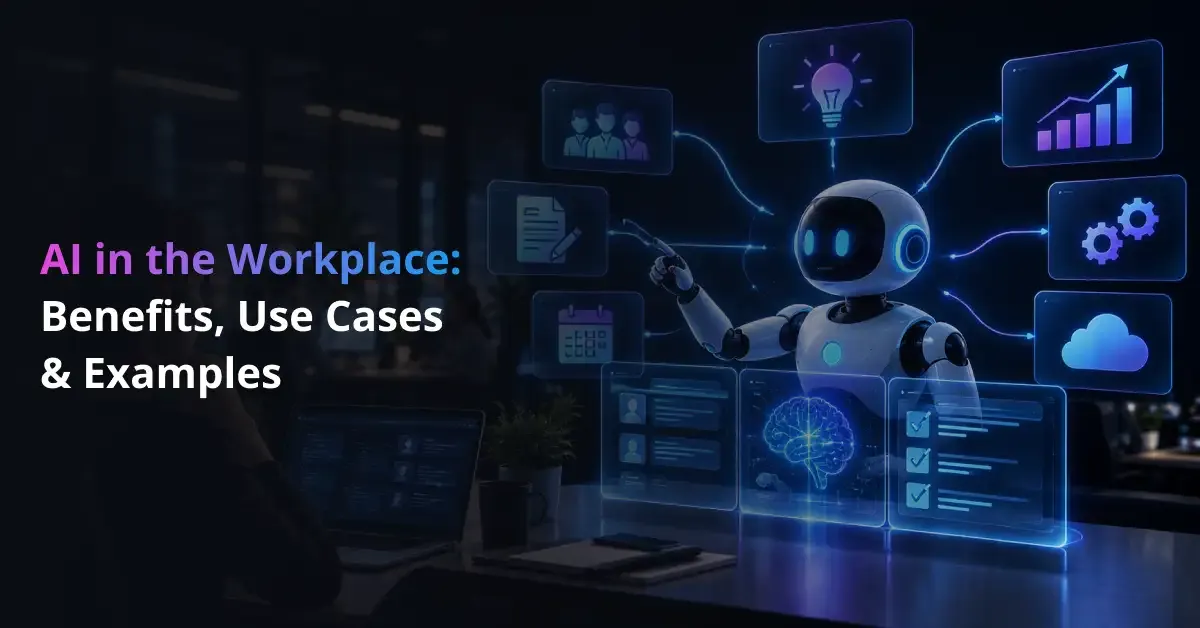
Artificial intelligence now supports everyday work by automating routine activities, analyzing business data and assisting employees with decisions. As companies pursue broader AI-driven business transformation, workplace AI increasingly becomes part of customer service, HR, finance, IT and operational workflows rather than remaining a standalone productivity tool.
Businesses typically create more value when they connect AI to a defined problem and measurable outcome. A well-planned enterprise AI strategy can help organizations prioritize suitable use cases, prepare business data and establish clear performance goals before investing in large-scale adoption.
Workplace AI also introduces concerns around accuracy, privacy, security and employee trust. Organizations therefore need a structured approach to implementing AI that combines technology, human oversight, employee training and governance.
Key takeaways
- Workplace AI supports both task automation and employee augmentation.
- Successful adoption connects AI capabilities with specific workflows and measurable business outcomes.
- Organizations need governance, employee training and human oversight to scale AI responsibly.
Find the Right AI Opportunities Across Your Workplace
Prismetric helps identify repetitive, data-heavy workflows where AI can improve productivity, decision-making, and operational efficiency.
Discover AI Opportunities
What Is AI in the Workplace?
AI in the workplace refers to the use of artificial intelligence technologies to automate tasks, analyze information, generate content, retrieve knowledge and support business decisions. Companies increasingly deploy enterprise AI systems across departments to improve productivity, reduce repetitive work and accelerate everyday processes.
Workplace AI includes several technologies with different capabilities. Generative AI solutions create and summarize text, images or other content, while machine learning systems analyze historical data, identify patterns and generate predictions. Natural language processing technologies help software understand employee questions, documents and conversations.
Businesses also use AI agents for multi-step processes that can retrieve information, interact with applications and complete defined actions. These technologies allow organizations to move beyond simple AI assistance toward more connected workplace workflows.
AI Automation vs AI Augmentation
AI automation completes defined tasks with limited human involvement, while AI augmentation helps employees perform work more efficiently. Automation might classify invoices, route support requests or update records. Augmentation might help an analyst summarize reports, evaluate trends or compare possible actions.
Most organizations use both approaches. AI-powered workflow automation typically handles repetitive and predictable activities, while employees retain greater involvement in work that requires context, judgment, creativity or accountability.
AI in the Workplace Statistics and Adoption Trends
Workplace AI adoption continues to increase, although employees and organizations use the technology at different levels. Gallup reports that 52% of U.S. employees use AI in their role at least a few times a year, 30% use it frequently and 15% use it daily as of May 2026.
| Workplace AI Metric |
Current Finding |
What It Indicates |
| U.S. employees using AI at least a few times a year |
52% |
AI reaches more than half of employees surveyed |
| U.S. employees using AI frequently |
30% |
Regular adoption remains lower than occasional use |
| U.S. employees using AI daily |
15% |
Daily use remains concentrated among part of the workforce |
| Workers using GenAI at work |
Around 40% |
Generative AI drives broad workplace adoption |
| Employees reporting organizational AI integration |
47% |
Company-level adoption continues to expand |
Gallup also finds that only 25% of U.S. employees say their organization communicates a clear AI integration strategy, showing that access to AI does not necessarily mean employees receive clear guidance on how to use it.
Individual Adoption Is Moving Faster Than Organizational Adoption
Employees often introduce AI into their own workflows before employers establish formal policies or enterprise-wide systems. BPC describes this bottom-up adoption as an important governance issue because organizations might lack visibility into the tools employees use, the information they share and how they verify AI-generated outputs.
Companies can address this gap by creating secure AI integrations with existing business systems instead of relying entirely on disconnected employee tools.
Adoption Varies by Role, Industry and Company Size
AI adoption remains highest in knowledge-intensive industries. BPC reports AI use of 42% in the information sector and 37% in professional, scientific and technical services, compared with 4% in agriculture and 8% in accommodation and food services. Firms with 250 or more employees also report higher adoption than smaller businesses.
These differences show that workplace AI adoption depends on task type, digital maturity, available infrastructure and organizational resources rather than following the same pattern across every business.
How Is AI Used in the Workplace?
AI supports workplace activities by automating routine processes, retrieving business information, analyzing data and assisting employees with decisions. Organizations gain the most value when AI connects directly with existing workflows instead of operating as a separate tool. This approach canimprove business efficiency by reducing repetitive work, accelerating information processing and supporting faster decisions.
| Workplace Use Case |
Practical Example |
Primary Outcome |
| Task automation |
Scheduling, approvals and record updates |
Less manual work |
| Enterprise search |
Finding policies and internal documents |
Faster knowledge access |
| Document processing |
Extracting invoice or contract data |
Faster processing |
| Data analysis |
Forecasting and anomaly detection |
Better decisions |
| Customer service |
AI assistants and ticket routing |
Faster support |
| HR |
Onboarding and employee Q&A |
Lower administrative workload |
| Sales and marketing |
Lead analysis and content assistance |
Higher productivity |
| IT |
Ticket triage and coding support |
Faster issue resolution |
Repetitive Task and Workflow Automation
AI streamlines repetitive work by identifying information, applying defined rules and triggering the next action in a process. This might include updating records, categorizing requests, preparing summaries or routing approvals, allowing employees to focus on work that requires judgment and collaboration.
Organizations can identify suitable automation opportunities by evaluating task frequency, process complexity, available data and expected business value before committing resources to implementation.
Enterprise Search and Knowledge Retrieval
AI improves knowledge access by understanding natural-language questions and retrieving relevant information from company documents, policies, databases and knowledge bases. Businesses can also connect language models with enterprise databases to make internal information easier to search while maintaining structured access to business data.
For example, an employee can ask about an internal policy and receive a summarized answer linked to the relevant source instead of manually searching several systems.
Document Processing
AI accelerates document-heavy workflows by extracting, classifying and summarizing information from invoices, contracts, claims, reports and forms. This might include identifying invoice values, categorizing documents or preparing contract summaries, helping teams reduce manual data entry and shorten processing times.
Data Analysis and Decision Support
AI helps employees analyze larger datasets by identifying patterns, comparing performance and detecting unusual activity. Modern AI tools for business data analysis can support forecasting, reporting and exploratory analysis, helping teams convert large amounts of information into practical insights.
Companies can combine these capabilities with business intelligence solutions to monitor performance, visualize trends and support data-driven decisions across departments.
Customer Service and Employee Support
AI enhances support operations by interpreting requests, retrieving relevant information and generating routine responses. Enterprise AI assistants can answer common questions, guide users through standard processes and escalate complex issues, helping support teams reduce response times.
Businesses that require deeper integration can also build custom conversational AI systems around internal knowledge, customer data and existing service workflows.
Human Resources
AI can streamline HR administration by supporting onboarding, employee self-service, training and recruitment workflows. This might include answering policy questions, scheduling interviews or summarizing applications. Organizations typically maintain stronger human oversight when AI affects hiring, promotion, performance or other employment decisions.
Sales and Marketing
AI improves sales and marketing workflows by analyzing customer behavior, identifying promising opportunities and preparing personalized content. Businesses can also apply generative AI within CRM workflows to summarize interactions, draft follow-ups and support account research, helping sales teams spend more time on customer relationships.
IT and Software Development
AI supports IT teams by categorizing service requests, assisting with troubleshooting and monitoring technical systems. Generative AI for IT operations can help specialists summarize incidents, retrieve technical knowledge and automate routine support work.
Development teams also use AI throughout the software development lifecycle to generate code, support testing and analyze defects, allowing developers to focus more attention on architecture, security and complex engineering decisions.
Finance and Operations
AI improves finance and operational workflows by processing invoices, detecting unusual transactions, forecasting demand and optimizing resource allocation. Businesses can use these capabilities to reduce processing delays, improve planning accuracy and identify operational issues earlier.
Voice-based workflows are also expanding. Organizations can use AI-powered voice agents to handle routine calls, collect information and route requests while employees manage conversations that require greater judgment or negotiation.
Benefits of AI in the Workplace
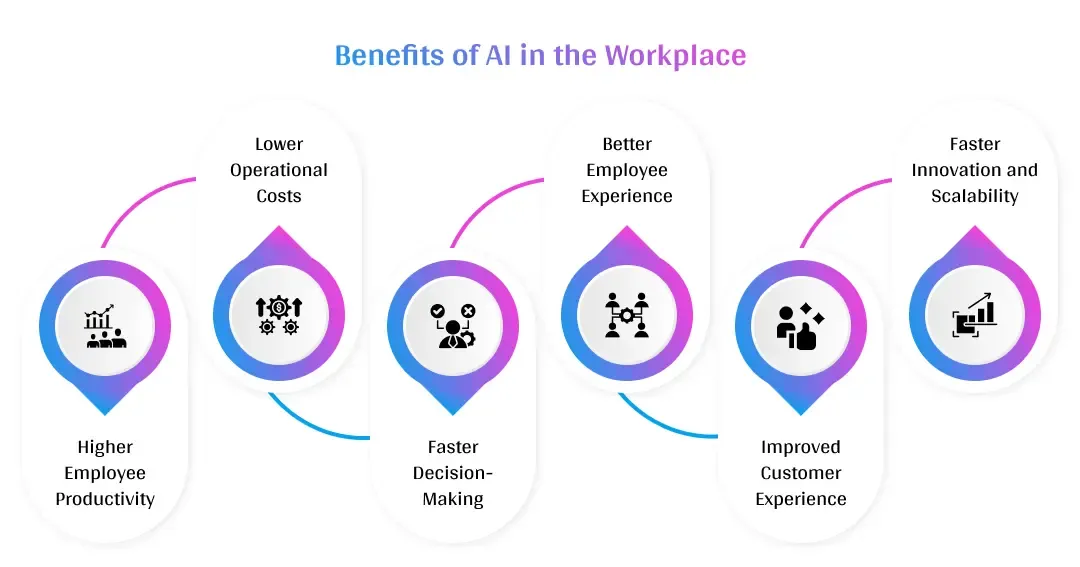
AI can create measurable workplace value when organizations apply it to clearly defined processes and track changes in productivity, cost, quality and employee workload. The benefits depend on the use case, implementation quality and level of human oversight rather than AI adoption alone.
Higher Employee Productivity
AI improves employee productivity by automating repetitive tasks, summarizing information and accelerating routine analysis. Employees spend less time searching documents, preparing standard reports or completing administrative activities, allowing them to focus on problem-solving, customer relationships and other strategic work.
Lower Operational Costs
AI can reduce operational costs by decreasing manual processing, shortening cycle times and limiting repetitive work. This might include automating invoice handling, support routing or routine reporting.
Businesses can identify additional opportunities to reduce operating costs with AI by comparing automation savings with implementation, software and ongoing operating expenses.
Faster Decision-Making
AI supports faster decisions by analyzing business information, identifying important patterns and highlighting changes that require attention. Predictive systems can surface demand shifts, operational risks or customer trends, helping managers respond earlier while retaining responsibility for consequential decisions.
Better Employee Experience
AI can improve employee experience by reducing administrative workload and simplifying access to workplace information. Internal assistants can answer routine questions, retrieve knowledge and support everyday processes, allowing employees to spend more time on meaningful activities and less time navigating fragmented systems.
Improved Customer Experience
AI enhances customer experience by providing faster responses, consistent support and more relevant interactions. Organizations can combine automation with parallel AI across business operations to coordinate multiple activities while maintaining human involvement where customers require judgment, empathy or specialized assistance.
Faster Innovation and Scalability
AI accelerates experimentation by helping teams research ideas, prepare drafts, analyze feedback and test alternatives more quickly. Different sectors can apply enterprise AI to industry-specific workflows based on their operational requirements, data environments and regulatory constraints.
More advanced organizations can also explore agentic AI use cases where software performs connected actions rather than only generating recommendations, enabling teams to scale selected workflows with less manual coordination.
Risks and Challenges of AI in the Workplace
AI introduces operational, security and workforce risks when organizations deploy it without clear controls. Employers need to understand what information AI processes, how employees use generated outputs and where human review remains necessary. Risk levels typically increase when AI influences sensitive data, financial decisions or employee outcomes.
| Risk |
Workplace Example |
Recommended Control |
| Data privacy |
Sensitive information entered into public AI |
Approved tools and data rules |
| Hallucination |
Incorrect generated information |
Human verification |
| Bias |
Unfair employment recommendation |
Testing and oversight |
| Transparency |
Decision cannot be explained |
Documentation and explainability |
| Shadow AI |
Employees use unauthorized tools |
Governance and training |
| Compliance |
AI affects regulated activities |
Legal review and monitoring |
Data Privacy and Confidentiality
AI tools can expose sensitive information when employees submit customer records, internal documents or proprietary data to systems that the organization has not reviewed. Businesses should define what information employees can share and evaluate whether private or public LLM deployment better matches their security, control and confidentiality requirements.
Hallucinations and Inaccurate Outputs
Generative AI can produce incorrect or unsupported information even when the response appears confident. Employees need to verify important outputs before using them in reports, customer communications or business decisions.
Organizations can strengthen reliability by applying structured AI model testing practices that evaluate accuracy, consistency and task performance before systems enter important workflows.
Bias and Unfair Decisions
AI can produce unfair outcomes when training data, model behavior or deployment practices reflect biased patterns. The risk becomes more significant in recruitment, promotion and performance management. Businesses should test outcomes, document decision processes and keep accountable employees involved when AI influences high-impact decisions.
Lack of Transparency
Some AI systems generate recommendations through processes that users cannot easily interpret. Limited transparency makes errors harder to investigate and important decisions more difficult to justify.
Organizations can apply explainable AI principles by documenting relevant inputs, understanding model behavior and communicating how AI contributes to decisions, helping improve accountability and user trust.
Shadow AI and Security Risks
Shadow AI occurs when employees use unapproved AI applications without adequate IT or security oversight. These tools can create data exposure, duplicate software usage and inconsistent controls. Companies need approved-tool policies, employee training and ongoing monitoring to reduce unmanaged AI use without blocking productive experimentation.
Regulatory and Compliance Risk
AI can create compliance obligations when systems process personal information, automate regulated activities or influence employment-related decisions. Requirements vary by jurisdiction and use case, so organizations need ongoing legal review rather than relying on a single policy.
Businesses operating in the United States can monitor AI regulation and compliance developments while also considering broader industry-specific IT compliance requirements when workplace AI connects with regulated business systems.
Legal teams can also evaluate how AI affects legal workflows when organizations use automated systems for document review, research or compliance-related work.
AI governance therefore needs continuous review. Organizations should monitor tools, test outputs and update controls as technologies, workplace uses and regulatory expectations change.
How Is AI Changing Jobs and the Workforce?
AI changes work primarily at the task level by automating routine activities and expanding what employees can accomplish with digital tools. In many roles, AI handles repetitive processing while employees retain responsibility for judgment, communication, creativity and accountability.
AI Is Changing Tasks Before Entire Jobs
AI often replaces individual tasks rather than entire occupations. A financial analyst might automate data preparation while still interpreting results, and a support employee might use AI to draft responses while managing sensitive customer issues.
Organizations can evaluate high-value enterprise AI opportunities before deciding which tasks should be automated, augmented or kept fully human-led.
Human Judgment Is Becoming More Important
AI processes information quickly, but employees still provide business context, ethical judgment and accountability. Human involvement becomes especially important when decisions affect customers, finances, employees or regulatory obligations.
This shift increases demand for people who can evaluate AI outputs, identify errors and decide when automated recommendations should be accepted, modified or rejected.
Employees Are Becoming AI Supervisors
Employees increasingly guide, review and monitor AI systems instead of completing every process manually. This might include defining instructions, checking generated outputs and approving actions before they affect business systems.
As companies deploy more autonomous systems, structured AI agent evaluation helps teams assess task completion, reliability and output quality before assigning agents greater operational responsibility.
AI Literacy and Reskilling Are Becoming Workplace Skills
AI literacy helps employees understand where AI performs well, where it can fail and when human verification is necessary. Businesses can strengthen workforce readiness by training employees in:
- AI capabilities and limitations
- Effective instructions and prompting
- Output verification and fact-checking
- Data privacy and responsible use
- Human oversight and escalation
Organizations with specialized requirements might also build internal prompt engineering expertise to improve how employees interact with language models and structured AI workflows.
How to Implement AI in the Workplace
Successful workplace AI implementation starts with a clear business problem and expands through controlled testing, integration and measurement. Organizations should avoid selecting technology first and searching for a use case afterward. A structured implementation process helps connect AI investment with measurable operational outcomes.
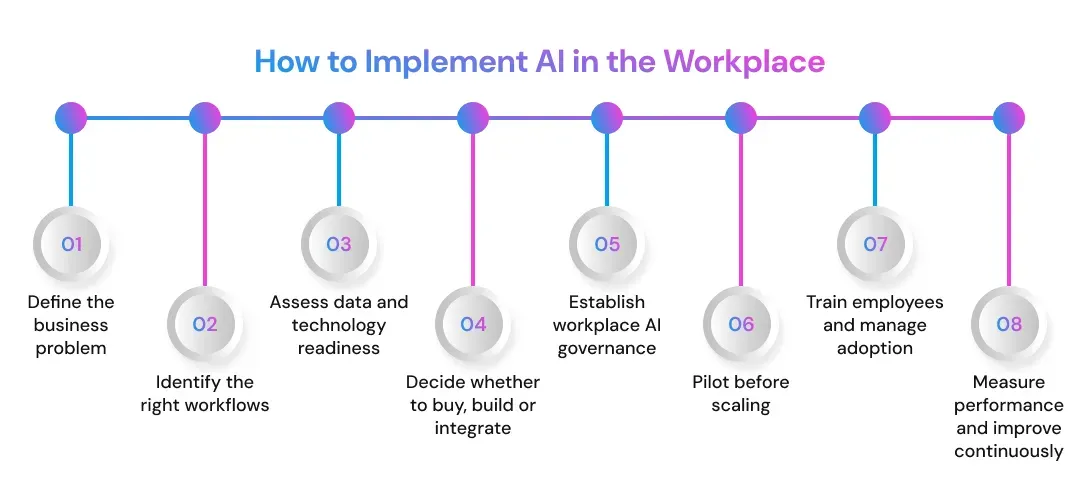
1. Define the business problem
Start by identifying a specific performance issue such as long processing times, repetitive administrative work, high support volume or inconsistent access to information. Clear objectives help teams determine whether AI provides enough value to justify implementation.
Businesses that need strategic support can use generative AI consulting expertise to evaluate opportunities, technical requirements and adoption priorities before development begins.
2. Identify the right workflows
Evaluate workflows according to task volume, repetition, data availability, business impact and human judgment requirements. Processes with predictable inputs and measurable outputs often provide better starting points than complex decisions with unclear success criteria.
Organizations can compare potential use cases through an AI proof-of-concept process before committing to broader deployment.
3. Assess data and technology readiness
AI performance depends on reliable data, suitable infrastructure and secure system access. Businesses should evaluate data quality, permissions, APIs, application architecture and integration requirements before implementation.
Strong data engineering foundations help organizations prepare, organize and connect business data so AI systems can access relevant information consistently.
4. Decide whether to buy, build or integrate
Organizations should compare existing AI products with custom solutions based on workflow complexity, security requirements, integration needs and long-term control. A custom AI versus off-the-shelf comparison can help teams evaluate when standard software is sufficient and when tailored development provides greater value.
Companies working with older enterprise platforms should also plan an AI integration architecture for legacy systems that connects new capabilities without disrupting critical operations.
5. Establish workplace AI governance
Define approved tools, prohibited data, review requirements, accountability and escalation procedures before employees use AI in sensitive workflows. Governance should reflect the level of risk rather than applying the same controls to every use case.
Organizations using retrieval-based systems should also consider security, access and compliance when building enterprise RAG applications.
6. Pilot before scaling
Start with a limited process, user group or business unit and measure performance against predefined objectives. A pilot reveals technical limitations, user behavior and workflow changes before they affect a larger workforce.
Businesses can compare an AI POC with an AI MVP to decide whether they first need technical validation or a usable early-stage solution.
7. Train employees and manage adoption
Employees need practical guidance on when to use AI, how to validate results and what information they should not share. Training should combine technical skills with business context, helping teams understand how AI fits into existing responsibilities rather than treating adoption as a software rollout.
8. Measure performance and improve continuously
Track metrics such as processing time, accuracy, employee adoption, cost per task, customer satisfaction and error rates. Businesses should compare actual outcomes with the original baseline and refine workflows when AI fails to create measurable value.
For knowledge-intensive systems, teams might also evaluate whether RAG or model fine-tuning better supports accuracy, domain knowledge and maintenance requirements.
Organizations should scale only after the pilot demonstrates acceptable quality, security and business value. Enterprise platforms such as ERP systems may require additional planning; for example, companies can follow a structured approach when integrating AI with SAP environments.
The Future of AI in the Workplace
Workplace AI is moving from standalone assistants toward systems that participate directly in business processes. Future adoption is likely to focus less on opening a separate chatbot and more on embedding AI into everyday applications, enterprise data and multi-step workflows.
From AI Copilots to AI Agents
AI copilots primarily assist employees by drafting, summarizing and recommending actions. AI agents go further by planning steps, interacting with tools and completing defined activities. Agentic process automation reflects this shift from simple assistance toward coordinated execution across business processes.
Task-Specific Agents
Task-specific agents handle narrow activities such as research, scheduling, document review or request classification.
Multi-Step Workflow Agents
Multi-step agents coordinate several actions across applications, allowing businesses to automate processes that previously required manual handoffs.
Human-Supervised Autonomous Agents
Higher-autonomy agents can execute defined workflows while employees monitor outcomes, approve sensitive actions and intervene when conditions fall outside established rules.
AI Will Become Embedded Into Everyday Software
AI increasingly operates inside CRM, ERP, collaboration, development and productivity platforms. Businesses can also integrate LLM capabilities into existing applications instead of requiring employees to switch between disconnected tools.
Human-AI Collaboration Will Become More Structured
Organizations will define clearer boundaries around what AI can execute independently and what requires human approval. This structure helps businesses increase automation while preserving accountability for sensitive decisions.
AI Governance Will Become Part of Workflow Design
Governance increasingly moves from written policy into system architecture through access controls, approval steps, monitoring and audit trails. Companies can also evaluate AI workflow automation platforms that combine automation with orchestration and oversight across connected business processes.
Why Partner with Prismetric for the Integration of AI in the Workplace
Building an AI-enabled workplace requires more than adding standalone AI tools to existing operations. Businesses need AI systems that connect with their workflows, data and internal platforms while supporting clear operational goals. Prismetric helps organizations plan, develop and integrate AI around these requirements through its enterprise AI solutions for business workflows.
Our custom AI development services help businesses automate repetitive work, improve access to information and support employee decision-making. We build AI solutions around existing infrastructure, security requirements and measurable business objectives, helping organizations move from isolated AI experiments to practical workplace applications. Prismetric also supports businesses looking for an AI development company in the USA, Australia or Germany.
What We Actually Do
- Build AI-powered workflow automation systems that reduce repetitive manual work and improve operational efficiency.
- Develop predictive AI and machine learning solutions that analyze business data, identify patterns and support informed decision-making.
- Create AI assistants, enterprise copilots and knowledge systems that help employees find information and complete tasks more efficiently.
- Integrate AI with existing applications, APIs, databases and enterprise systems rather than treating AI as a standalone tool.
- Design AI solutions around data security, access controls, business requirements and existing technology infrastructure.
- Support AI systems from use-case planning and development through deployment, monitoring and post-launch optimization.
Numbers That Speak to Our Technology Delivery Experience
- 14+ years of IT experience supporting businesses with software and digital transformation initiatives.
- 1,000+ happy clients served across different business requirements.
- 1,500+ solutions developed across technology and software projects.
- Experience serving businesses across 50+ countries.
- A technology team of 100+ developers supporting solution development and implementation.
AI Development Across Global Markets: Prismetric combines AI development with software engineering and enterprise integration experience to build solutions around real business workflows. With a presence in markets including the USA, Australia and Germany, the company supports organizations that need AI systems designed around their operational processes, data environments and long-term technology requirements.
Frequently Asked Questions About AI in the Workplace
AI in the workplace refers to the use of artificial intelligence technologies to support business operations, automate repetitive tasks, analyze data and assist employees with decision-making. Organizations can use AI across functions such as customer service, HR, finance, marketing, IT and operations.
Businesses use AI to automate routine workflows, analyze large amounts of information, generate content, identify patterns and provide employees with faster access to relevant data. AI can also support customer interactions, forecasting, document processing and internal knowledge management.
AI can help businesses improve operational efficiency, reduce repetitive manual work, accelerate information processing and support data-driven decision-making. It can also allow employees to spend more time on strategic, creative and higher-value activities.
AI is more commonly used to automate specific tasks rather than replace every responsibility within a job. In many cases, businesses use AI to support employees by handling repetitive work, analyzing information and providing recommendations while people remain responsible for judgment, collaboration and complex decisions.
AI can support tasks such as document processing, data entry, customer query classification, report generation, invoice processing, scheduling and information retrieval. The most suitable tasks usually depend on the organization’s workflows, available data and business objectives.
Companies can begin by identifying high-value use cases, evaluating available data and determining how AI should connect with existing applications and workflows. Working with an experienced AI development partner such as Prismetric can help businesses design and integrate AI solutions around their infrastructure, operational requirements and long-term objectives.
Traditional automation generally follows predefined rules, while AI-powered automation can analyze data, recognize patterns and adapt its output based on available information. Combining AI with automation can enable businesses to handle more complex workflows that require classification, prediction or contextual decision support.
AI can improve productivity by automating repetitive activities, summarizing information, assisting with research and helping employees retrieve relevant business data more quickly. This can reduce the time spent on routine work and allow employees to focus on tasks that require human judgment and expertise.
Businesses should evaluate their objectives, data quality, existing infrastructure, security requirements, integration needs and employee workflows before implementing AI. They should also establish clear success metrics so they can measure whether the AI solution is delivering meaningful operational improvements.
Prismetric can help businesses plan, develop and integrate AI solutions around specific operational requirements. Its enterprise AI development services can support organizations looking to connect AI with internal systems, business data and multi-step workflows instead of relying only on standalone AI tools.
Yes. Businesses do not necessarily need to implement AI across the entire organization at once. They can begin with targeted use cases such as customer support automation, document processing, internal search or reporting and expand their AI capabilities as the organization gains experience and identifies additional opportunities.
Businesses that require AI tailored to their processes can use Prismetric’s custom AI development services to build applications for workflow automation, information access, analytics and employee decision support. Prismetric can also help integrate these solutions with existing business systems so AI becomes part of day-to-day operations rather than functioning as an isolated tool.