10+ Lovable Alternatives and Competitors in 2026

AI isn’t just a trend anymore. It’s completely changed how I build digital products.
What used to take me weeks of back-and-forth coding now happens in a few focused hours, thanks to the right AI tools. Whether I’m helping a founder launch their MVP or testing UI concepts for a new app, I’ve noticed one thing: building software is way more accessible than it used to be.
And the stats back it up.
Gartner expects global AI spending to hit $3 trillion by 2027, with generative AI making up 36 percent of that.
Statista projects the AI software development market to reach over $1 trillion by 2031, growing at a 26.6 percent CAGR.
Somewhere along the way, I started using Lovable, an AI-powered app builder that lets you generate web apps from simple prompts. Most of what it spits out is built with React. The interface is clean, the speed is impressive, and for quick prototypes, it just works.
But once I started moving beyond the basics, I hit some walls.
I needed to reuse my own design system. I wanted better control over backend logic and custom APIs. I wanted to tweak things without feeling boxed in. That’s when Lovable started to feel a bit too limited for what I was trying to build.
So I went looking for alternatives.
In 2026, there are some seriously good ones out there. Tools that give me more control, smarter AI features, flexible pricing, and better integration support. Whether you’re a non-technical founder or someone who’s been coding for years, there’s likely something that fits better.
I’ve tested a bunch. In this guide, I’ll walk you through the top Lovable alternatives I’ve tried in 2026. What each one offers, who it’s best for, and where it shines compared to Lovable.
Why Lovable users are looking for alternatives
When I first tried Lovable, I understood why it blew up so fast. You describe the app you want, wait a bit, and suddenly you have a working UI with real code behind it. For quick prototypes, idea validation, or vibe coding a frontend, it feels almost unreal.
But when I started reading through Reddit threads, LinkedIn posts, and long-form reviews, I kept seeing the same pattern. People love Lovable for speed, then hit very real friction once they try to build something serious or long term.
Here are the main reasons Lovable users start looking for alternatives.
1. Great for MVPs, frustrating for production
Most real-world reviews agree on one thing. Lovable is fantastic for getting from idea to MVP, but it becomes harder to rely on when you move toward production apps.
Several engineers and agencies describe a clear split. They use Lovable to get a “half decent front end” or first version live, then move the code into another environment like Cursor or a traditional editor to clean things up, wire in the backend properly, and harden it for launch.
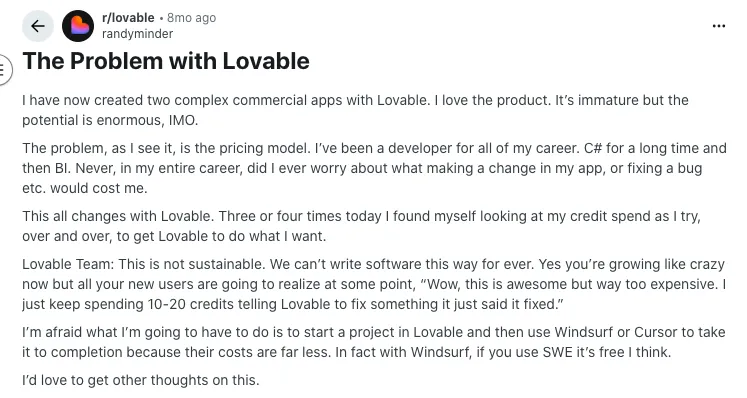
Source of Information: Reddit
Other technical teams point out that once you need proper auth flows, subscription logic, or reliable state and data handling, you still need solid React and backend skills to debug and restructure what the AI generated.
If you are hoping for a “no skills required” path all the way to a stable SaaS, that gap becomes obvious pretty fast.
2. You still need real coding skills to fix things
On paper, Lovable looks like a no-code or low-code dream. In practice, users repeatedly mention that you still need to understand what is going on under the hood.
Independent reviews and comparison posts highlight that you often have to:
- Manually fix broken logic
- Troubleshoot runtime errors
- Clean up or refactor complex components
- Adjust layouts that look good at first but break on edge cases
Beginners can ship something quickly, but once the app grows, people who do not know React, Supabase, or basic backend patterns feel stuck. That is usually when they start searching for Lovable alternatives that are either more opinionated or provide clearer guardrails for non-developers.
3. Generic “Lovable look” and limited design control
A lot of creators like the Lovable UI out of the box. It is clean and modern. The problem shows up when you want your app to look like your brand and not like a “Lovable site”.
Developers on Reddit and other forums mention that they can spot a Lovable-generated website from a long distance because many designs follow the same patterns and styling choices.
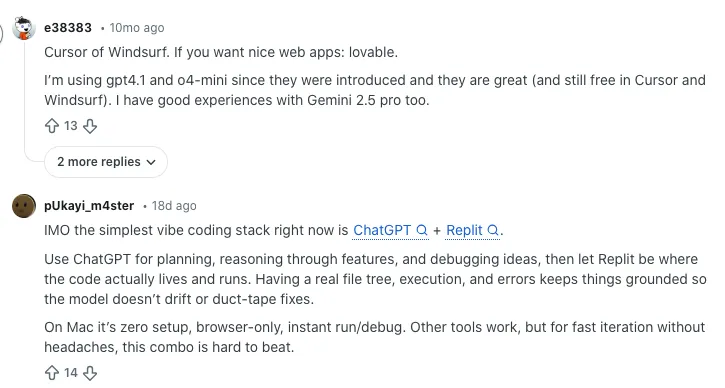
Source of Information: Reddit
Some reviews also call out limited fine-grained control over spacing, component variations, and visual hierarchy. You can absolutely tweak things, but it takes more manual work than the initial AI magic suggests. If brand differentiation matters, that gets frustrating.
4. Cost, credits, and error loops
Another recurring pain point is the way Lovable handles tokens and credits.
In community reviews, users talk about hitting error loops where the AI keeps trying to fix something, burns a lot of tokens, and still does not fully resolve the issue. For larger projects, one click can consume a huge number of tokens just trying to stabilize the code.
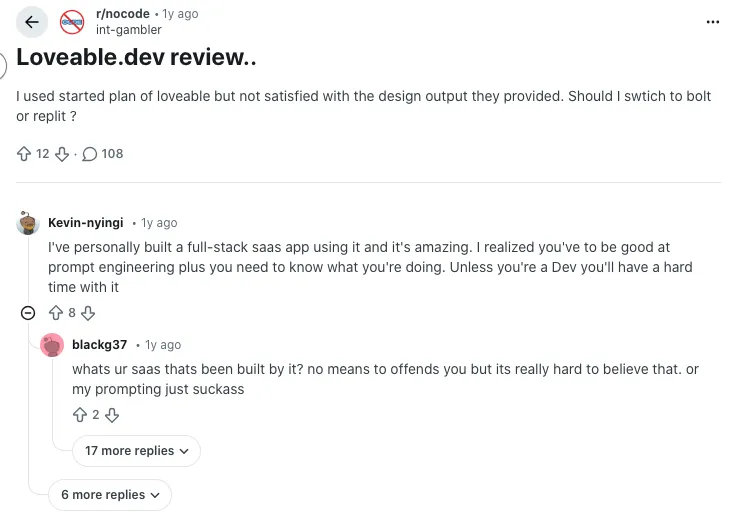
Source of Information: Reddit
Add on top of that a relatively limited free tier, and some builders feel nervous about experimenting freely. If your workflow involves many iterations and refactors, the cost structure can push you toward other AI app builders with more predictable pricing.
5. Security, stability, and long-term risk
Security comes up often when people discuss turning a Lovable project into a public-facing app.
Community discussions and technical reviews highlight issues like:
- AI-generated apps making unsafe assumptions about “hidden” buttons or client-side checks
- Very wide OAuth scopes when integrating third party services
- Limited audit trails around who accessed what and when
Source of Information: Reddit
On top of that, external reporting has shown Lovable being abused by cybercriminals as easy infrastructure for phishing and malware sites, which forces the platform to fight misuse at scale.
To be clear, that abuse is not the fault of normal users, and Lovable has taken active steps to clamp down on it. But if you are building something that handles customer data, compliance, or payments, you will probably want tighter security controls than an AI-first builder gives you out of the box.
6. Complexity and “overbuilding” for simple ideas
One of the more subtle complaints is that Lovable sometimes does too much.
Some users describe asking for a simple app that does one thing, then getting a project with extra components, flows, and abstraction that they never requested. That can make the code harder to understand, especially for beginners who just wanted a lean tool.
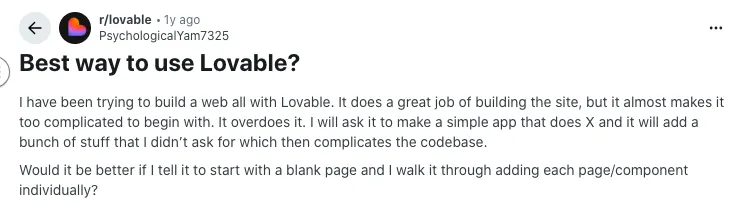
Source of Information: Reddit
For quick experiments, this is fine. For long-term maintenance, it feels like unnecessary complexity.
How I Choose the Best Lovable Alternatives to Try in 2026
Choosing the right AI app-building tool can feel like standing in a crowded market where every vendor claims to have “the easiest” or “most powerful” solution. I’ve been there. Sorting through the hype isn’t fun, especially when you just want something that actually works for your workflow.
That’s why I didn’t just skim features or go by what’s on the homepage. I tested these platforms hands-on, keeping things practical and focused on what actually matters when you’re building real products.
Here’s what I looked at while narrowing down the best alternatives to Lovable in 2026:
AI Capabilities
I paid close attention to how smart the assistant actually is. Does it generate clean, usable code? Can it handle complex UI layouts or backend logic without falling apart? These details make all the difference when speed and quality both matter.
Ease of Use and Learning Curve
I asked myself, how quickly could someone with little to no technical background get started? Is the interface easy to navigate? Some tools got frustrating fast, while others made onboarding feel natural.
Customization and Code Control
One big test was flexibility. Could I get into the generated code? Could I tweak components, plug in APIs, or extend backend logic without jumping through hoops? If a tool locked me into its system, it didn’t make the cut.
Feature Set
From frontend tools to backend support, I looked at the full feature stack. That includes things like deployment options, database integrations, auth tools, and analytics support. Basically, can this tool take you beyond just a pretty UI?
Pricing
I gave points to platforms with pricing that actually made sense. Transparent, flexible plans are key, whether you’re bootstrapping a side project or scaling something bigger. Surprise fees or confusing pricing models were a red flag.
Who It’s For
I also considered who the platform was really built for. Is it better suited for no-code creators, solo technical founders, UI designers, or larger dev teams? I tried to match tools to the people they actually serve best.
Community and Support
Finally, support matters. I looked into how responsive the teams are, the quality of the documentation, the presence of active forums, and how engaged the user base is. A solid community can save you hours of frustration.
Quick Comparison Table of Alternatives to Lovable
| Tool |
AI-Assistance |
Ease of Use |
Backend / Logic |
Frontend Stack |
Code Export |
Best Use Case |
| Vitara |
✅ Yes |
⭐⭐⭐⭐☆ |
✅ Backend scaffolding |
React + Node.js |
✅ Full export |
Build clean, deployable MVPs fast |
| Bolt.new |
✅ Yes |
⭐⭐⭐⭐☆ |
⚙️ Partial logic |
React (mostly) |
⚠️ Partial export |
Fast prototyping from prompt |
| Cursor |
✅ Yes |
⭐⭐⭐☆☆ |
✅ Full code logic |
User-chosen stack |
✅ Yes (native IDE) |
Devs who like control + AI |
| Rosebud AI |
✅ Yes |
⭐⭐⭐☆☆ |
❌ No real logic |
Design-first (Figma-style) |
❌ No |
Visual assets for apps or games |
| Softgen |
✅ Yes |
⭐⭐⭐⭐☆ |
✅ Full-stack AI |
React / Next.js |
✅ Yes |
Robust web apps with customization |
| ChatLabs |
✅ Yes |
⭐⭐⭐☆☆ |
⚙️ Chat logic layer |
Chat-first interfaces |
⚠️ Limited export |
Conversational UI experiences |
| Uizard |
✅ Yes |
⭐⭐⭐⭐⭐ |
❌ No logic layer |
HTML / CSS styled UI |
❌ No |
Rapid visual wireframes & UI |
| Buildglare |
⚠️ Partial |
⭐⭐⭐☆☆ |
✅ Basic backend |
HTML / Tailwind |
⚠️ Export via download |
Host-ready simple apps |
| Bubble |
✅ Yes |
⭐⭐⭐☆☆ |
✅ Logic + workflows |
Proprietary GUI |
❌ No native code |
Web apps with no-code complexity |
| Codev |
✅ Yes |
⭐⭐⭐☆☆ |
✅ APIs + logic |
React / TypeScript |
✅ Yes |
Devs needing smart codegen |
| Replit |
✅ Yes |
⭐⭐⭐⭐☆ |
✅ Full backend support |
Any (code-based) |
✅ Yes (obviously) |
Code, run, and ship in browser |
| HopeAI |
✅ Yes |
⭐⭐⭐☆☆ |
⚙️ Some logic layers |
HTML + JS UI |
⚠️ Partial (HTML) |
Simple idea validation |
Top Lovable AI Alternatives in 2026
We have mentioned the best alternatives of Lovable with their features, pros, cons, pricing and information like who should use this tools. Here’s a list of best Lovable alternatives 2026:
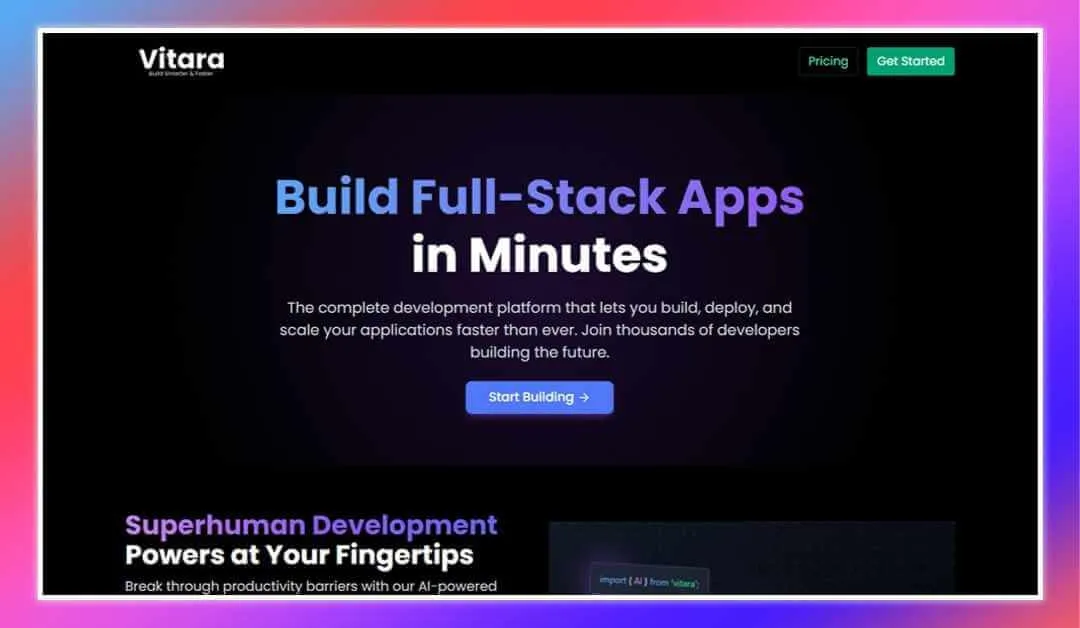
Vitara is an AI-powered software development platform that transforms how you build, deploy, and scale full-stack applications. It combines a powerful vibe coding experience with an intuitive, browser-based environment, removing the need for complex local setups.
You just have to describe your app idea, and Vitara’s AI quickly generates production-ready code. During its launch, the platform attracted over 3,000 new users and 2,600+ new projects within 24 hours, demonstrating its strong appeal to developers who value speed and quality. You can fine-tune features through an interactive workflow and, once ready, deploy your application seamlessly within a secure, streamlined platform.
Key Features:
- Superfast AI Development: Users can build entire application features in minutes, thanks to Vitara’s powerful AI-driven system.
- Production-Ready Code: Vitara generates high-quality, clean code that’s ready to deploy, ensuring professional-grade results.
- Modern Tech Stack: The platform supports ReactJS for frontend development and integrates with Supabase for backend services, offering real-time data management and authentication.
- Browser-Based IDE: Work directly in the browser without installing anything, speeding up collaboration and reducing technical overhead.
- Smart Error Detection: Vitara identifies coding errors in real-time and suggests instant fixes, enhancing code quality and saving valuable development time.
- Performance Optimization Tips: Built-in AI recommendations help optimize application speed, usability, and security.
Pros:
- Rapid Feature Development: Enables developers to move from idea to functional product in record time.
- Zero Configuration Setup: No need for complex local setups; start building immediately from the browser.
- Full Code Ownership: Users maintain full rights and can download or deploy their code without platform lock-in.
- Secure and Reliable: Implements advanced encryption protocols to keep your projects and data protected.
Cons:
- Learning Curve for Beginners: New users may take time to adjust to AI-driven workflows if they’re used to traditional development environments.
- Limited Backend Framework Options: Currently optimized primarily for Supabase, which may not fit every project’s needs.
Pricing:
Starter Plan: Free — It includes a daily limit of 5 messages and a monthly limit of 25 messages, with AI-powered assistance to build applications through prompts.
Build Plan: $20/month — It offers everything in the Free Tier, plus an extended monthly limit of 100 messages, private project capabilities for confidential development, and faster AI processing speeds.
Elevate Plan: $50/month — Includes everything in the Build Plan, along with a higher monthly usage limit of 250 messages for power users and growing teams.
Who Should Use:
- Solo developers aiming to build faster without losing quality
- Startups seeking rapid, secure full-stack development
- Agile teams needing speed and control in app creation
Lovable AI alternative for: rapid MVP builds and no-code backend setup
2. Bolt.new
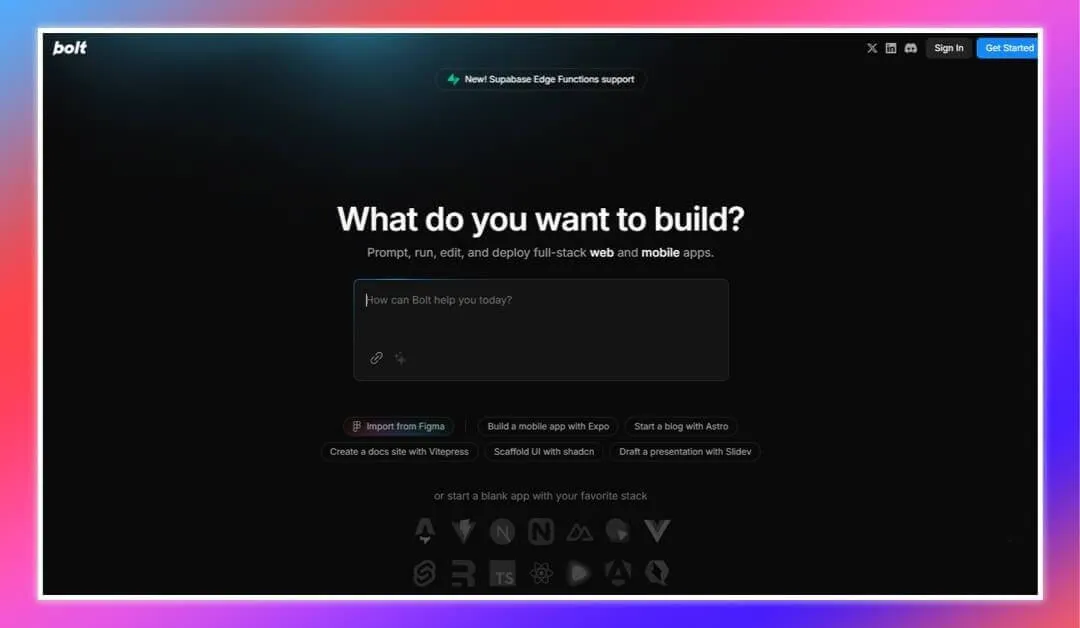
Bolt.new is one of the top alternatives of lovable AI. It is an AI-powered, browser-based platform that allows users to prompt, develop, edit, and deploy full-stack web applications without the need for local setup. By leveraging StackBlitz’s WebContainers technology, Bolt.new provides a seamless development experience entirely within the browser.
Within its first month after launch, Bolt.new reached $4 million ARR and grew to $40 million ARR in just five months. Today it serves millions of users who can turn ideas into working applications simply by typing them out.
Key Features:
- AI Code Generation: Users can input text prompts to generate functional application codebases from scratch, facilitating rapid development.
- Manual Code Editing: After code generation, Bolt.new offers an integrated, browser-based IDE for developers to manually adjust and customize the source code as needed.
- Framework Support: The platform supports a variety of modern frameworks and tools, including Astro, Vite, Next.js, Svelte, Vue, and Remix, providing flexibility in development choices.
- Package Management: Developers can install NPM packages, configure backends, and integrate databases like Supabase, enabling the creation of production-ready applications without leaving the platform.
- Integrated Deployment: Bolt.new simplifies deployment with integrated support for platforms like Netlify, allowing for one-click deployment directly from the development environment.
Pros:
- Seamless Integration of AI and IDE: Combines generative AI capabilities with a fully-fledged, browser-based IDE, streamlining the development process.
- Extensive Framework and Library Support: Supports a wide range of popular frameworks and libraries, accommodating diverse development needs.
- No Installation Required: Being entirely browser-based, Bolt.new eliminates the need for local setup, making it accessible and convenient.
Cons:
- Limited Customization in Complex UI: While effective for standard applications, Bolt.new may face limitations when handling highly customized or complex user interfaces.
- Performance Challenges: Operating within a browser-based environment can sometimes lead to performance issues, particularly during intensive development tasks.
Pricing:
- Free Plan: Offers 150,000 tokens per day and up to 1 million tokens per month.
- Pro Plan: $20/month for 10 million tokens.
- Pro 50 Plan: $50/month for 25 million tokens.
- Pro 100 Plan: $100/month for 50 million tokens.
- Pro 200 Plan: $200/month for 120 million tokens.
Who Should Use:
- Developers wanting an AI-assisted environment for rapid prototyping
- Technical teams experimenting with new technologies and frameworks
- Projects needing quick iterations and fast deployments
- Teams building full-stack apps in a browser-based setup
Lovable AI competitor for: deep IDE integration and instant app deployment
Also Read:
Top 10 Bolt.new Alternatives
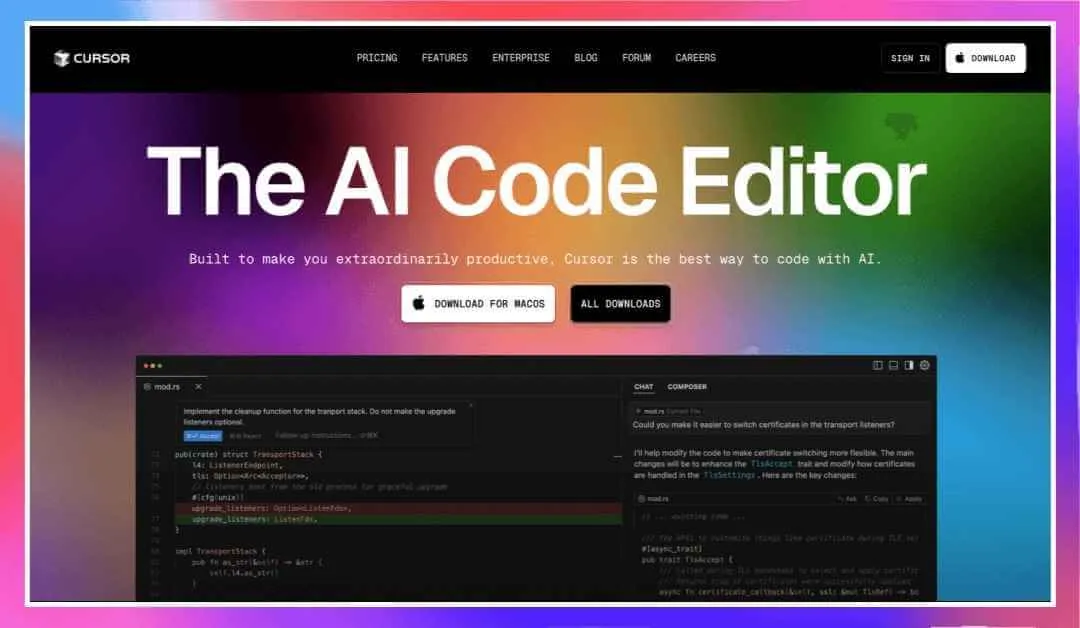
Cursor is an AI-enhanced code editor designed to work like a smart assistant inside your IDE. Built as a fork of VS Code, Cursor integrates AI code generation, contextual search, and inline explanation tools directly into the development workflow. While Lovable focuses on building static UIs, Cursor shines at helping developers understand, refactor, and extend large or legacy codebases with speed and precision. It is especially valuable for fast onboarding, AI-assisted code reviews, and delivering team-wide code intelligence without sacrificing security. Reflecting strong market confidence in AI-driven development tools, the AI coding startup behind Cursor raised $2.3 billion in funding at a $29.3 billion valuation from investors including Nvidia, Coatue Management, and Google.
Key Features:
- AI-Enhanced IDE: Forked from VS Code with an integrated AI coding assistant for real-time help.
- Deep Project Context: Semantic search and contextual awareness across entire codebases.
- Inline Assistance: Smart suggestions, instant error fixes, and guided code editing directly in the editor.
- Secure Local Access: Keeps projects local, with no need to upload code to the cloud.
- Code Understanding Tools: Inline explanations for unfamiliar code, aiding onboarding and knowledge transfer.
Pros:
- Seamless integration for developers already using VS Code.
- Boosts productivity on large and complex projects.
- Enhances team collaboration through AI-assisted reviews.
- Secure and private, with all work staying on local machines.
Cons:
- Limited appeal for simple, small-scale projects.
- Requires familiarity with VS Code to unlock full potential.
Pricing:
- Free Plan: Includes AI-assisted code generation, contextual search, and limited daily suggestions.
- Pro Plan: $20/month with higher usage limits, priority processing, and advanced AI review tools.
- Team Plan: Custom pricing for organizations needing collaboration features, secure deployments, and admin controls.
Who Should Use:
- Development teams working on large or legacy codebases.
- Engineers needing fast onboarding and deep code understanding.
- Teams seeking AI-powered refactoring, review, and code intelligence within their IDE.
Lovable AI alternative for: deep IDE integration, code intelligence, and large codebase refactoring.
Also Read: Cursor VS Lovable
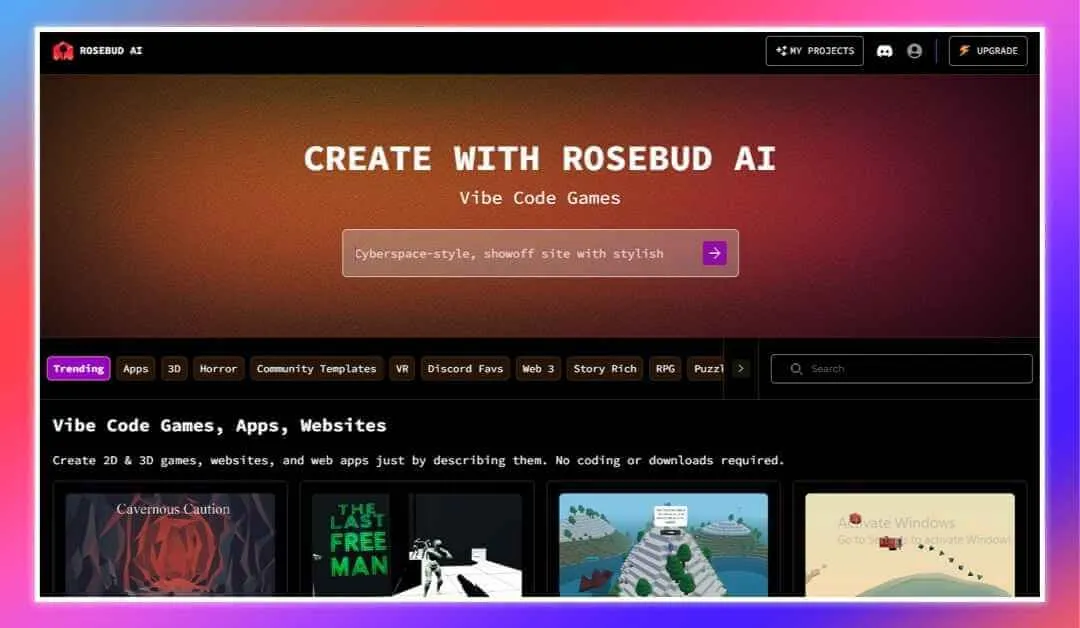
Rosebud AI on the third position of our list of Lovable AI alternatives. It is an innovative, AI-driven platform that empowers users to create web apps, games, and interactive experiences without any coding knowledge. By simply describing your concept in plain language, Rosebud’s AI assistant, “Rosie,” generates functional code, transforming ideas into working products within minutes.
Key Features:
- AI-Powered Code Generation: Transforms text descriptions into functional applications, enabling rapid prototyping and development.
- Integrated Code Editor: Provides full access to the generated code, allowing users to inspect and customize as needed.
- Built-In AI Features: Includes AI-driven capabilities such as chatbots and text generation without requiring external integrations.
- Extensive Asset Library: Offers unlimited AI-generated images and 3D assets, facilitating rich and diverse content creation.
- Community and Collaboration: Supports a remix-friendly environment where users can share and modify public projects, fostering a collaborative development culture.
Pros:
- User-Friendly Interface: Designed for both beginners and experienced developers, making app creation accessible to all skill levels.
- Versatile Application: Supports the creation of various digital products, including websites, 2D and 3D games, and interactive VR experiences.
- Cost-Effective: Provides a free plan with substantial features, making it an economical choice for creators.
- Active Community: Encourages collaboration and knowledge sharing through an engaged user base and remix culture.
Cons:
- Performance Limitations: As a browser-based platform, it may encounter performance issues during intensive development tasks.
- Learning Curve for Advanced Features: While beginner-friendly, mastering advanced functionalities may require additional time and effort.
Pricing:
- Free Plan: Offers access to core features with a limited number of AI prompts that refresh weekly.
- Pro Plan: Provides additional AI prompts and advanced features at a competitive monthly or annual subscription rate.
Who Should Use:
- Entrepreneurs and educators building interactive experiences quickly
- Game designers seeking rapid prototyping without complex coding
- Creative individuals developing apps, games, or media-rich projects
- Teams benefiting from a large asset library and active community
Lovable AI replacement for: design-driven workflows and creative app prototyping
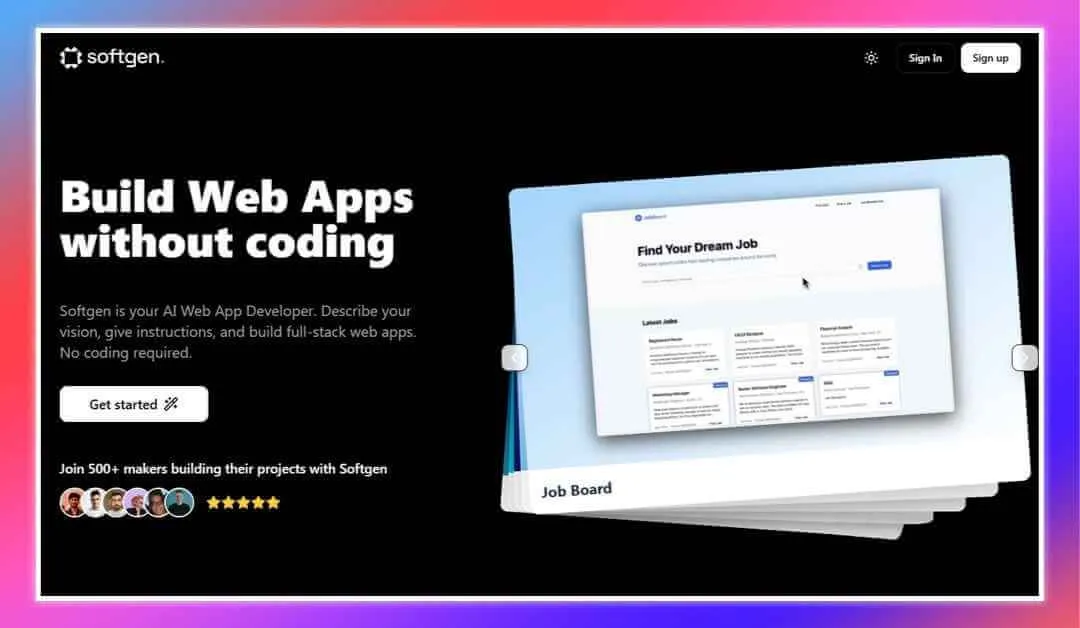
Softgen is an AI-powered web application development platform that enables users to build full-stack web apps without any coding knowledge. By simply describing your vision and providing instructions, Softgen’s AI Dev Assistant generates production-ready code, transforming ideas into functional applications rapidly. In 2025, Softgen AI reached approximately $550 K in annual revenue with a small team of just five people, demonstrating strong early traction and effective monetization in the AI app-building space.
Key Features:
- AI Dev Assistant: Generates complete full-stack applications from textual descriptions, streamlining the development process.
- Full-Stack Integration: Utilizes modern technologies like Next.js for frontend and Firebase for backend services, including authentication and real-time databases.
- Version Control: Offers built-in version history, allowing users to track changes and revert to previous states as needed.
- Real-Time Preview: Enables users to preview their applications in real-time during the development process, facilitating immediate feedback and adjustments.
- Custom Integrations: Supports integration with various libraries and services, allowing for tailored functionality within applications.
Pros:
- Rapid Development: Accelerates the transition from idea to minimum viable product (MVP), enabling the creation of functional applications in approximately 20 minutes.
- User-Friendly Interface: Designed for both technical and non-technical users, making web app development accessible to a broader audience.
- Comprehensive Feature Set: Provides a range of built-in features, including authentication, database management, and SEO optimization, reducing the need for additional tools.
Cons:
- Limited Design Customization: Offers fewer options for design flexibility compared to some competitors, which may be restrictive for users seeking highly customized interfaces.
- Performance Considerations: As a browser-based platform, it may experience performance limitations during intensive development tasks.
Pricing:
- Entry Plan: $25/month, includes 2.5 million tokens per month, AI Dev Assistant, full-stack web app builder, and version history.
- Boost Plan: $50/month, offers 6 million tokens per month, all features of the Entry plan, plus priority support.
- Fly Plan: $100/month, provides 14 million tokens per month, all features of the Boost plan, along with access to VIP events.
Who Should Use:
- Entrepreneurs and startups needing rapid, no-code app development
- Small business owners creating full-stack web applications
- Users wanting to turn ideas into functional products quickly
- Teams leveraging AI-driven tools for efficient deployment
Lovable AI substitute for: full-stack, production-ready AI web apps

Next alternative of Lovable is ChatLabs because of its impressive and simple vibe coding experience. It is an AI integration platform that consolidates multiple advanced AI models, such as GPT-5, Claude, Gemini, and Llama 4, into a single interface. It offers a suite of tools for tasks including chatting, writing, image generation, and more, catering to users who require diverse AI functionalities.
Key Features:
- Multiple AI Model Access: Provides access to various AI models, enabling users to select the most suitable one for their specific tasks.
- AI Art and Image Generation: Includes AI tools like DALL-E 3 and Stable Diffusion for creating high-quality images from textual descriptions.
- Voice Input and Text-to-Speech: Supports voice dictation for prompts and text-to-speech functionality, enhancing accessibility and user interaction.
- File Interaction: Allows users to upload and interact with various file types, including documents and PDFs, facilitating tasks like summarization and analysis.
- Chrome Extension: Offers a Chrome extension that integrates AI functionalities directly into the browser for seamless use.
Pros:
- Versatile Functionality: Combines multiple AI capabilities into one platform, reducing the need for multiple subscriptions and tools.
- User-Friendly Interface: Designed to be intuitive, making it accessible for users with varying levels of technical expertise.
- Regular Updates: Continuously integrates the latest AI models and features, ensuring users have access to cutting-edge technology.
Cons:
- Subscription Costs: Higher-tier plans may be costly for casual users or those with minimal AI integration needs.
- Learning Curve: The variety of available AI models and features may require time for users to fully understand and utilize effectively.
Pricing:
- Free Plan: Limited access to base models and features.
- Bring Your Keys Plan: $9.99/month, access to all pro features with user-provided API keys.
- Professional Plan: $29.99/month, unlimited access to all models and features without the need for user-provided API keys.
Who Should Use:
- Professionals needing a versatile suite of AI tools
- Content creators producing text, images, and other media
- Businesses leveraging AI for content, visuals, and data analysis
- Teams benefiting from multiple AI models in one platform
Lovable AI alternative for: AI chat integration with business workflows
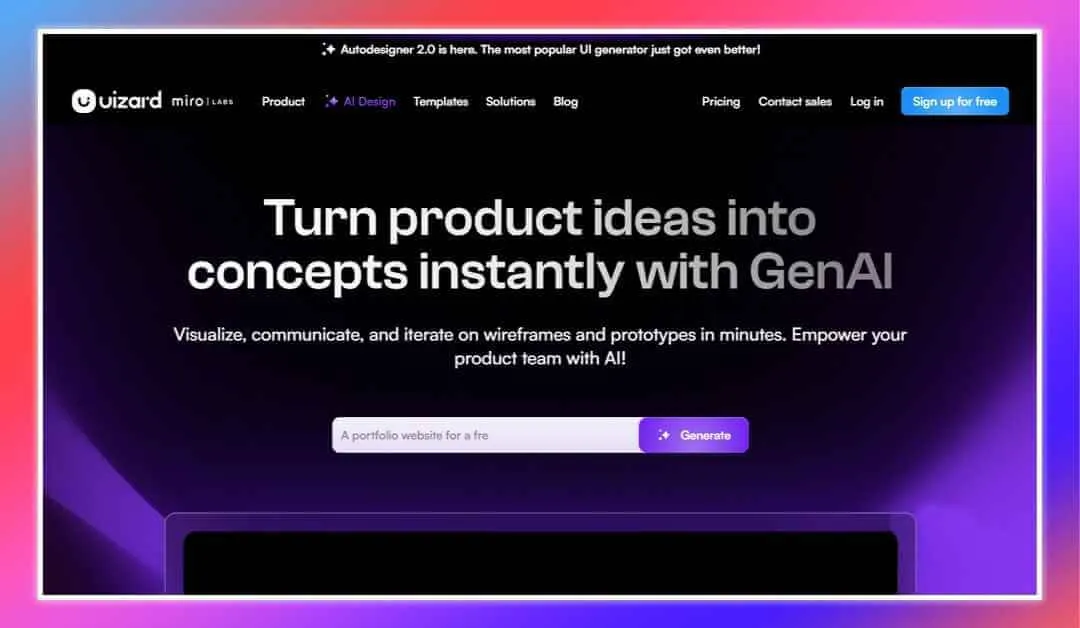
Uizard is an AI-powered design platform that enables users to create interactive user interfaces (UIs) for websites and mobile applications swiftly. By leveraging artificial intelligence, Uizard simplifies the design process, allowing both designers and non-designers to transform ideas into functional prototypes without extensive technical expertise.
Key Features:
- Autodesigner 2.0: Generate multi-screen mockups from simple text descriptions, streamlining the design process.
- Screenshot Scanner: Convert screenshots of existing apps or websites into editable designs, facilitating rapid prototyping.
- Wireframe Scanner: Transform hand-drawn sketches into digital wireframes, bridging the gap between conceptualization and design.
- Drag-and-Drop Interface: Easily customize designs using an intuitive drag-and-drop editor, making the tool accessible to users with varying levels of design experience.
- Collaboration Tools: Share projects with team members and stakeholders for real-time feedback and collaborative editing.
Pros:
- Rapid Prototyping: Accelerates the transition from concept to prototype, reducing time-to-market for new products.
- User-Friendly: Designed for both designers and non-designers, lowering the barrier to entry for UI/UX design.
- AI-Powered Efficiency: Automates various aspects of the design process, enhancing productivity and creativity.
Cons:
- Limited Offline Capabilities: Primarily a web-based platform, which may restrict functionality in offline scenarios.
- Learning Curve for Advanced Features: While basic features are intuitive, mastering advanced functionalities may require additional time and effort.
Pricing:
- Free Plan: Access to basic features, including the editor, with limitations on AI generations and active projects.
- Pro Plan: Priced at $12 per month (billed annually), offering enhanced AI capabilities, up to 100 projects, and additional templates.
- Business Plan: At $39 per month (billed annually), includes all Pro features plus custom brand kits, unlimited projects, and priority support.
Who Should Use:
- Startup founders and product managers creating UI designs fast
- Marketers and designers iterating on prototypes with AI assistance
- Teams streamlining design workflows through collaboration tools
Lovable AI competitor for: Figma-like UI design with code export
8. Buildglare
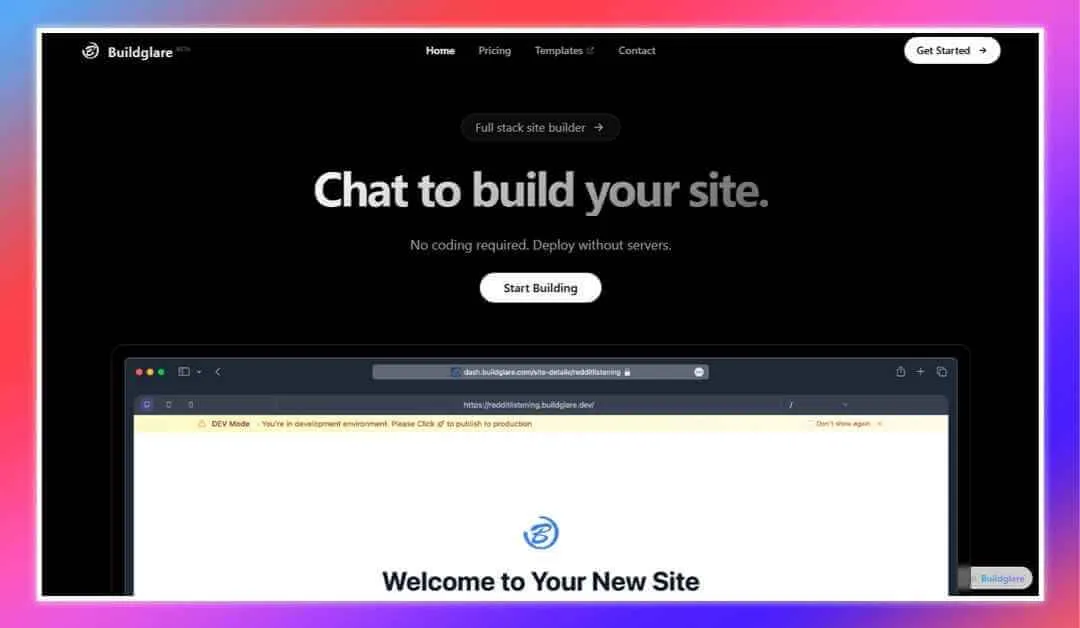
Buildglare is an AI-powered website builder designed to help users create and deploy websites efficiently. Its is one of the best Lovable alternatives because its AI-driven chat interface, simplifies the website creation process like lovable. This feature makes it accessible to users without prior coding experience.
Key Features:
- AI Chat Interface: Interact with an AI assistant to guide you through the website building process, providing a conversational and intuitive experience.
- Global Edge Deployment: Ensures fast loading times and reliable performance by deploying websites across a global network.
- Custom Domain Support: Allows users to connect their own domain names, enhancing brand identity and professionalism.
- Template Library: Offers a selection of pre-designed templates to kickstart the website creation process.
- Responsive Design: Ensures that websites are optimized for viewing on various devices, including desktops, tablets, and smartphones.
Pros:
- Ease of Use: The AI chat interface makes website creation straightforward, even for users with no technical background.
- Cost-Effective Plans: Offers a free tier and affordable paid plans, catering to individuals and small businesses.
- Scalable Performance: Global edge deployment enhances website speed and reliability, providing a better user experience.
Cons:
- Limited Advanced Customization: May not offer the depth of customization that more advanced users or developers might require.
- Relatively New Platform: As a newer entrant in the website builder market, it may lack some features and integrations found in more established platforms.
Pricing:
- Free Plan: Includes 1 website with up to 10 pages, custom domain support, and 3 AI messages per month.
- Basic Plan: Priced at $9.90 per month, offering 1 website with up to 20 pages, increased AI message limits, and additional resources.
Who Should Use:
- Individuals wanting a simple, AI-assisted website builder
- Entrepreneurs creating and deploying sites quickly
- Small businesses seeking an affordable and intuitive AI solutions
Lovable AI competitor for: Figma-like UI design with code export
9. Bubble
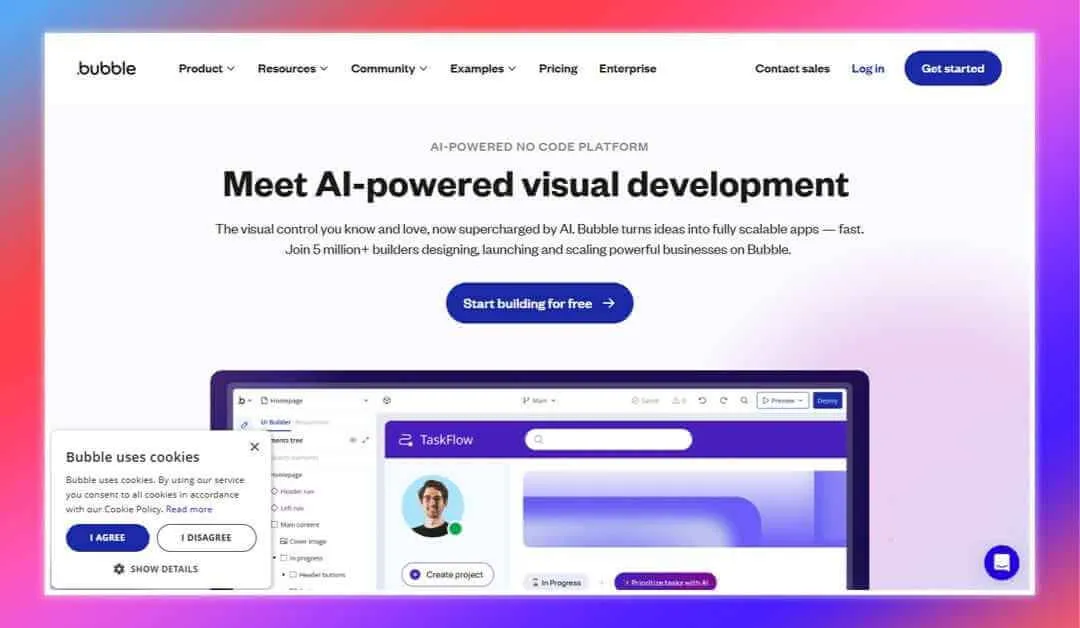
Bubble is a no-code development platform and vibe coding tool that empowers users to design, develop, and deploy web applications without writing code. Its visual interface allows for the creation of complex applications, making it accessible to entrepreneurs, designers, and businesses aiming to bring their ideas to life swiftly. Reflecting its scale and real-world adoption, Bubble has enabled the creation of over 7.2 million apps worldwide, with builders running 28.6 billion workflows in 2025 alone, demonstrating massive usage and sustained developer activity on the platform.
Key Features:
- Visual Editor: Design responsive layouts and workflows through a drag-and-drop interface.
- Database Management: Create and manage a database to store and retrieve application data seamlessly.
- Plugin Ecosystem: Extend functionality with a wide range of plugins, including payment gateways and analytics tools.
- API Integrations: Connect with external services and APIs to enhance application capabilities.
- Deployment: Launch applications directly from the platform with hosting included.
Pros:
- Rapid Development: Accelerates the app development process by eliminating the need for coding.
- Flexibility: Capable of building a variety of applications, from simple prototypes to complex marketplaces.
- Community Support: Access to a large community and extensive documentation for guidance.
Cons:
- Learning Curve: While coding is not required, mastering the platform’s features and best practices can take time.
- Performance: Highly complex applications may experience performance limitations compared to custom-coded solutions.
Pricing:
- Free Plan: Ideal for learning and prototyping, with limitations on features and branding.
- Starter Plan: $32/month or $348 annually; suitable for small-scale apps with moderate usage.
- Growth Plan: $134/month or $1,428 annually; designed for growing applications requiring more resources.
- Team Plan: $399/month or $4,788 annually; tailored for collaborative teams building complex applications.
- Enterprise Plan: Custom pricing for large-scale applications with specific needs.
Who Should Use:
- Entrepreneurs and startups developing web apps without coding
- Businesses building internal tools quickly
- Teams validating ideas and creating MVPs efficiently
Lovable AI substitute for: visual app building and scalable backend logic
Also Read: Top Bubble Alternatives for 2026
10. Codev
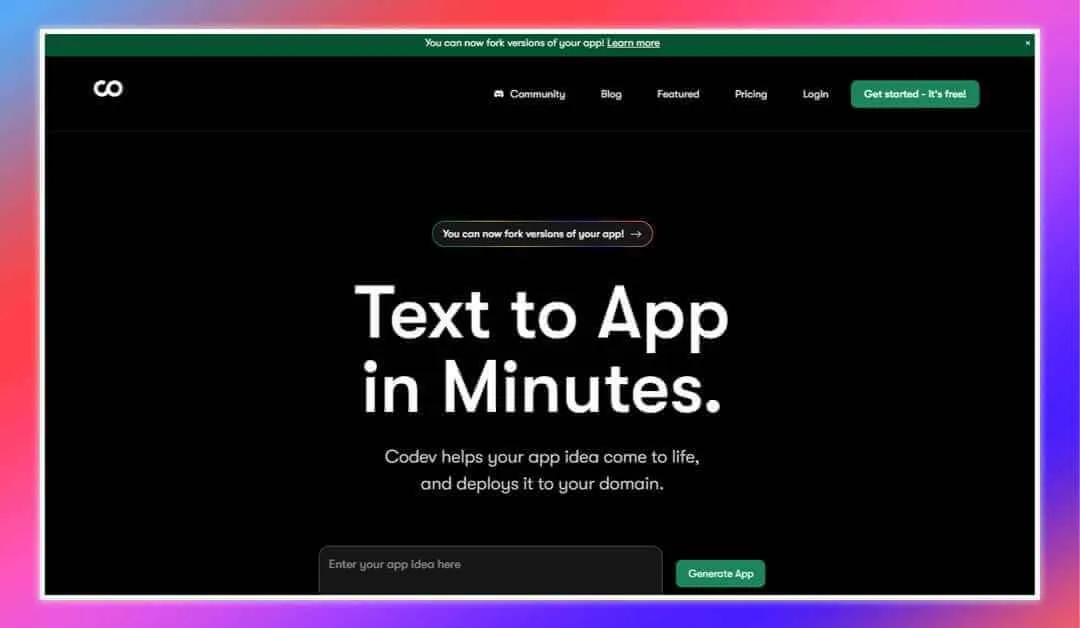
Codev is an AI-powered platform that transforms natural language descriptions into fully functional full-stack web applications.By simply describing your app idea, Codev generates production-ready code, enabling rapid development and deployment without extensive coding knowledge. Reflecting its early traction, Codev is backed by Y Combinator and has attracted over 15,000 builders, who have collectively created more than 17,000 applications using the platform.
Key Features:
-
AI-Powered Code Generation: Converts text descriptions into Next.js applications, streamlining the development process.
-
Full-Stack Integration: Utilizes Next.js for the frontend and integrates with Supabase for backend services, including real-time data synchronization.
-
Custom Domain Deployment: Offers one-click deployment to custom domains with automatic SSL certificate provisioning.
-
Code Ownership: Provides full access to the generated source code, allowing for further customization and control.
-
Community Support: Hosts a growing community of over 30,000 builders who have created more than 35,000 applications using the platform.
Pros:
-
Rapid Prototyping: Accelerates the development process, enabling users to transform ideas into functional applications quickly.
-
User-Friendly Interface: Designed for both technical and non-technical users, making app development accessible to a broader audience.
-
Scalability: Built on modern technologies like Next.js and Supabase, ensuring applications are scalable and maintainable.
Cons:
-
Limited to Web Applications: Currently supports only web applications; mobile app development is not available.
-
Complexity Constraints: May not be suitable for highly complex applications requiring advanced functionalities beyond the platform’s current capabilities.
Pricing:
-
Hobby (Free): Includes 1 project, public projects, and lower usage limits.
-
Lite ($39/month): Offers 5 projects, 1 custom domain per project, private projects, access to codebase, GitHub integration, and medium usage limits.
-
Pro ($99/month): Provides unlimited projects, unlimited custom domains, early access to new features, high usage limits, developer access, and member support.
-
Enterprise (Custom Pricing): Includes everything in Pro, plus white-glove onboarding and priority support.
Who Should Use:
- Entrepreneurs and startups building full-stack apps with AI
- Small to medium-sized businesses needing rapid deployment
- Users turning ideas into functional products efficiently
- Teams leveraging natural language processing for development
Lovable AI alternative for: team-friendly coding with AI project scaffolding
Also Read: Windsurf VS Lovable AI
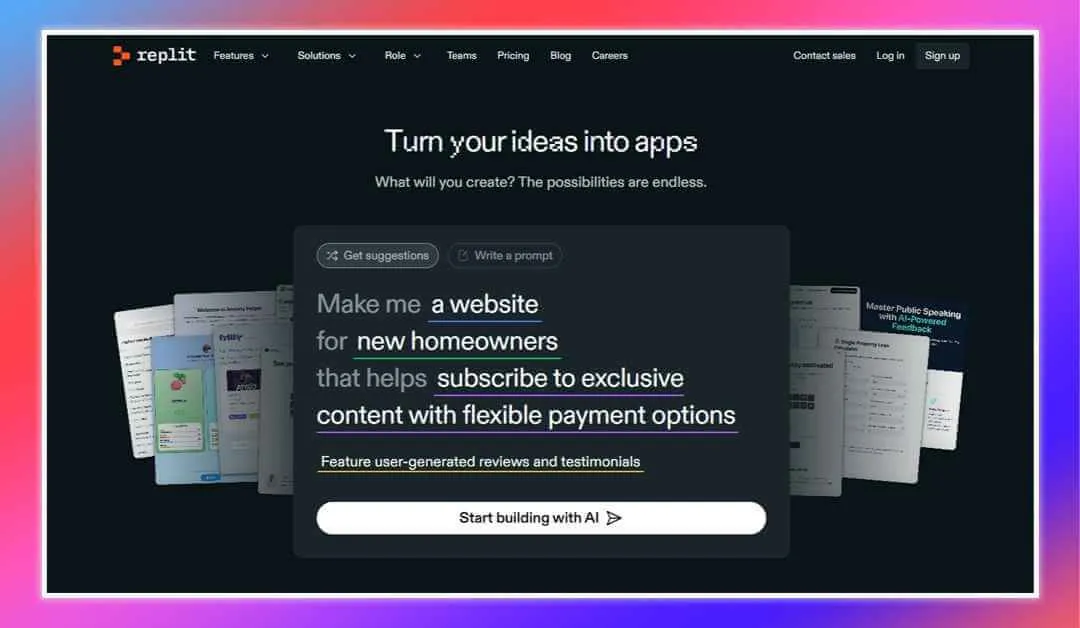
Replit is a cloud-based, collaborative integrated development environment (IDE) that supports over 50 programming languages. It enables users to write, test, and deploy code directly from their browser, fostering a seamless coding experience without the need for complex setup. Replit has amassed a global user base of over 40 million users as of late 2025, and its annualized revenue grew from just $2.8 million to approximately $150 million in under a year following the launch of its AI Agent, underscoring rapid adoption and strong business momentum.
Key Features:
- Multilanguage Support: Code in numerous languages, including Python, JavaScript, and C++.
- Real-Time Collaboration: Work simultaneously with others on the same project, similar to Google Docs for coding.
- Replit AI: Utilize AI-powered code assistance for code completion and generation.
- Deployment Options: Deploy applications directly from the IDE with various scaling options.
- Community and Learning Resources: Access a vast community for sharing projects and learning from tutorials.
Pros:
- Ease of Access: No installation required; start coding immediately in the browser.
- Collaborative Environment: Facilitates pair programming and team projects with real-time collaboration.
- Integrated AI Tools: Enhances productivity with AI-driven code suggestions and completions.
Cons:
- Resource Limitations: Free and lower-tier plans may have limitations on computing resources and storage
Pricing:
- Starter Plan (Free): Explore app development with limited Replit Agent access and up to 3 public apps.
- Replit Core ($20/month billed annually): Includes full Replit Agent access, $25 of monthly credits (~100 Agent checkpoints), unlimited public and private apps, access to Claude Sonnet 3.7 & OpenAI GPT-4o, and deployment capabilities with pay-as-you-go for additional usage.
- Teams (Annual pricing coming soon): Offers everything in Replit Core, plus $40 of monthly credits per user, centralized billing, role-based access control, private deployments, and pay-as-you-go for additional usage.
- Enterprise (Custom pricing): Tailored solutions with everything in Teams, including SSO, dedicated support, and custom pricing.
Who Should Use:
- Educators teaching coding in a collaborative environment
- Students learning and experimenting with multiple languages
- Developers prototyping and deploying apps in the browser
Lovable AI competitor for: in-browser coding, hosting, and collaboration
Also Read:
Replit Alternatives
12. HopeAI
HopeAI is a specialized AI assistant designed to enhance clinical development processes by providing data-driven insights and statistical innovations. It aims to help clinical development teams design faster, more precise trials by leveraging advanced AI capabilities.
Key Features:
- AI Clinician: Delivers accurate clinical evidence, aiding in the design of effective clinical trials.
- AI Statistician: Utilizes decades of statistical innovations to optimize trial design and analysis.
- PURE Evidence: Provides precise, up-to-date, and reliable clinical outcome data that is easily accessible through natural language queries.
- Synth IPD: Generates synthetic individual patient data based on real clinical trial results, facilitating the design of targeted trials while safeguarding privacy.
- CARA Design: Implements covariate-adjusted response adaptive randomization for precision medicine, increasing the likelihood of patients being assigned to superior treatments.
Pros:
- Enhanced Trial Design: Improves the precision and efficiency of clinical trials through AI-driven insights.
- Data Privacy: Ensures patient data privacy by generating synthetic data for analysis.
- Collaborative Tools: Facilitates collaboration with clinical scientists and statisticians to curate and standardize data.
Cons:
- Niche Application: Primarily focused on clinical development, limiting its applicability to other fields.
- Complex Integration: May require significant effort to integrate into existing clinical development workflows.
Pricing:
Pricing details are not publicly disclosed. Interested parties are encouraged to contact HopeAI directly for customized pricing information.
Who Should Use:
- Clinical development teams optimizing trial design and efficiency
- Biostatisticians leveraging AI for research accuracy
- Medical researchers focused on precision medicine and adaptive trials
Lovable AI replacement for: component-based architecture and reusable UI blocks
13. Base44
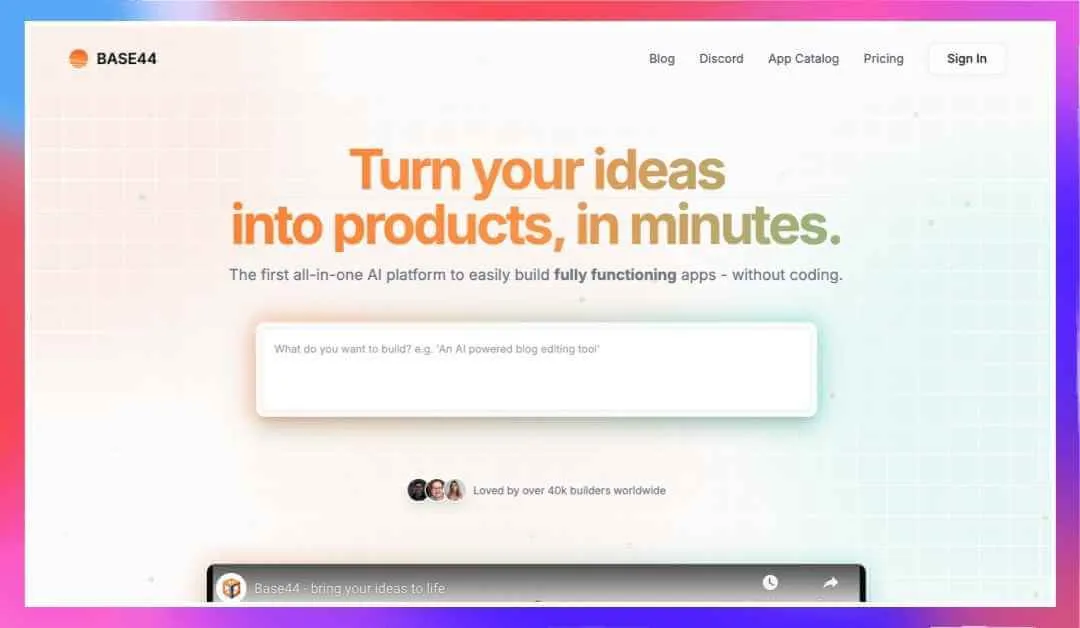
Base44 is an AI-powered app‑building platform designed to help founders and teams ship internal tools and full-stack apps fast. It focuses on turning plain‑English prompts into working software, without heavy setup or complex workflows. You describe what you want, and Base44 generates functional apps with logic, data handling, and UI already wired together. This makes it especially appealing for teams that want speed without sacrificing structure.
The platform emphasizes simplicity and real-world usability. Base44 handles authentication, database logic, and workflows behind the scenes. You can iterate visually, refine features, and deploy quickly. Many teams use it to replace spreadsheets, dashboards, and manual processes with custom-built tools. Reflecting its strong market traction and confidence in AI-driven app development, Base44 was acquired by Wix for approximately $80 million in 2026.
Key Features:
- Prompt-to-App Generation: Build full applications by describing workflows in natural language.
- Built-In Backend Logic: Comes with data models, permissions, and automation out of the box.
- Fast Iteration Loop: Modify features instantly without rebuilding from scratch.
- Internal Tool Focus: Optimized for dashboards, admin panels, and business apps.
- Secure Infrastructure: Designed for company use with access control and data protection.
Pros:
- Very Fast Setup: Go from idea to working app in minutes.
- No Heavy Coding Required: Ideal for non-developers and product teams.
- Strong Internal Tool Support: Great replacement for spreadsheets and manual workflows.
- Clean UI Defaults: Apps look usable without extra design effort.
Cons:
- Limited Frontend Customization: Less flexibility for highly custom UI designs.
- Not Code-First: Advanced developers may feel constrained.
- Best for Internal Apps: Less suited for complex consumer-facing products.
Pricing (2026 Update)
Free Plan – $0/month
- 25 monthly message credits
- 100 integration credits
- Full access to core features
Starter – ~$16/month (billed annually)
- 100 message credits
- 2,000 integration credits
- GitHub integration and unlimited apps
Builder – ~$40/month (billed annually)
- 250 message credits
- 10,000 integration credits
- Backend functions and scalable workflows
Pro – ~$80/month (billed annually)
- 500 message credits
- 20,000 integration credits
- Premium support and more power
Elite – ~$160/month (billed annually)
- 1,200 message credits
- 50,000 integration credits
- Designed for enterprise-grade tools and teams
Who Should Use:
- Founders building internal tools fast
- Operations and product teams replacing manual processes
- Non-technical users needing custom software without coding
- Teams looking for a practical Lovable alternative for internal apps and workflow automation
Lovable AI alternative for: rapid MVP builds and no-code backend setup
Lovable Alternatives by Role: Tools for Developers, Designers, Founders & MVP Builders
Not every tool fits every workflow, and that’s a good thing. Below, we’ve grouped the best Lovable alternatives by role so you can find what fits your team’s goals, skills, and speed.
For Developers
1. Vitara AI
Vitara converts plain-language prompts into full-stack applications with clean, exportable code. It supports modern tech stacks and offers a built-in AI assistant for fast, production-grade development.
2. Cursor
Cursor is an AI-first code editor that understands your entire project. It speeds up development by suggesting context-aware code, handling refactors, and simplifying bug fixes.
3. GitLoop
GitLoop uses AI to review code, generate documentation, and onboard developers faster. It helps teams write better code collaboratively, cutting review time significantly.
4. Tabnine
Tabnine provides real-time AI code suggestions inside your favorite IDE. It boosts productivity by predicting your next line with high accuracy, across multiple languages.
5. Cody by Sourcegraph
Cody is an AI coding assistant with deep project awareness. It searches across files, answers technical questions, and suggests accurate edits without leaving your IDE.
For Vibe-Coding MVPs
1. Vitara AI
Vitara lets you “vibe-code” your MVP by describing features in plain English. It instantly builds real code with UI, backend, and auth—perfect for testing ideas fast.
2. Builder.ai
Builder.ai walks you through app creation like a product manager. Just explain your app idea, and it helps build custom software—no code, no confusion.
3. MarsX
MarsX combines no-code blocks with code-level flexibility. You can ship MVPs with drag-and-drop components or fine-tune with code when needed.
For Designers
1. Bolt.new
Bolt.new lets designers and developers collaborate in real time. It converts visual designs into clean React code, keeping style and functionality consistent across projects.
2. Jitter
Jitter brings motion design to life with intuitive tools for UI animation and microinteractions. It’s lightweight, browser-based, and perfect for adding polish to product interfaces.
3. Tempo Labs
Tempo Labs focuses on design system control and real-time collaboration. Designers can tweak, test, and hand off assets seamlessly within development workflows.
For Entrepreneurs and Founders
1. Vitara AI
Vitara turns your startup idea into a working full-stack application using simple prompts. It gives you clean, exportable code that’s production-ready—ideal for launching fast without deep technical skills.
2. Cursor
Cursor offers an AI-first coding experience that helps founders build smarter and faster. It understands full project context, making it easier to iterate and refine features with minimal technical friction.
Also Read: Cursor Vs Lovable: Which AI Coding Tool is Right for You?
3. Replit
Replit is an all-in-one cloud development platform. You can write, test, and deploy your app in a browser—powered by AI that helps generate code and fix bugs in real time.
4. Vercel V0
Vercel V0 turns text prompts into beautiful, production-ready React components instantly. It’s great for rapidly building landing pages, interfaces, and MVPs with solid performance and design by default.
5. Bubble AI
Bubble AI enables you to build complete web apps visually, now with AI features that help generate logic, layout, and workflows automatically. A solid pick for non-technical founders creating SaaS platforms.
Other Notable Lovable Competitors
While the top tools we covered stand out for their depth and usability, there are several other promising platforms worth checking out. Each offers a unique angle on AI-assisted app development or design.
Figma To Fullstack AI: Converts Figma designs into working full-stack applications without requiring manual coding.
Lazy AI: Turns simple ideas into production-ready software up to 10 times faster using natural language prompts.
GitLoop: Provides an AI code assistant that helps developers write, review, and improve code collaboratively.
Builder.ai: Empowers users to build custom apps from scratch using AI guidance, with no technical background required.
Kissflow: Combines workflow automation with AI-suggested process optimization for better operational efficiency.
Quickbase: A flexible platform designed for building and managing custom business apps without traditional development.
GitLab: Offers a full DevOps lifecycle solution with integrated AI features that streamline pipelines and enhance code quality.
ChatGPT: A versatile AI assistant capable of helping with everything from content creation to coding support and ideation.
Tempo Labs: Offers a focus on design control and team collaboration, with deep integration options for developers and product teams.
Jitter: A motion design tool that allows users to create slick animations and UI motion graphics with ease.
Deco.cx: A visual web builder that enables collaborative content management and rapid website development through headless architecture.
How to Choose the Right Lovable Alternative for Your Needs
Not every tool fits every builder. The best Lovable alternative depends entirely on what you’re building, how technical you are, and what kind of experience you expect from your toolset. Here’s a quick steps to guide and help you narrow down your choice.
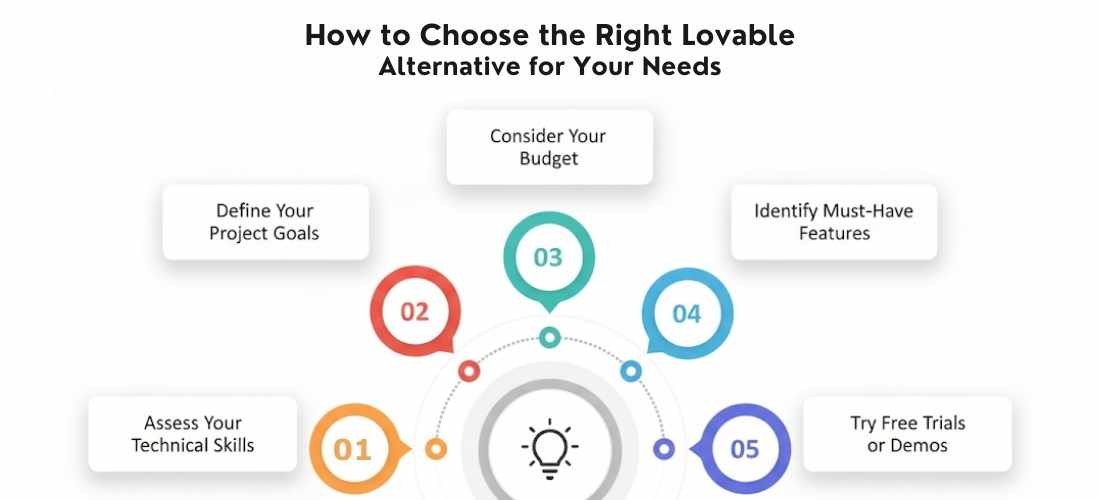
1. Assess Your Technical Skills
Are you a non-technical founder, a designer with minimal coding experience, or a seasoned developer?
- If you prefer drag-and-drop simplicity, tools like Rosebud AI, Builder.ai, or Bubble are great fits.
- If you want more control and understand code, go for platforms like Bolt.new, Replit, or Softgen.
2. Define Your Project Goals
What are you trying to build? a landing page, an MVP, or a full-fledged product?
- For fast MVPs, Uizard and Tempo Labs shine with speed and design flexibility.
- For full-stack, scalable apps, HopeAI, Replit, and Bubble provide deeper functionality.
3. Consider Your Budget
Many tools offer free plans, but paid tiers often unlock critical features.
- If budget is tight, start with free or low-cost options like ChatLabs, Buildglare, or Lazy AI.
- For teams or long-term projects, investing in platforms like Softgen or Bubble Growth Plan may be worthwhile.
4. Identify Must-Have Features
Make a list of features you cannot compromise on.
- Need backend control? Look at Replit, Bolt.new, or Softgen.
- Need beautiful frontends fast? Uizard, Rosebud AI, and Jitter offer great design capabilities.
- Require integrations with external services? Tempo Labs and GitLoop are built for that.
5. Try Free Trials or Demos
Most platforms offer free tiers or trials. Use them.
Get a feel for the interface, test the output, and see if the platform meets your expectations before committing.
Conclusion
Lovable did something important. It showed a lot of people, including me, that AI-powered app development can feel fast, visual, and surprisingly fun. But in 2026, it is no longer the only way to build with AI.
There are now many Lovable alternatives, and each one leans into a different kind of builder. Some tools give you deeper design control so your app does not look like every other AI-generated UI. Others focus on backend flexibility, strong database support, or production-ready deployment. A few try to cover the full journey, from idea to live product, with AI helping at every step.
The “best Lovable alternative in 2026” is not a single tool. It is the one that matches how you like to work, how much control you want over the code, and how far you plan to take your product. If you are a non-technical founder, you may prefer something with more guardrails. If you are a developer or vibe coder, you may want a platform that gives you clean, editable code and gets out of your way.
My suggestion is simple. Pick two or three tools that feel close to your needs. Build a tiny real project in each one. Watch where you feel friction, where you feel fast, and where you feel in control. The right Lovable alternative is the one that lets you ship more often, experiment with confidence, and turn ideas into working software without fighting the platform.
Lovable AI is a platform designed to help users build web applications quickly, leveraging AI to generate code and simplify development.
While it’s great for rapid prototyping, many users may seek alternatives in 2026 for greater customization, backend control, or specific feature sets that Lovable might not fully support. These reasons include limitations in design flexibility, complex app requirements, and the need for deeper integrations or control over the codebase.
Yes, Lovable AI still has value in 2026 for rapid prototyping and intuitive UI‑led app building. However, many users now choose Lovable alternatives with deeper customization, production‑ready output, and stronger backend support for long‑term projects.
The top lovable alternatives in 2026 include:
1. Vitara
2. Bolt.new
3. Cursor
4. Rosebud AI
5. Softgen
6. ChatLabs
7. Uizard
8. Buildglare
9. Bubble
10. Codev
11. Replit
12. HopeAI
If you’re looking for free options, Bubble and Uizard offer solid no-code platforms with flexible features. Buildglare and Replit also have free plans for users who want a no-cost way to start building apps.
These platforms provide ample tools to create functional web applications, even on their free tiers, with the option to upgrade as needed for more advanced features or higher usage limits.
Popular competitors like Vitara and Bolt.new offer significant advantages over Lovable in terms of flexibility and ease of use.
Vitara provides a powerful development environment with real-time debugging and deployment support, making it ideal for full-stack developers.
Bolt.new , on the other hand, shines with its AI-driven design capabilities, enabling users to create everything from websites to games, with a focus on ease of use and customization. Unlike Lovable, these platforms allow deeper customization and backend integrations, making them better suited for more complex projects.
For experienced developers who need full control and customization, Bolt.new and Replit stand out. Both platforms provide access to the underlying code, allowing developers to integrate backend services, tweak components, and implement custom features. Softgen is another excellent alternative, offering full-stack development capabilities with the ability to modify every part of the generated code.
Pricing varies significantly between Lovable and its alternatives. Lovable has an affordable pricing model, but alternatives like Bubble, Replit, and Bolt.new offer tiered plans based on features, performance, and usage limits.
Bubble starts with a free plan and offers paid tiers starting at $32/month, while Replit and Bolt.new also offer flexible pricing based on resources, with free plans for smaller projects. For more complex apps, Softgen and Rosebud AI may have higher costs due to their advanced features and AI capabilities.
Yes, there are AI app builders tailored to specific tasks. Uizard specializes in UI design, offering tools that quickly convert sketches and mockups into interactive prototypes. For full-stack development, Bolt.new, Replit, and Softgen excel by providing full control over both the front and back end, making them ideal for users looking to build complete, scalable applications from scratch.
Yes, but it depends on the tool. Platforms like Vitara, Softgen, Replit, and Codev offer full code export, giving developers full control. On the other hand, tools like Bubble and Uizard keep your project within their ecosystem and don’t allow native code export. If exporting code is essential to your workflow, choose tools that clearly support it from the start.
For team-based development, platforms like Replit and Softgen stand out. Replit offers real-time collaboration in the browser, while Softgen supports team roles, shared workspaces, and code reviews. Bubble and Vitara also offer multi-user environments, though collaboration tools may be limited on free plans.
Some are. Tools like Softgen, Replit, and Vitara offer enterprise-grade features such as authentication, role-based access, and custom backend integrations. If you’re building apps with sensitive data, prioritize platforms with data encryption, access control, and secure APIs.
While Lovable is web-focused, alternatives like Vitara, Buildglare and Uizard offer responsive design features. If mobile-first is your priority, look at FlutterFlow (not in your current list, but worth mentioning in a note), or consider exporting code from Softgen and integrating it with mobile frameworks manually.
Yes, many Lovable alternatives now offer production-ready code export, especially tools like Vitara and Cursor. These platforms generate clean, editable code that developers can build on. However, always review the output to ensure it aligns with your project’s architecture and scalability needs.