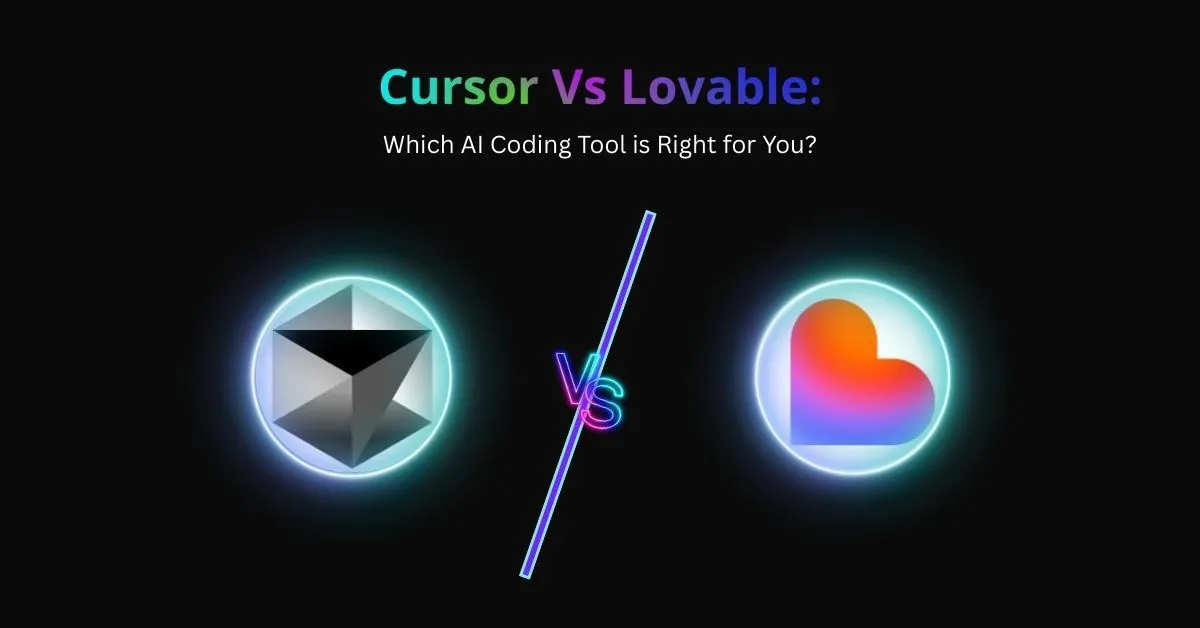
Cursor Vs Lovable: Which AI Coding Tool is Right for You?
Key Takeaways
- Cursor provides precise IDE-level control, while Lovable focuses on building full applications from natural language for rapid MVPs.
- Lovable accelerates prototyping through full-stack generation, whereas Cursor improves productivity with AI-assisted code editing.
- Cursor suits developers managing complex codebases, while Lovable works well for founders and teams testing ideas quickly.
- Both tools have similar pricing, but their workflows differ significantly in how software is built and launched.
- Cursor excels at debugging and multi-file refactoring, while Lovable stands out for instant app creation without deep coding skills.
- Many developers use both tools together, prototyping with Lovable and refining or scaling projects with Cursor.
- Alternatives like Vitara.ai, Copilot, Ghostwriter, Tabnine, and Windsurf support different AI-driven coding workflows.
AI is reshaping how we write code. Tools like Lovable and Cursor claim to save time, reduce errors, and speed up launches. Yet they work in very different ways.
Lovable is built for rapid app creation. Cursor, on the other hand, empowers developers inside their IDE with precise control. Both tools solve real problems, but they shine in different contexts.
This article gives you a clear, evidence based comparison. We’ll break down strengths, weaknesses, and best fit scenarios. You’ll also see how real developers combine both tools for maximum productivity.
By the end, you’ll know exactly which tool aligns with your workflow. Whether you’re a founder racing to build an MVP or a developer managing complex codebases, you’ll leave with a confident decision.
What is Lovable?
Lovable is an AI-powered development tool that transforms plain language ideas into fully functional web applications. Instead of writing every line of code, you describe what you need, and Lovable delivers a working app in minutes. It’s designed to help both developers and non-technical founders move from concept to prototype with speed and simplicity.
Key Features of Lovable
- Natural Language Prompts
Build apps by describing them in everyday words. No coding expertise required.
- Full-Stack Generation
Lovable creates the front end, backend, and database structure ready to deploy.
- GitHub Integration
Every app syncs seamlessly with GitHub, giving you full code ownership and version control.
- Editable, Transparent Code
The generated code isn’t locked. You can refine and extend it in your own environment.
- Pre-Built Logic and Features
Authentication, CRUD operations, and data relationships can be generated instantly.
- Rapid Iteration
Prompt, generate, test, and refine Lovable makes it easy to build and improve quickly.
Pricing
Lovable currently offers simple, transparent pricing:
- Free Plan – Experiment with basic features and build small projects at no cost.
- Starter Plan ($20/month) – Unlocks advanced AI features and larger project support.
- Pro Plan ($40/month) – Designed for startups and developers building production ready applications, with higher usage limits and priority support.
(Plans and prices are subject to change so you should check Lovable’s official pricing page for the latest updates.)
Also Read: 10+ Lovable Alternatives and Competitors
What is Cursor?
Cursor is an AI-powered code editor built on top of Visual Studio Code. Unlike tools that generate full applications, Cursor integrates directly into your coding workflow. It acts like a smart pair programmer, suggesting improvements, debugging code, and refactoring across entire projects.
Cursor is designed for developers who want precision and control. Instead of handing off the whole project, it amplifies your productivity inside an environment you already know.
Key Features of Cursor
- AI Pair Programming
Get intelligent code suggestions as you type, reducing time spent on syntax and boilerplate.
- Whole-Project Understanding
Cursor analyzes your entire codebase, enabling smarter refactoring and bug detection.
- Chat for Code
Ask Cursor natural-language questions about your project. It explains logic, finds issues, or generates snippets.
- Multi-File Editing
Unlike most AI assistants, Cursor can edit across multiple files at once.
- Framework & Language Support
Works with popular languages and frameworks, from JavaScript and Python to React and Node.js.
- Seamless VS Code Integration
Cursor runs on a familiar interface, so you don’t have to learn a new platform.
Pricing
Cursor offers tiered plans to suit different developers:
- Free Plan – Includes basic AI coding features with limited usage.
- Pro Plan ($20/month) – Unlocks advanced features, more AI credits, and larger project support.
- Team Plan ($40/month per user) – Designed for teams, with higher limits and collaboration tools.
(Pricing may vary, so don’t forget to check Cursor’s official website for the latest details.)
Cursor vs Lovable: Feature-by-Feature Breakdown
Choosing between Cursor and Lovable comes down to how you like to build software. Both tools are powerful, but they solve different problems. Let’s compare them side by side.
1. Development Approach
- Cursor: Works inside Visual Studio Code. It helps you write, refactor, and debug code directly in your editor.
- Lovable: Generates entire applications from natural language prompts. You describe your idea, and Lovable builds it from scratch.
2. User Experience
- Cursor: Feels like having an AI pair programmer inside your IDE. It explains code, answers questions, and suggests edits.
- Lovable: Feels like chatting with a builder. You type what you want, and it produces an MVP you can customize.
3. Speed of Development
- Cursor: Saves time by automating repetitive coding tasks, handling syntax, and fixing bugs.
- Lovable: Can deliver a working prototype in minutes—no setup, no boilerplate.
4. Code Control and Quality
- Cursor: Offers full visibility and precise edits across multiple files. You maintain strict control over quality.
- Lovable: Generates clean, functional code but with less customization at the start. Developers often refine it later.
5. Integration and Workflow
- Cursor: Fits neatly into an existing developer workflow. Runs inside VS Code and supports popular frameworks.
- Lovable: Integrates with GitHub for code ownership but is primarily a standalone tool in your browser.
6. Pricing Comparison
- Cursor: Free tier, then $20/month for Pro and $40/month per user for Teams.
- Lovable: Free tier, then $20/month Starter and $40/month Pro.
7. Best Fit Use Cases
- Cursor: Debugging, refactoring, long-term projects, and scaling existing applications.
- Lovable: Rapid MVPs, prototypes, and non-technical founder projects.
Quick Comparison Table of Cursor and Lovable
Here is the quick comparison table of lovable and cursor, this table will help you compare these two AI dev tool faster.
| Feature / Trait |
Cursor |
Lovable |
| Interface |
VS Code extension, runs inside IDE |
Browser-based, chat-first builder |
| Best For |
Professional developers, large projects |
Non-technical founders, rapid MVPs |
| Development Style |
AI pair programmer, refactor & debug |
Full-stack app generation from prompts |
| Control |
High level of precision |
Moderate level of customization |
| Speed |
Automates coding, debugging, refactoring |
Launches working apps in minutes |
| Setup |
Requires VS Code setup & extensions |
Works instantly in the browser |
| Integration |
Compatible with frameworks, GitHub, IDE |
GitHub sync, exportable code |
| Pricing |
Free, Pro $20/mo, Teams $40/mo per user |
Free, Starter $20/mo, Pro $40/mo |
| Unique Strength |
Precision and project-wide control |
Fast prototyping and low barrier to entry |
| Weakness |
Needs coding skills, manual review |
Less customizable, may need cleanup |
Top Alternatives of Cursor and Lovable
While Cursor and Lovable are popular choices, they’re not the only AI vibe coding tools available. If you’re exploring other options, here are five strong alternatives that can help streamline your development workflow.
1. Vitara.ai
Vitara.ai is an emerging AI development assistant focused on speed and collaboration. It helps teams generate, refine, and scale code while keeping projects organized. Its strength lies in combining rapid prototyping with powerful debugging support, making it a well-rounded choice for both startups and established dev teams.
2. GitHub Copilot
Built directly into Visual Studio Code and other editors, GitHub Copilot is one of the most widely used AI pair programmers. It suggests code as you type, learns from your coding patterns, and integrates seamlessly with GitHub repositories. It’s ideal for developers who want lightweight, in-editor support.
3. Replit Ghostwriter
Replit Ghostwriter is designed for building projects fast in the browser. It helps you write code, explain logic, and deploy apps directly from Replit’s cloud platform. For beginners and hobbyists, it’s one of the easiest ways to get started with AI-assisted coding.
Also Read:
Best Replit Alternatives
4. Tabnine
Tabnine uses machine learning models trained on open source code to provide intelligent autocompletions. It works across multiple IDEs and programming languages, giving developers instant code suggestions. It’s especially useful for developers who want quick, privacy friendly AI assistance without heavy setup.
5. Windsurf
Windsurf is a newer AI-powered IDE built from the ground up for AI native workflows. It offers code generation, refactoring, and debugging in a modern editor designed for collaboration. Developers who want an alternative to VS Code often find Windsurf appealing because it’s built with AI first principles.
Also Read:
Top Windsurf Alternatives
Conclusion
Choosing between Cursor and Lovable comes down to how you prefer to build. Cursor gives developers precision inside their IDE. Lovable delivers speed by turning plain language prompts into working applications. Both tools save time, but they solve different problems.
If you’re a professional developer working on complex projects, Cursor keeps you in full control. If you’re a founder or non-technical creator racing to test an idea, Lovable helps you launch quickly. And for many teams, the best strategy is to use both: prototype fast with Lovable, then refine and scale with Cursor.
The AI coding space is moving fast, and no single tool is perfect for every workflow. That’s why it pays to experiment. Try the free tiers, explore alternatives like Vitara.ai, and see what feels natural.