10+ Best Bolt.new Alternatives in 2026
Key Takeaways
- Vitara, Lovable, and Softgen lead in 2026 as AI-powered app builders offering greater flexibility and collaboration than Bolt.new.
- Platforms like Vitara and Replit support editable code and rapid MVP development for solo builders and agile teams.
- CerebrasCoder and Vitara offer open-source or free options, making them suitable for prototyping without upfront costs.
- Replit and CodeSandbox are strong choices for code-first AI app development with real-time collaboration and cloud IDEs.
- Hostinger Horizons and Lovable provide beginner-friendly experiences with one-click deployment and AI-driven logic setup.
- The best Bolt.new alternative depends on priorities such as design freedom, backend access, pricing, or team collaboration.
Bolt.new has been getting a lot of attention lately, and for good reason. I’ve spent time exploring how it works, and it’s an AI-powered web app builder that turns plain‑text prompts into working applications in minutes. You describe what you want, and it takes care of the heavy lifting. It’s fast, clean, and genuinely helpful when you want to move from an idea to a prototype without sinking weeks into setup.
The growth behind Bolt.new isn’t just hype. Built by StackBlitz, the platform picked up serious momentum throughout 2025 after launching in late 2024. By March 2025, it had reached an estimated $40 million in annual recurring revenue, with projections pointing toward $100 million ARR by the end of 2025. I don’t see numbers like that unless a product is solving real problems for real teams.
That said, no tool works perfectly for everyone.
I’ve seen teams run into limits when they need deeper customization. Others want more control over the generated code, more flexible pricing, or integrations that fit better into an existing workflow. Once projects grow past a certain point, Bolt.new can start to feel a bit restrictive.
If you’re in that spot, you’re not alone.
In this guide, I break down 10+ of the best Bolt.new alternatives to try in 2026. I look at what each platform does well, where it falls short, how pricing actually plays out, and who each tool makes the most sense for. The goal is simple. Help you choose a platform that fits how you build, not the other way around.
Why Bolt.new Users Are Looking For Alternatives
Bolt.new clearly solves a real problem. You describe the app you want and it gives you a working starting point instead of an empty editor. For a lot of people, that first experience feels amazing.
The frustration usually starts later.
Once I started reading through active forums and hackathon stories, I kept seeing the same patterns. People are not just looking for “another AI dev tool”. They are reacting to specific Bolt.new problems they have hit in real projects.
1. Small edits can break working features
One of the most common complaints is fragility.
Several builders talk about making a simple change, like adjusting a layout or tweaking a format, and suddenly other parts of the app stop working. In one Reddit thread, a user described how a small formatting change ended up “bricking” a fully working prototype, and most of their time went into fixing things that were already fine before.
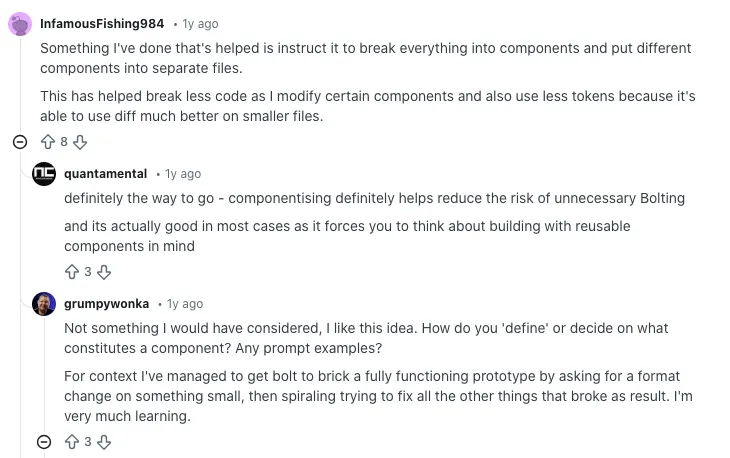
Source of Information: Reddit
That pattern shows up in other places too. People mention Bolt overwriting good code with buggy code, or touching files that were not part of the request. That is why you see advice like “split everything into small components” and “lock files you do not want Bolt to touch” coming up again and again.
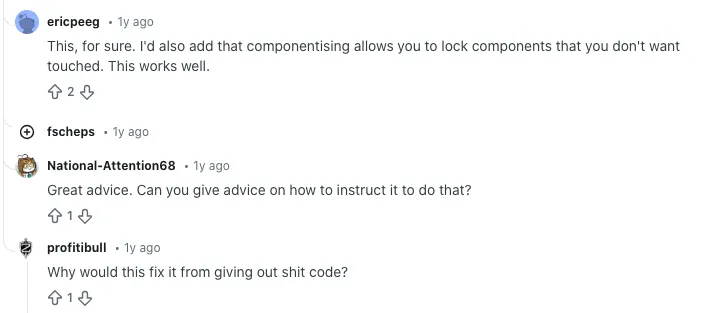
Source of Information: Reddit
For non developers, those workarounds are not always realistic, because they require understanding architecture and version control, not just prompts.
2. Token burn and cost anxiety
Another big reason people start searching for Bolt.new alternatives is token usage.
There are multiple stories from hackathon participants and everyday users who burned through huge numbers of tokens trying to fix issues that Bolt itself created. One user talked about wasting close to two million tokens chasing a database migration bug. Another mentioned spending hundreds of thousands of tokens just to move a grid column.
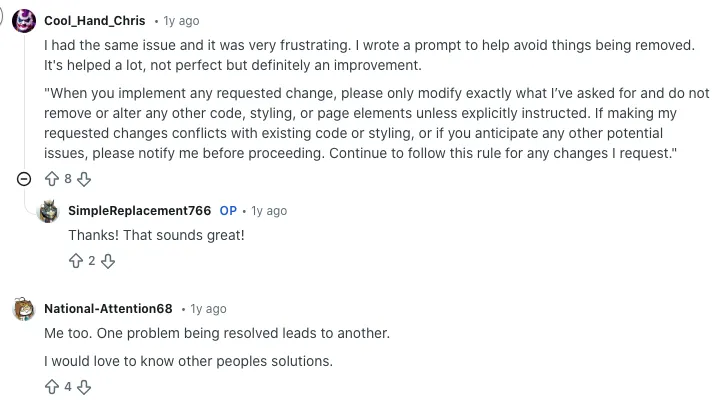
Source of Information: Reddit
A Medium post summarising “Bolt.new downsides” calls out exactly this pattern. As projects grow, the number of credits per call can become hard to justify, especially if you keep getting stuck in “error loops” where Bolt breaks working code while trying to fix something else.
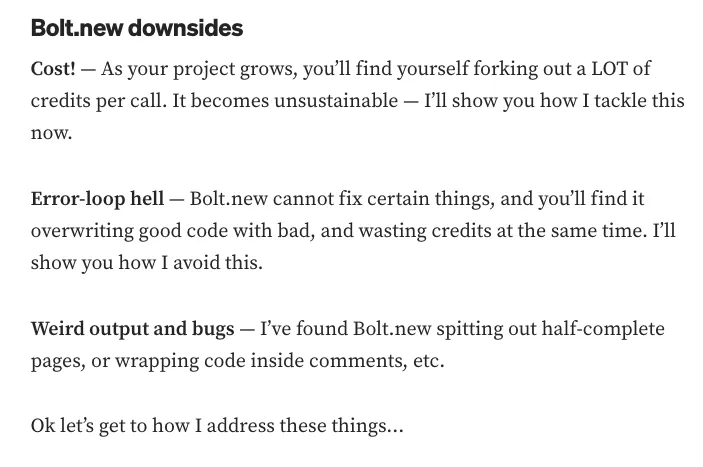
Source of Information: Medium
Token efficiency guides, forum tips about trimming history, and “how I survived when my Bolt project ate all my tokens” posts exist for a reason. People are not just worried about price. They are worried about paying to fight the tool.
3. Setup and deployment issues that block momentum
Bolt.new markets itself as a way to skip boilerplate and get straight to building. The lived experience is mixed.
In the Latenode community, one developer described trying to join a Bolt-based hackathon and never getting past the initial npm install step. Every project stalled during setup, and they burned through their daily token limit before even seeing a working page. Other replies confirm that constant install failures and dependency problems can wreck a workflow.
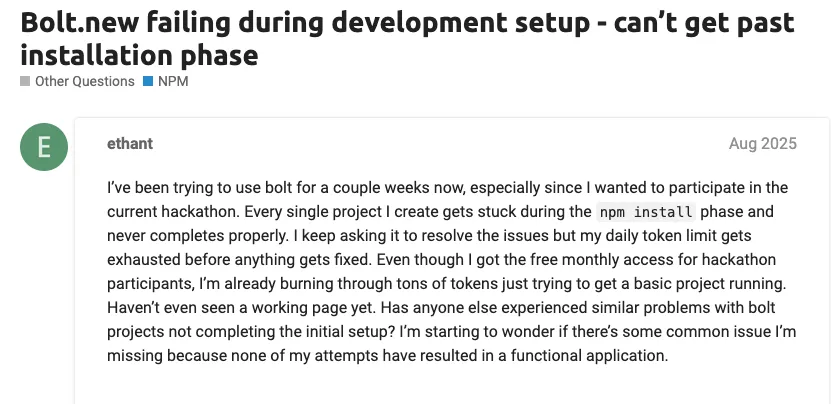
Source of Information: Latecode Community
Elsewhere, you see posts about:
- Apps stuck on white screens after a Next.js build
- Confusing deploy errors to Netlify or Vercel
- “Project too large” context window limits blocking AI assistance for bigger codebases
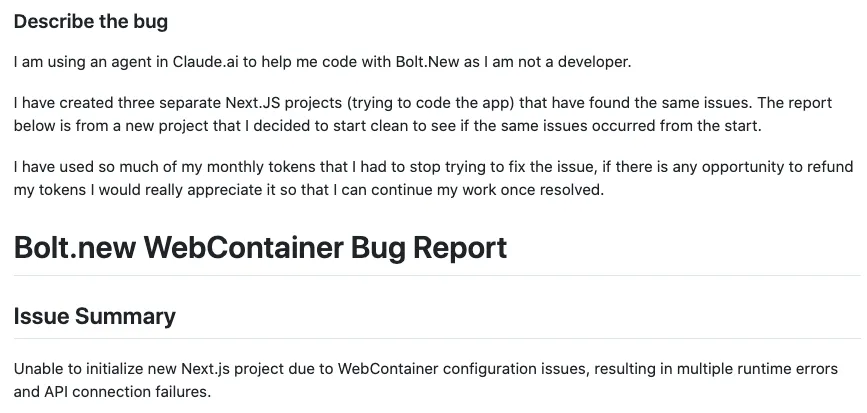
Source of Information: Github
Some of these issues are fixable with careful cleanup, smaller templates, or better prompts. But if you are on a deadline, or you are not a senior engineer, that learning curve pushes you to look for a more predictable setup.
4. A steep wall for non developers
Bolt.new is pitched as friendly to non coders, and many beginners do ship real apps with it. At the same time, the community threads show a different side.
There are users who openly say they are not developers and struggle once advice turns into “split your app into components”, “lock specific files”, or “manually debug dependency conflicts”.
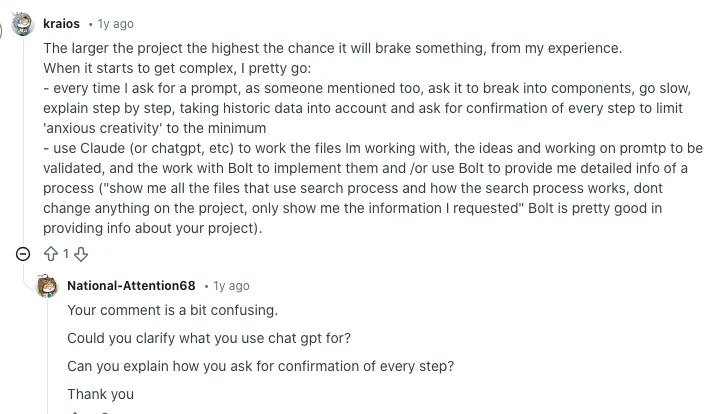
Source of Information: Reddit
Even in positive write ups, you can see this tension. A Business Insider piece about building a site with Bolt highlights how they had to use very precise prompts, because broader change requests caused the AI to adjust unrelated parts of the app and sometimes get them wrong.
So for many non technical founders, the story goes like this. The first 20 percent of the app feels easy and magical. The remaining 80 percent feels like wrestling with a black box that keeps changing things you did not ask it to change.
5. Sandbox limitations and architectural constraints
Under the hood, Bolt.new runs everything inside a browser based environment powered by WebContainers rather than on full remote servers. That architecture is brilliant for instant environments, but it also has clear limits.
There is a public LinkedIn post from a user who asked Bolt to build a simple proxy checker, only to have Bolt admit it could not run that code inside its StackBlitz sandbox at all. They ended up comparing it directly with other AI dev tools that execute code on real servers instead of in a browser.
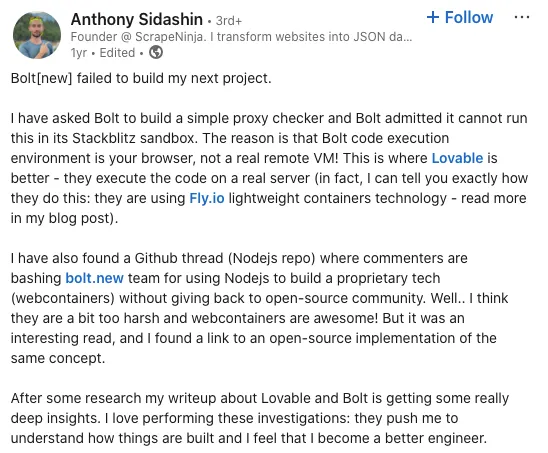
Source of Information: Linkedin
If your app needs things like long running background tasks, certain networking patterns, or specific server side capabilities, those constraints matter. At that point, some teams start looking for AI driven platforms that give them more control over the runtime or let them plug into their existing dev and hosting setup more cleanly.
6. Licensing, dependency and long term risk
There is also a quieter, more strategic concern that shows up in open source and self hosting circles.
In the oTTomator community, for example, people digging into Bolt-based forks discovered how deeply they rely on StackBlitz’s proprietary WebContainers stack. That thread raises real questions about commercial usage rights, licensing clarity, and what it means if you want to base a serious business or open source project on top of this stack.
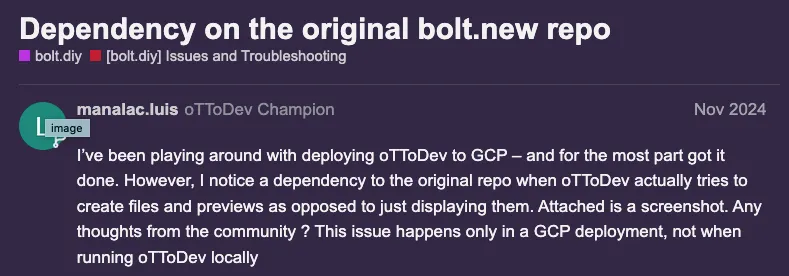
Source of Information: Thinktank
The summary is simple. Some developers are nervous about:
- Depending on a proprietary runtime they cannot easily replace
- Unclear commercial terms around WebContainers
- How hard it would be to migrate if pricing or policies change
How I Chose These Bolt.new Alternatives
When I put this list together, I didn’t just grab whatever tools looked shiny on the surface. I used a consistent set of criteria to figure out which platforms actually deliver value. Whether you’re quickly prototyping an idea or building something more complex, these are the factors I looked at to separate the decent options from the ones worth your time.
- Ease of use
If a platform feels confusing from the start, it’s already losing points. I focused on tools that are easy to pick up, especially for folks without a deep coding background. Clean UI and simple onboarding make a big difference.
- Feature set
I checked whether each tool supports full-stack workflows. That includes everything from designing the front end to handling backend logic and tying it all together. A good alternative should do more than just generate a UI.
- Integration capabilities
APIs, databases, third-party services. If a tool makes it hard to connect with the outside world, it’s not going to work for most real projects. I gave preference to platforms that make integrations smooth and flexible.
- Pricing
I dug into how each platform handles pricing. Whether it’s a generous free tier, pay-as-you-go model, or flat monthly rate, I looked at how each one fits different budgets without hiding costs behind vague paywalls.
- Community and support
Helpful docs, active forums, and solid tutorials go a long way. I looked for platforms that are backed by a strong community and provide real support when you get stuck.
- Customization
I paid close attention to how much freedom each tool gives you. Can you tweak the UI? Touch the code? Control the logic behind the scenes? Tools that let you go beyond cookie-cutter templates scored higher.
- Deployment flexibility
Some folks want fully cloud-based, others need self-hosted options for security or compliance. I looked for platforms that offer flexibility here so you’re not locked into one way of shipping your app.
- Performance and scalability
It’s not enough for a tool to work well in the sandbox. I considered how each platform handles real traffic, heavier data loads, and long-term growth.
- Security features
If you’re building something serious, security has to be baked in. I gave extra weight to tools that offer things like authentication, encryption, and access control right out of the box.
Top Bolt.new Alternatives in 2026
After digging into features, ease of use, customization options, integration support, and how each platform handles pricing, I narrowed things down to a shortlist that actually makes sense for real-world projects.
Here’s my take on the best Bolt.new alternatives to check out in 2026.
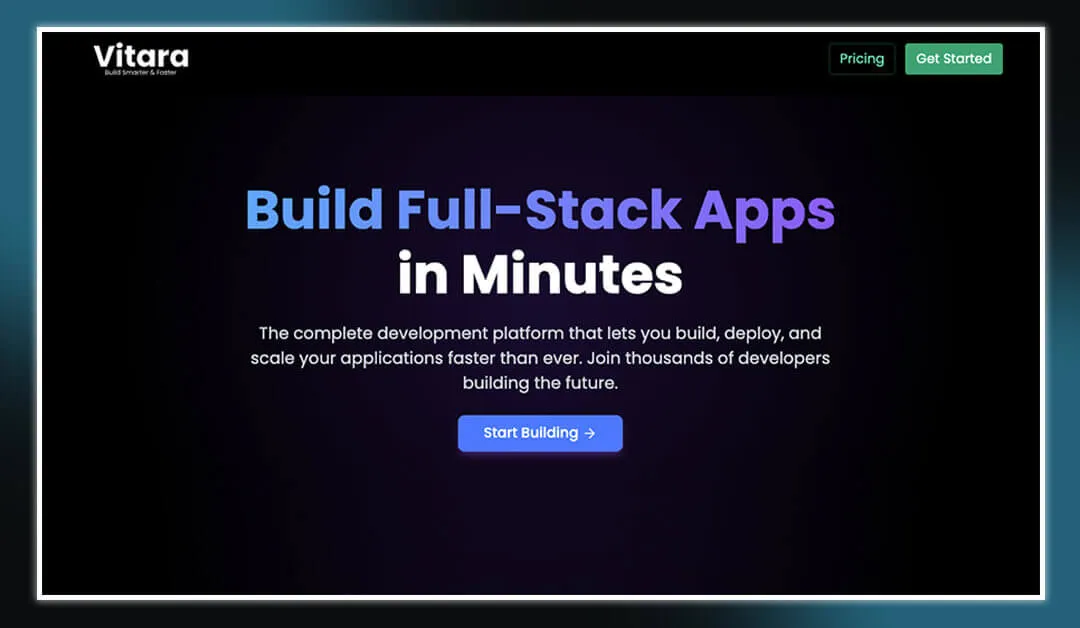
Vitara is a cutting-edge AI-powered development vibe coding platform that helps users build internal tools, MVPs, and apps with natural language inputs. Designed to maximize productivity, it simplifies software creation by translating text prompts into fully functional applications, without writing code. Reflecting strong early traction, Vitara.ai reported that in a 24-hour period it received 3,000+ new registrations and over 2,600 new projects created, signaling high short-term engagement and rapid adoption on the platform.
Key Features and Strengths:
AI-Coded Web Apps:
Vitara is a vibe coding platform that enables users toquickly generate production-ready code using plain English. Vitara’s AI handles logic, layout, and responsiveness for web apps.
Team Collaboration:
Built for product managers, engineers, and founders, Vitara offers a shared development space to brainstorm and build together.
Built-in Database and Auth:
Comes with embedded database management and user authentication features, removing the need for third-party integrations.
Instant Preview and Deployment:
Preview your app in real time and launch it with a single click. Perfect for testing MVPs or internal workflows.
Optimized for Productivity:
Vitara claims to boost developer efficiency by over 60%, making it ideal for tight timelines and fast iterations.
Pros and Cons:
Pros:
- Converts natural language into clean, editable code.
- Fast MVP and internal tool development.
- Simple UI for both technical and non-technical users.
Cons:
- Still evolving; may lack niche integrations.
- Advanced customization requires developer oversight.
Pricing Model:
Starter Plan:
Free – Suitable for beginners exploring AI-powered development.
Build Plan:
$20/month – Offers more freedom to create and build, including additional features beyond the Starter Plan.
Elevate Plan:
$50/month – Designed for scaling applications with enhanced capabilities and support.
Why Vitara.ai is a Good Alternative to Bolt.new and Who Should Use It:
Vitara.ai is a powerful alternative to Bolt.new for those prioritizing speed, simplicity, and collaboration. While Bolt.new focuses on real-time code output with tokens, Vitara offers a smoother, prompt-based experience. Its collaborative workspace, one-click deployment, and built-in tools make it ideal for startup founders, solo builders, and product teams. If you’re looking for a Bolt.new alternative that balances AI innovation with team efficiency, Vitara.ai is a smart choice.
2. Lovable
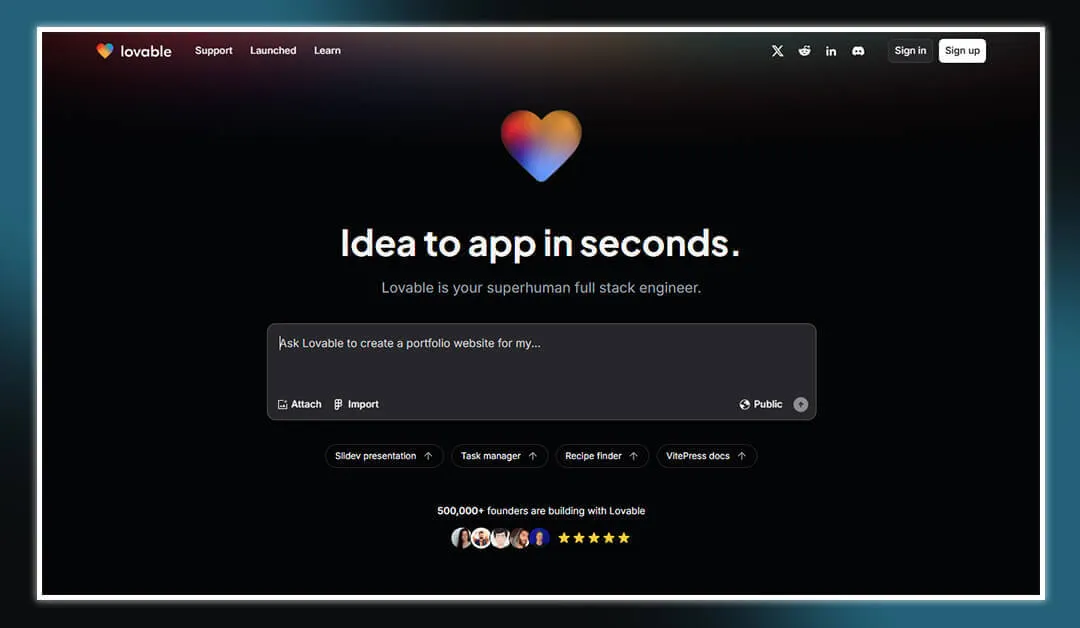
Lovable is an AI-powered app builder that transforms natural language prompts into full-stack web applications, enabling users to create software without writing code. Lovable hit $100M in annual recurring revenue in just 8 months. That pace shows huge demand for AI app builders and vibe coding platforms.
Key Features and Strengths:
- AI-Driven Development: Generate responsive front-end applications using natural language, with AI handling layouts, components, and content.
- Supabase Integration: Seamlessly connect to Supabase for backend databases and authentication, enhancing app functionality.
- GitHub Synchronization: Sync your codebase directly with GitHub, allowing for collaborative development and version control.
- One-Click Deployment: Deploy your applications effortlessly, with built-in publishing capabilities providing shareable URLs.
- User-Friendly Interface: Designed for non-technical users, Lovable offers an intuitive platform for rapid prototyping and MVP validation.
Pros and Cons:
Pros:
- Rapid development from idea to deployment.
- No coding experience required.
- Flexible integration with backend services.
Cons:
- Limited advanced customization for complex projects.
- Premium features may be costly for individual developers.
Pricing Model:
- Free Plan: $0/month – Includes 5 messages per day, unlimited public projects, and GitHub sync.
- Starter Plan: $20/month – Offers 100 additional monthly messages, unlimited private projects, and badge removal.
- Launch Plan: $50/month – Provides 250 additional monthly messages and access to Dev Mode.
- Scale Plans: Starting at $100/month – Includes higher message limits, priority support, and early access to new features.
- Enterprise Plan: Custom pricing – Tailored solutions with dedicated support and custom integrations.
Why Lovable is a Good Alternative to Bolt.new and Who Should Use It:
Lovable stands out for users seeking a more design-focused, user-friendly platform. Its seamless integration with backend services like Supabase and GitHub, combined with AI-driven development, makes it ideal for entrepreneurs and non-technical users aiming to build and deploy applications swiftly. Compared to Bolt.new’s token-based system, Lovable’s message-based pricing offers a more straightforward approach for managing development costs.
Also Read:
Top Lovable Alternatives
3. Softgen
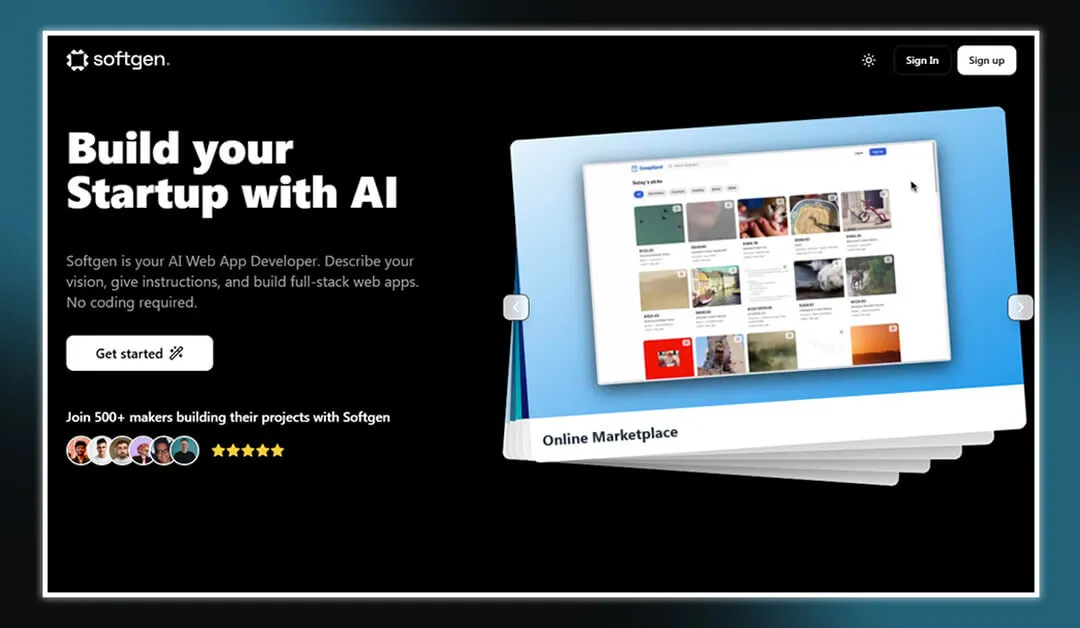
Softgen is one of the leading vibe coding platform and Bolt.new alternative. It is an AI-powered platform that enables users to build full-stack web applications by simply describing their ideas in natural language, eliminating the need for manual coding. Softgen generated approximately $550K in annual revenue with a team of just five people, showing strong early demand for its AI-driven approach. Softgen generated approximately $550K in annual revenue with a team of just five people, showing strong early demand for its AI-driven approach.
Key Features and Strengths:
- AI-Driven Development: Transform natural language prompts into fully functional web applications, streamlining the development process.
- Full-Stack Capabilities: Utilizes modern technologies like Next.js for the frontend and Firebase for the backend, providing a comprehensive development environment.
- Rapid Prototyping: Quickly generate MVPs, such as job boards, CRMs, or marketplaces, accelerating the time-to-market.
- Integrated Services: Includes built-in authentication, payment processing via Stripe, and email services through Resend, reducing the need for additional integrations.
- Iterative Feedback Loop: Allows users to refine applications by providing feedback, enabling continuous improvement of the generated code.
Pros and Cons:
Pros:
- No coding skills required, making it accessible to non-developers.
- Fast turnaround from concept to deployable application.
- Comprehensive feature set suitable for various application types.
Cons:
- Limited customization options for complex or highly specialized applications.
- Higher-tier plans may be necessary for advanced features and increased usage limits.
Pricing Model:
- Entry Plan: $25/month – Includes 2.5 million tokens per month, full-stack builder access, and version history.
- Boost Plan: $50/month – Offers 6 million tokens per month, priority support, and all Entry Plan features.
- Fly Plan: $100/month – Provides 14 million tokens per month, access to VIP events, and all Boost Plan features.
Why Softgen is a Good Alternative to Bolt.new and Who Should Use It:
Softgen excels for users seeking a straightforward, AI-driven approach to web application development without the need for coding. Its integrated services and rapid prototyping capabilities make it ideal for entrepreneurs and startups aiming to validate ideas quickly. Softgen has capabilities to become one of the top Bolt.new alternatives, compared to Bolt.new, Softgen offers a more guided experience, particularly beneficial for non-technical users.
4. Replit
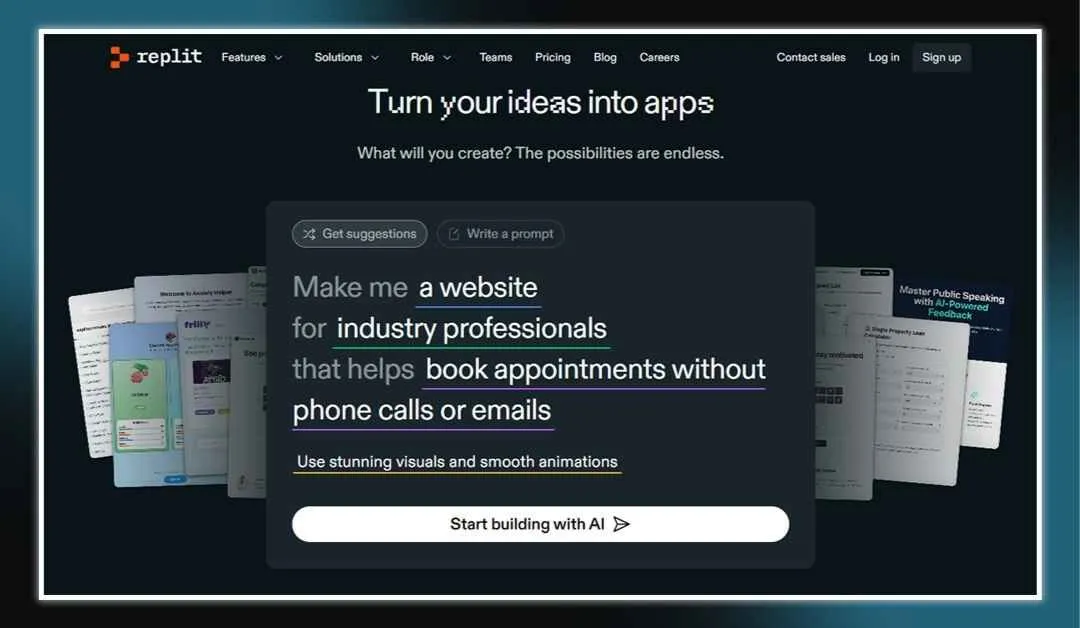
Replit is an online integrated development environment (IDE) that combines AI-assisted coding with real-time collaboration, supporting over 50 programming languages. The platform has grown rapidly, reaching 40+ million users worldwide, showing strong adoption among developers, students, and teams building software directly in the browser.
Key Features and Strengths:
- Replit AI Agent: Leverage artificial intelligence to generate, complete, and debug code, enhancing productivity and learning.
- Multiplayer Collaboration: Collaborate with others in real-time, sharing code and ideas seamlessly within the same workspace.
- Instant Deployment: Deploy applications directly from the IDE with features like autoscaling and static hosting, simplifying the launch process.
- Extensive Language Support: Supports a wide array of programming languages, catering to diverse development needs.
- Educational Resources: Offers tutorials and community support, making it a valuable tool for learners and educators.
Pros and Cons:
Pros:
- Accessible to both beginners and experienced developers.
- Facilitates learning through interactive coding and AI assistance.
- No setup required; code directly in the browser.
Cons:
- Free plan has limitations on private projects and advanced features.
- Performance may vary based on the complexity of the project and subscription tier.
Pricing Model:
- Free Plan: $0/month – Access to basic features, limited AI assistance, and up to 3 public projects.
- Replit Core: $25/month – Includes $25 in monthly credits, full AI access, unlimited projects, and enhanced workspace capabilities.
- Teams Plan: $40/user/month – Offers team collaboration features, centralized billing, and increased resource allocations.
Why Replit is a Good Alternative to Bolt.new and Who Should Use It:
Replit is ideal for developers who prefer a hands-on coding experience augmented by AI assistance. Unlike Bolt.new’s no-code approach, Replit offers a more traditional development environment with the added benefits of AI tools and real-time collaboration. It’s particularly suited for educational purposes, team projects, and developers looking to enhance their coding skills.
Also Read: Best Replit Alternatives
5. Hostinger Horizons
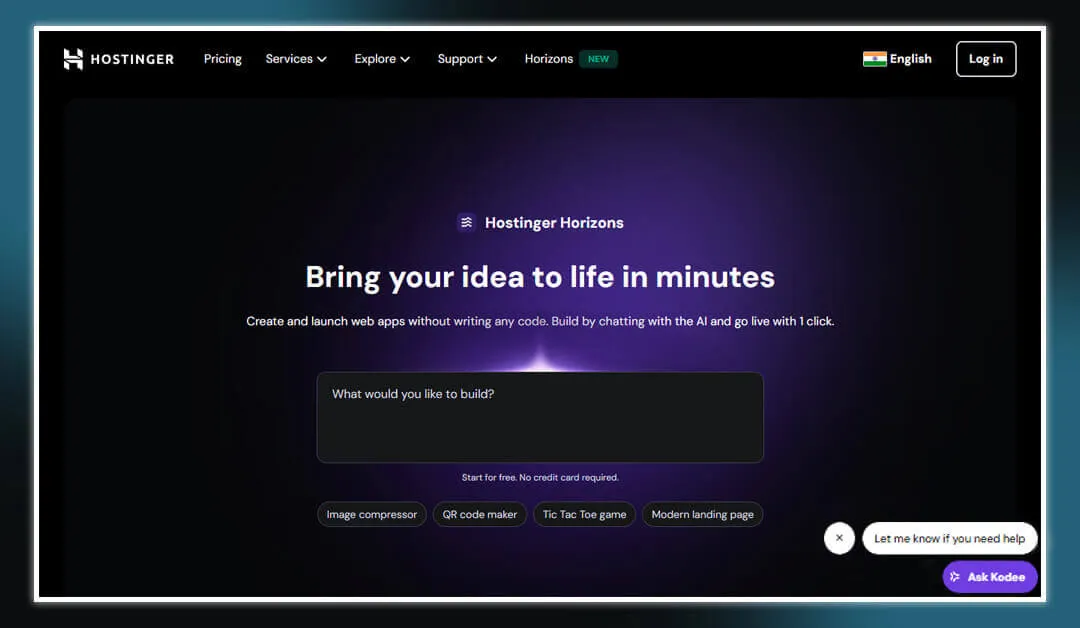
This is one of the famous and trending Bolt.new alternative. Hostinger Horizons is an AI-powered, no-code web app builder that enables users to create, edit, and publish custom web applications without writing a single line of code. Backed by Hostinger’s global infrastructure, the platform benefits from a parent company that serves over 3 million users worldwide, helping Horizons scale quickly and reliably.
Key Features and Strengths:
- AI-Driven Development: Describe your app idea in natural language, and the AI generates the application accordingly.
- Integrated Hosting and Domain: Includes built-in hosting and domain registration, eliminating the need for third-party services.
- Real-Time Editing: Make changes to your app in real-time using an intuitive interface.
- Multilingual Support: Supports over 80 languages, catering to a global audience.
- Voice and Image Inputs: Interact with the AI using voice commands or image-based inputs for a more dynamic experience.
Pros and Cons:
Pros:
- User-friendly interface suitable for beginners.
- All-in-one solution with hosting, domain, and email services included.
- Quick deployment with one-click publishing.
Cons:
- Limited customization options for advanced developers.
- Dependent on the Hostinger ecosystem for hosting and deployment.
Pricing Model:
- Starter Plan: $19.99/month – Includes 100 messages, hosting, free email, and unlimited bandwidth.
- Hobbyist Plan: $49.99/month – Offers 250 messages and all Starter Plan features.
- Hustler Plan: $99.99/month – Provides 500 messages and additional resources.
- Pro Plan: $199.99/month – Includes 1,000 messages and premium support.
Why It’s a Good Alternative to Bolt.new and Who Should Use It:
Hostinger Horizons is ideal for users seeking a comprehensive, no-code solution with integrated hosting and domain services. Its intuitive interface and AI-driven development process make it accessible for beginners and non-technical users. Compared to Bolt.new, Hostinger Horizons offers a more holistic approach by combining app creation, hosting, and deployment in a single platform.
6. Windsurf Editor

Windsurf Editor offers integrations like AI-powered services with web app development environment (IDE) designed to enhance developer productivity through intelligent code assistance and real-time collaboration. The editor is built by the team behind Codeium, whose AI coding tools are already used by millions of developers worldwide, highlighting strong adoption and trust in AI-assisted development workflows.
Key Features and Strengths:
- AI Agent-Powered IDE: Combines the capabilities of AI agents and copilots to assist in code generation and problem-solving.
- Cascade Feature: Provides deep contextual awareness, allowing for coherent multi-file edits and advanced codebase understanding.
- Real-Time Previews: Visualize changes instantly within the IDE, streamlining the development process.
- Multi-Platform Support: Available on Mac, Windows, and Linux, catering to a wide range of developers.
- Security and Privacy: Ensures encryption in transit and offers optional zero-data retention for sensitive projects.
Pros and Cons:
Pros:
- Enhances coding efficiency with AI-driven suggestions.
- Supports complex, multi-file projects with ease.
- Offers a free plan with access to essential features.
Cons:
- May have a learning curve for beginners unfamiliar with IDEs.
- Premium features require a subscription.
Pricing Model:
- Free Plan: $0/month – Includes basic features with limited premium model credits.
- Pro Plan: $15/month – Offers 500 premium model User Prompt credits and 1,500 Flow Action credits.
- Pro Ultimate Plan: $60/month – Provides infinite premium model User Prompt credits and 3,000 Flow Action credits.
Why Windsurf is a Good Alternative to Bolt.new and Who Should Use It:
Windsurf Editor is suitable for developers who prefer a hands-on coding experience augmented by AI assistance. Unlike Windsurf alternatives, Windsurf offers a more traditional development environment with advanced AI features, making it ideal for complex projects and experienced developers seeking enhanced productivity.
Also Read: Windsurf VS Lovable
7. V0 by Vercel
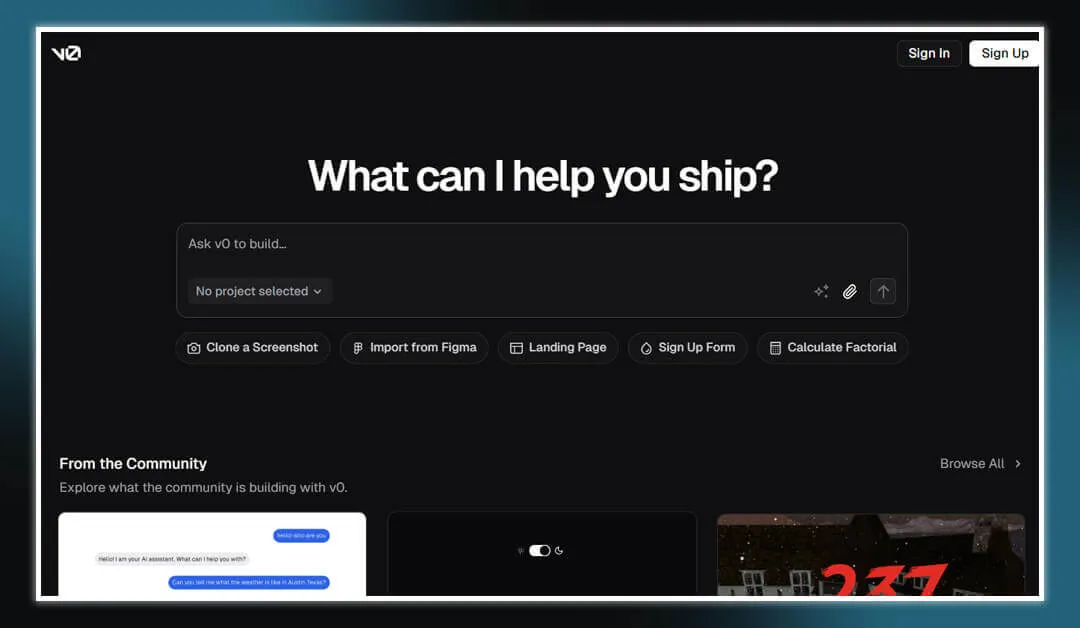
V0 is an AI-powered UI generator by Vercel that transforms natural language prompts into responsive React components, streamlining front-end development. It builds on Vercel’s broader platform, which supports over 6 million developers across more than 80,000 active teams worldwide, highlighting the scale and trust behind v0’s AI-driven approach.
Key Features and Strengths:
- Natural Language to Code: Describe your UI in plain English; V0 generates the corresponding React and Tailwind CSS code.
- Figma Integration: Seamlessly convert Figma designs into functional code, bridging the gap between design and development.
- Responsive Design: Ensures that generated components are mobile-friendly and adaptable to various screen sizes.
- Customization: Allows further refinement of generated code to meet specific project requirements.
- Vercel Ecosystem: Integrates smoothly with Vercel’s deployment platform, facilitating quick launches.
Pros and Cons:
Pros:
- Accelerates UI development with AI-generated code.
- Reduces the need for manual coding, saving time.
- Enhances collaboration between designers and developers.
Cons:
- Primarily focuses on front-end; lacks backend generation capabilities.
- Requires familiarity with React and Tailwind CSS for effective use.
Pricing Model:
- Free Plan: Access to basic features with limited usage.
- Premium Plans: Offer additional features and higher usage limits; pricing details available upon request.
Why Vo is a Good Alternative to Bolt.new and Who Should Use It:
V0 is ideal for developers seeking rapid UI prototyping without delving into backend complexities. Its integration with design tools and focus on front-end development make it a suitable choice for projects where UI is a priority. Compared to Bolt.new, which offers full-stack generation, V0 provides more control over the front-end code, benefiting developers who prefer hands-on customization.
Also Read: Top Vercel V0 Alternatives For Building AI Web Apps and Software
8. CodeSandbox
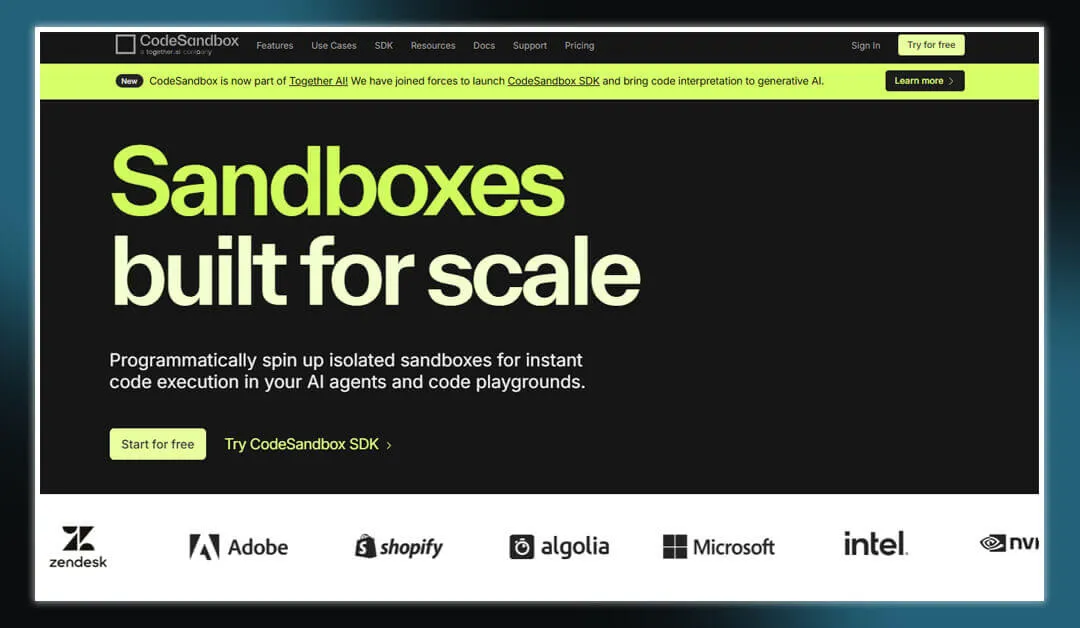
CodeSandbox is a cloud-based development environment that enables real-time collaboration and rapid prototyping directly in the browser.
Key Features and Strengths:
- Online IDE: Write, run, and share code instantly without any setup.
- Live Collaboration: Work simultaneously with team members, seeing changes in real-time.
- GitHub Integration: Sync projects with GitHub repositories for version control.
- Template Library: Access a wide range of templates for various frameworks like React, Vue, and Angular.
- Deployment: Deploy applications directly from the platform with ease.
Pros and Cons:
Pros:
- Facilitates quick prototyping and sharing of projects.
- Enhances team collaboration with real-time editing.
- Supports multiple frameworks and languages.
Cons:
- Performance may vary based on project complexity.
- Advanced features require a subscription.
Pricing Model:
- Free Plan: Includes up to 40 hours of monthly VM credits, unlimited sandboxes, and up to 5 members.
- Pro Plan: Starts at $9 per workspace/month, offering 100 hours of VM credits and up to 20 members.
- Builder Plan: Starts at $119 per workspace/month, providing 160 hours of VM credits and up to 100 concurrent VMs.
- Enterprise Plan: Custom pricing with additional features like bulk VM credits, unlimited members, and dedicated support.
Why CodeSandbox a Good Alternative to Bolt.new and Who Should Use It:
You should consider CodeSandbox as one of the best alternative of Bolt.new. CodeSandbox is perfect for developers who prioritize collaboration and rapid prototyping. Unlike Bolt.new’s AI-driven code generation, CodeSandbox offers a more traditional development environment with the added benefit of real-time collaboration. It’s especially useful for teams looking to streamline their development workflow without the need for complex setups.
9. CerebrasCoder
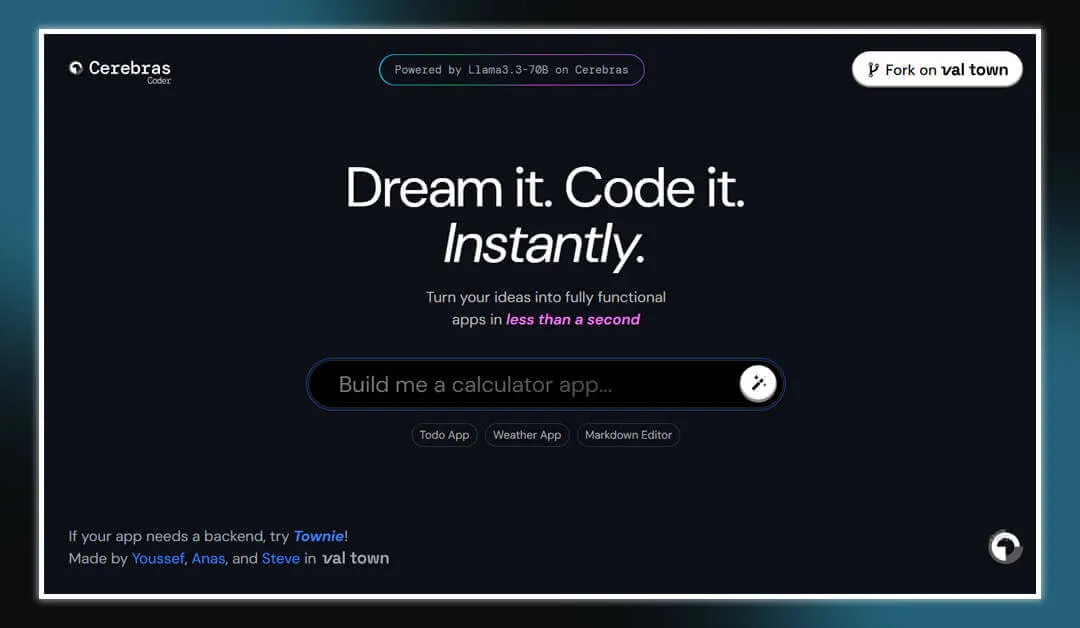
CerebrasCoder is an open-source AI-powered platform that transforms natural language prompts into functional applications, leveraging the capabilities of the Llama 3.3-70B model.
Key Features and Strengths:
- Rapid App Generation: Convert ideas into applications almost instantly using AI.
- High-Speed Processing: Utilizes Cerebras’ CS-2 system to process data at speeds up to 2,148 tokens per second.
- Open Source: Fully open-source platform, allowing for community contributions and transparency.
- Integration with Val Town: Seamlessly write, deploy, and experiment with JavaScript code through the Val Town platform.
Pros and Cons:
Pros:
- Enables rapid prototyping without extensive coding knowledge.
- Free to use and open-source, encouraging community engagement.
- Ideal for simple application development and experimentation.
Cons:
- Lacks advanced features like state management, limiting full-stack development capabilities.
- Quality of generated applications may vary based on prompt specificity.
Pricing Model:
- Free: CerebrasCoder is completely free to use, with no subscription plans or hidden costs.
Why It’s a Good Alternative of Bolt.new and Who Should Use It:
CerebrasCoder is suitable for users seeking a free, open-source solution for rapid application development. While it may not offer the full-stack capabilities of Bolt.new, its speed and simplicity make it an excellent choice for prototyping and educational purposes. It’s particularly beneficial for those looking to explore AI-driven development without financial investment.
10. Cursor
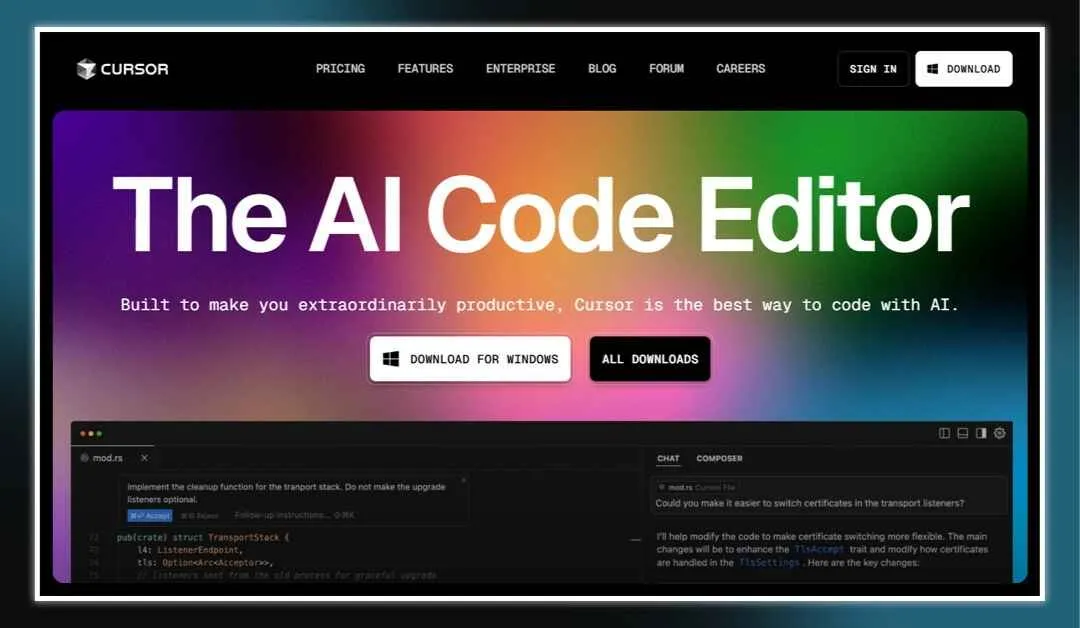
Cursor is an AI-powered code editor that enhances developer productivity by integrating advanced AI features directly into the coding environment. The company behind Cursor raised $2.3 billion at a $29.3 billion valuation, underscoring strong investor confidence in AI-assisted coding tools.
Key Features and Strengths:
- Natural Language Coding: Write and edit code using simple prompts, allowing for rapid development and refactoring.
- Intelligent Autocompletion: Predicts your next edits, streamlining the coding process and reducing manual input.
- Codebase Understanding: Query your entire codebase in natural language to retrieve information or make changes across multiple files.
- Extension Compatibility: As a fork of Visual Studio Code, Cursor supports existing extensions, themes, and keybindings.
- Privacy Options: Offers a Privacy Mode where your code is never stored remotely, ensuring data security.
Pros and Cons:
Pros:
- Accelerates development with AI-assisted coding.
- Enhances code quality through intelligent suggestions.
- Seamless integration with existing development workflows.
Cons:
- Primarily benefits users with coding experience.
- May require adaptation for those unfamiliar with AI-assisted tools.
Pricing Model:
- Cursor offers a free plan with basic features. Premium plans with advanced capabilities are available; pricing details can be found on their official website.
Why Cursor is a Good Alternative to Bolt.new and Who Should Use It:
Cursor is ideal for developers seeking an AI-enhanced coding environment that integrates seamlessly with their existing workflows. Unlike Bolt.new’s no-code approach, Cursor offers a more hands-on experience, making it suitable for projects that require direct code manipulation and advanced customization.
11. Bubble
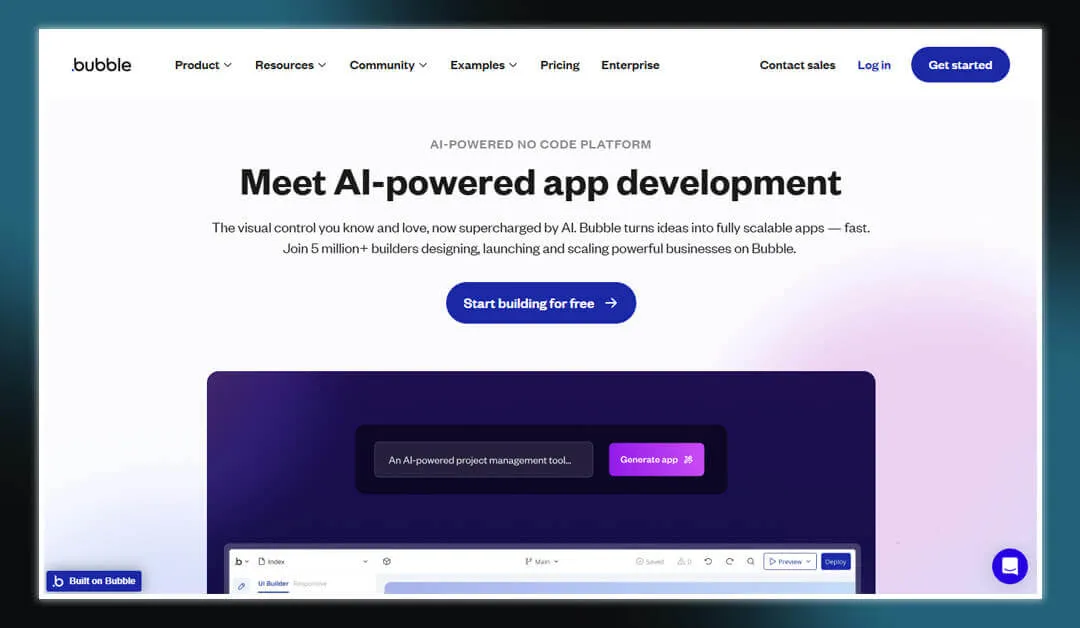
Another alternative of Bolt.new is Bubble AI. Bubble is a comprehensive no-code platform that enables users to build full-stack web applications through a visual interface, eliminating the need for traditional coding. The platform is widely adopted, having powered over 7.2 million applications worldwide, with builders running 28.6 billion workflows in last year alone, showing massive real-world usage and trust in Bubble’s no-code approach.
Key Features and Strengths:
- Visual Programming: Design and develop applications by dragging and dropping elements, defining workflows, and managing databases visually.
- Full-Stack Capabilities: Handle both front-end and back-end development, including database management and server-side logic.
- Responsive Design: Create applications that are mobile-friendly and adaptable to various screen sizes.
- Extensive Plugin Ecosystem: Integrate with third-party services and APIs through a wide range of available plugins.
- Scalability: Built on AWS, Bubble ensures high uptime and the ability to scale applications as needed.
Pros and Cons:
Pros:
- Empowers non-technical users to build complex applications.
- Accelerates development timelines with a visual interface.
- Offers flexibility and customization through plugins and API integrations.
Cons:
- May have a learning curve for users unfamiliar with visual programming.
- Some advanced features and performance optimizations may require a subscription.
Pricing Model:
- Free Plan: Access to basic features suitable for prototyping.
- Paid Plans: Starting at $29/month, offering additional features, increased capacity, and priority support.
Why It’s a Good Alternative to Bolt.new and Who Should Use It:
Bubble is perfect for users who want to build full-featured web applications without writing code. Its visual programming approach makes it accessible to non-developers, while its robust feature set allows for the creation of complex, scalable applications. Compared to Bolt.new, Bubble offers more control over the application’s design and logic, making it suitable for a wider range of projects.
Quick Comparison of the 10+ Top Bolt.new Alternatives
| Alternative |
Key Features |
Pricing |
| Vitara |
AI web and app development, GitHub sync, Vibe Coding |
Free & paid plans from $20/month |
| Lovable |
AI app generation, GitHub sync, Supabase backend |
Free & paid plans from $20/month |
| Softgen |
Full-stack AI builder, Firebase backend, Stripe integration |
Plans from $25 to $100/month |
| Replit |
AI coding, live collaboration, cloud IDE |
Free & Core plan at $25/month |
| Hostinger Horizons |
AI builder with hosting & domain, voice/image inputs |
Plans from $19.99 to $199.99/month |
| Windsurf Editor |
AI IDE, codebase-aware editing, privacy controls |
Free, Pro at $15/month, Ultimate at $60/month |
| V0 |
AI to React UI code, Figma to code conversion |
Free, premium pricing varies |
| CodeSandbox |
Real-time collaboration, online IDE, GitHub integration |
Free, Pro from $9/month, Builder from $119/month |
| CerebrasCoder |
Open-source AI builder, ultra-fast generation |
Completely free |
| Cursor |
AI-enhanced code editor, VS Code compatibility |
Free and paid plans available |
| Bubble |
No-code full-stack builder, plugin ecosystem |
Free, Paid plans start at $29/month |
Factors to Consider When Choosing a Best Bolt.new Alternative
Not every tool fits every project. The best Bolt.new alternative for you depends on what you’re building, how much flexibility you need, and how comfortable you are with tech.
Before picking a platform, take a step back and ask yourself the right questions:
- What type of application do I need to build?
A simple landing page, a data-driven dashboard, or a full SaaS product—your choice affects the tool you’ll need.
- What is my technical skill level?
Are you a developer who wants to edit code or someone looking for a no-code experience?
- What is my budget?
Some platforms offer generous free plans, while others can get pricey as your usage grows.
- What level of customization do I require?
Do you need full control over the design and logic, or are templates and presets enough?
- Are specific integrations necessary?
Think about tools like Stripe, Supabase, Firebase, or custom APIs. Not all platforms support the same services.
- How important is ease of use vs. advanced features?
Would you trade simplicity for power—or prefer a gentle learning curve with fewer options?
- What is my preferred deployment method?
Do you want automatic hosting, cloud deployment, or full control through GitHub?
The clearer you are about your goals, the easier it becomes to choose the right alternative and avoid switching tools halfway through your build.
Final Thoughts
Bolt.new is a solid choice for building AI-powered web and mobile apps, but it’s definitely not the only game in town. Depending on what you’re building, you might want more control over design, deeper customization, or a pricing model that fits your budget a little better.
In this guide, I walked you through ten of the best Bolt.new alternatives to try in 2026. Some are visual-first tools like Lovable and Bubble that make it easy to get started without writing much code. Others, like Cursor and Windsurf, lean into the AI side of development and give developers more power under the hood.
Some tools are built for solo makers. Others are better for full teams. And a few are perfect if you want to stay close to the code while still speeding things up.
The best option really depends on what your project needs right now. Maybe that’s speed. Maybe it’s flexibility, collaboration, or the ability to scale later. My advice? Explore a few. Try them hands-on.
The right tool won’t just save you time. It’ll actually help you build better.
Bolt.new is an AI-powered web application builder that transforms natural language prompts into full-stack applications. It uses advanced AI to generate frontend, backend, and database logic automatically, allowing users to prototype and deploy apps with minimal coding. It’s designed for speed, making it a popular choice for developers, startups, and product teams looking to move from idea to working app quickly.
The top Bolt.new alternatives in 2026 include:
1. Vitara
2. Lovable
3. Softgen
4. Replit
5. Hostinger Horizons
6. Windsurf Editor
7. V0 by Vercel
8. CodeSandbox
9. CerebrasCoder
10. Cursor
11. Bubble
Users explore alternatives of Bolt.new for many reasons. Some want more customization or design flexibility. Others seek lower pricing, specific backend integrations, or open-source control. In some cases, developers prefer a more hands-on coding experience or a different style of AI assistance.
Yes, several Bolt.new AI alternatives offer free plans or trial tiers. Platforms like Replit and Vitara provide a robust free tier with AI-assisted coding, while CerebrasCoder is a fully free, open-source option ideal for fast prototyping. Always review each plan’s limitations to see if they align with your project goals.
For users new to app development, platforms like Hostinger Horizons offer a clean, guided interface that makes building apps easy without writing code. Lovable is another beginner-friendly option, especially for those focused on simple UI-first projects. Still, the “best” platform depends on what you’re building and how much control you need.
When choosing a Bolt.new alternative, focus on core areas like ease of use, available templates, AI-powered assistance, pricing structure, integration options (APIs, databases, third-party tools), customization flexibility, and platform scalability. Community support and documentation also play a big role, especially for long-term use.
Yes, many best alternatives for Bolt.new we mentioned support a wide range of use cases. For mobile app development, tools like Bubble can be adapted for responsive design.
Softgen is great bolt new alternative that offers building modern web applications quickly, while UI Bakery excels at creating powerful internal tools with database connectivity and workflow logic.
Yes, open-source options like CerebrasCoder and Vitara provide a free, community-driven alternative to Bolt.new. These platforms often allow more flexibility, transparency, and control over how your app is built and deployed. They’re especially suited for developers who prefer to self-host or contribute to evolving tools.
If customization is key, platforms like Vitara offer advanced design control and backend logic editing. It supports database integration, custom workflows, and reusable components—making it ideal for building tailored internal tools or apps that require precise behavior.
You can explore real user feedback and feature comparisons on platforms like Reddit and Product Hunt. Our guide here offers a curated list of Bolt.new alternatives with hands-on insights to help you make the right choice faster.
AI app builders help people create functional apps without needing to write code. They speed up development, reduce costs, and make the process much easier. These tools are especially useful for non-technical users who want to turn their ideas into working products.
Bolt is a popular choice, but it is not the only one. Alternatives like Vitara, Lovable and Heyboss offer unique features, clean interfaces, and different workflows that appeal to many users. The best option depends on your specific needs, such as design control, code access, or ease of use.