5 Best Base44 Alternatives and Competitors in 2026
I’ve reviewed a wide range of AI app builders, vibe coding tools, and prompt-to-app platforms, and Base44 is one name that keeps coming up in those conversations.
It stands out as a fast way to turn ideas into working apps, with built in backend support, simple workflows, and an approach that feels approachable for first-time builders.
But here’s the pattern that keeps showing up when people move beyond Base44.
You start wanting more control over the app, clearer pricing as usage grows, better flexibility for custom workflows, and stronger options for scaling what you build.
Instead of moving faster, you start working around the platform’s limits.
That is what pushed me to look for Base44 alternatives.
I reviewed a wide mix of tools, focusing on code ownership, pricing clarity, backend flexibility, speed, and how well each platform supports real product building.
But only the strongest options made the cut.
In this blog, you’ll get a detailed breakdown of the best Base44 alternatives for 2026, along with each one’s →
- Features
- Limitations
- Pricing
- target users
So, you can choose the right fit for your workflow and build with more confidence.
TL;DR – Best Base44 Alternatives
Here are the 3 best alternatives to Base44.
- Vitara.ai — Better balance of AI app building, editable code, public pricing, and practical product flexibility.
- Lovable — Strong full stack builder with GitHub sync, real code control, and a smoother path beyond MVP stage.
- Bolt.new — Browser based development environment with hosting, deployment, and stronger full stack workflow.
Here is the list of the other tools that made it to the list as Base44 alternatives.
TL;DR – Best Base44 Alternatives at a Glance
Where each tool beats Base44 — click any tool to jump to the full breakdown
| Tool |
Where It Beats Base44 |
| Vitara.ai |
Better balance of AI app building, editable code, custom domains, and clear public pricing for growing products |
| Lovable |
Strong full stack app building with GitHub sync, better code control, and more flexibility once your product moves beyond the MVP stage |
| Bolt.new |
Browser based AI development environment with hosting, deployment, and stronger full stack workflow than Base44 |
| Emergent |
More advanced AI app building with private hosting, GitHub integration, custom AI agents, and stronger production focused capabilities |
| Appsmith |
Best for internal tools, admin panels, dashboards, and business workflows that need stronger permissions, integrations, and team collaboration |
How I Evaluated These Base44 Alternatives and Competitors
To find Base44 alternatives that solve the issues people actually run into, I evaluated each tool on:
- How much control it gives over code, backend logic, and deployment as projects grow
- How clear and predictable the pricing feels once prompts, credits, or usage start increasing
- Whether it supports real product building, not just fast prototypes or simple demos
- How flexible it is with integrations, databases, authentication, and custom workflows
- How well it fits different builders, from non technical founders to developers who want more control
I’ll share my honest take on each platform, what works well, where it feels limited, and when it makes more sense than Base44.
In-depth Review of 5 Best Alternatives to Base44
Not every Base44 alternative solves the same problem. Some are better for fast MVPs. Some give more code control. Others work better for teams that care about design, backend flexibility, or long term scalability. In this section, the top 5 Base44 alternatives are compared in detail so it is easier to see where each one fits, where it falls short, and which type of builder should actually use it.
1. Lovable
⭐ Best For:
Founders and product teams who want to build full stack apps quickly with real code control, GitHub sync, and a workflow that feels closer to modern development than basic prompt tools.
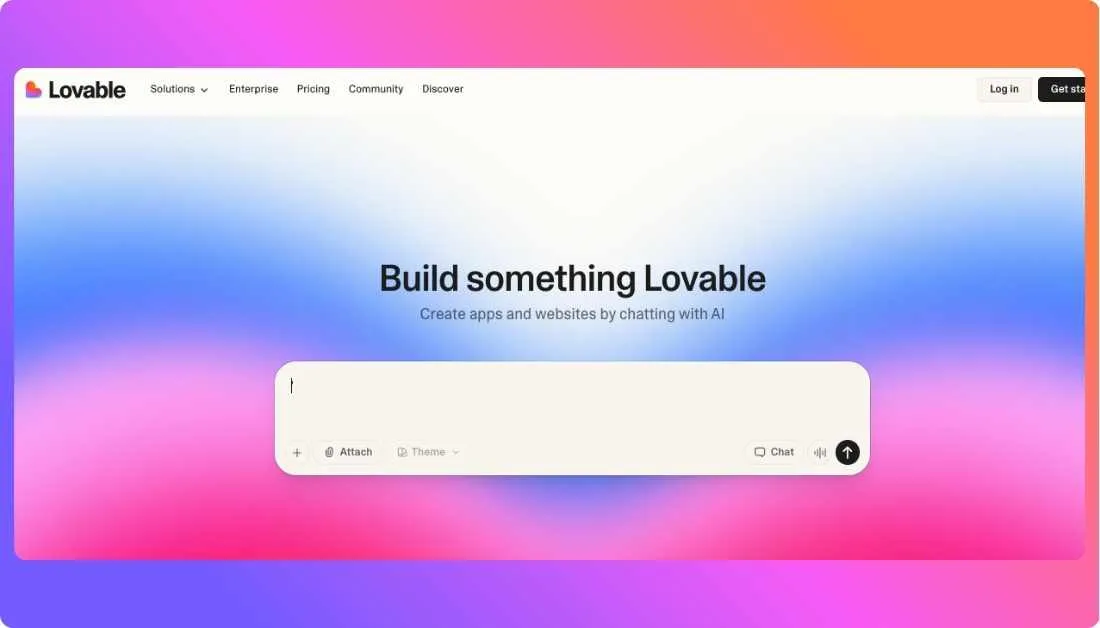
If you’re trying to move from idea to a real product without getting boxed into a rigid system, Lovable is one of the strongest Base44 alternatives right now.
Base44 works well when speed is the only goal. But once the app starts growing, things change. You want more control, better structure, and a way to actually manage your code.
That’s where Lovable feels different. It still lets you build using prompts, but it also gives you real code, proper workflows, and flexibility that actually holds up as your project grows.
Where Lovable Outperforms Base44
Lovable’s biggest advantage is code ownership and flexibility.
With Base44, you often stay inside the platform’s ecosystem. Lovable gives you structured code that you can edit, export, and manage outside the tool if needed.
That alone changes how you build.
It also handles full stack workflows better. You’re not just generating UI screens. You’re working with backend logic, authentication, and database layers that feel closer to real production setups.
Another big win is team collaboration. Lovable’s pricing and structure make it easier for teams to work together without adding cost per user, which becomes important as projects grow.
That said, Lovable is not as “plug and play” as Base44. If someone is completely new, Base44 still feels simpler at the start.
What I Liked
- GitHub sync for real version control and team workflows
- Clean code output that can be edited and extended easily
- Full stack support with backend, database, and auth included
- Works smoothly with Supabase style backend setup
- Better transition from MVP to production ready apps
- Pricing works well for teams since it is not per user
Limitations I Faced
- Slight learning curve compared to Base44’s simpler setup
- Requires some basic understanding of development concepts
- UI generation is good but not as polished as design-first tools
- Some advanced workflows still feel early compared to mature platforms
Lovable Pricing
Lovable keeps pricing simple, but it still uses a credit system behind the scenes.
- Free plan: $0 per month with limited usage and around 5 daily credits for testing ideas
- Pro plan: $25 per month with about 100 credits monthly and support for private projects and custom domains
- Business plan: Around $50 per month with more credits, team features, and better collaboration tools
- Enterprise: Custom pricing for larger teams with advanced security and support
One thing that stands out is team pricing. The Pro plan cost is shared across users instead of charging per seat, which makes it far more affordable for small teams compared to many alternatives.
Compared to Base44’s credit tracking, Lovable feels more predictable once you start building regularly. You’re not constantly watching credits every time you test or refine something, which makes the workflow smoother.
2. Vitara.ai
⭐ Best For:
Founders, startups, and product teams that want a browser based AI app builder with editable code, custom domain support, and a cleaner path from fast prototyping to real product building.

Vitara.ai is one of the more practical Base44 alternatives if the goal is not just to generate an app quickly, but to keep control over what gets built.
Base44 is appealing because it makes app creation feel simple. That part matters. But many builders start looking elsewhere once they want downloadable code, clearer plan limits, and a workflow that feels easier to grow with.
That is where Vitara.ai starts to make more sense. It keeps the prompt based experience approachable, but it also gives paid users the ability to edit and download code, use a custom domain, and work with higher monthly credit limits.
Where Vitara.ai Outperforms Base44
Vitara.ai’s biggest advantage is that it balances simplicity with more practical ownership options.
On the official pricing page, the Build plan includes code editing and code download, which is a major step up for users who do not want to stay locked inside one platform forever. It also includes custom domain support, which matters once a project moves beyond testing and starts looking like a real product.
Another advantage is pricing clarity. Vitara.ai lays out its plans publicly with straightforward monthly pricing and visible credit limits. That makes it easier to estimate what you are paying for as usage grows. The platform offers a free starter tier, a $20 per month Build plan with 100 monthly credits, and a $50 per month Scale plan with 250 monthly credits.
It also feels better suited to people who want an easier jump from prototype to editable project. You still get AI assisted building, but you are not stuck treating the app like a closed experiment.
That said, Vitara.ai still uses a credit model. So while pricing is public and simple, heavy iteration can still make usage planning important.
What I Liked
- Public pricing that is easy to understand before signing up
- Paid plans include code editing and code download on the Build tier and above
- Custom domain support starts on the Build plan
- Free entry point for testing the platform without commitment
- Browser based AI assisted building keeps the workflow simple
- Scale plan gives higher usage limits for more serious projects
Limitations I Faced
- Credit limits still matter, especially for users who iterate heavily
- The free tier is quite limited at 5 daily credits and 20 total one time credits
Vitara.ai Pricing
Vitara.ai keeps its pricing simple and transparent on the official site.
- Starter: Free plan with 5 daily credits and 20 total one time credits, built for beginners exploring AI powered development.
- Build: $20 per month with 100 monthly credits, plus code editing and download, custom domain support, and faster AI processing.
- Scale: $50 per month with 250 monthly credits and everything in Build, aimed at professionals and teams that need higher usage limits.
- Custom plan: Available through sales for teams that need something beyond the standard plans.
Compared to Base44, Vitara.ai stands out for making pricing easier to understand at a glance. You can see what each tier includes, what the credit limits look like, and when code access becomes available. That makes it a strong Base44 alternative for builders who want speed, but also want clearer ownership and fewer pricing surprises.
3. Bolt.new
⭐ Best For:
Builders, startups, and product teams that want a browser based AI development environment with full stack capabilities, built in hosting, and more control over how apps are built and deployed.
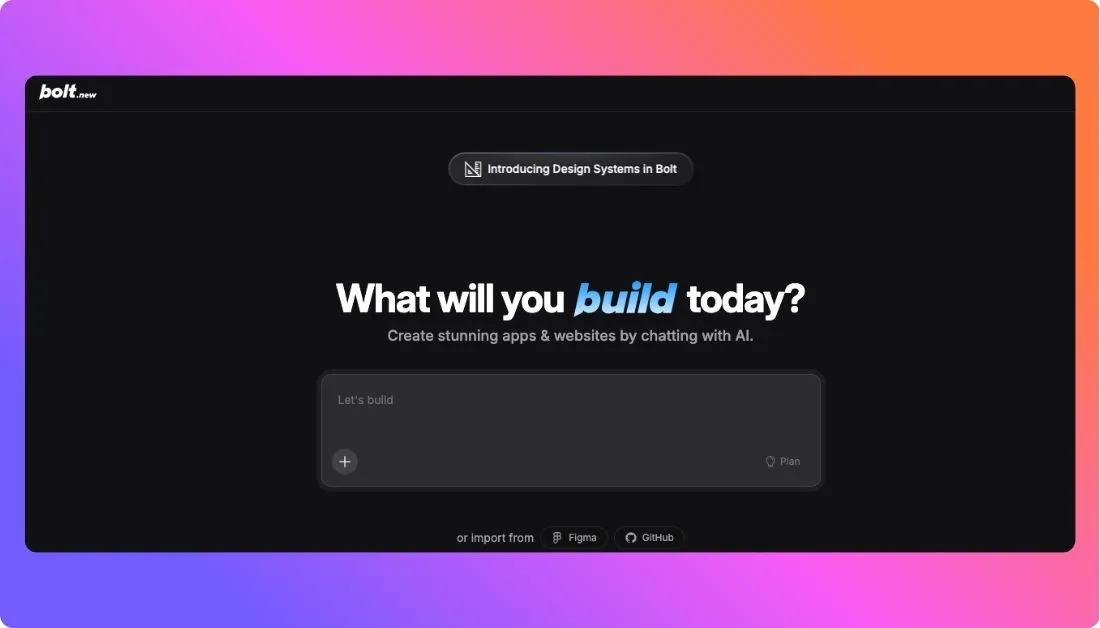
If you’re looking for a Base44 alternative that feels closer to real development, Bolt.new is one of the strongest options right now.
Base44 makes it easy to generate apps quickly. That works well in the early stage. But once you start building something more serious, you need better control, stronger workflows, and a setup that can actually handle production level use.
That is exactly where Bolt.new stands out. It lets you prompt, edit, run, and deploy apps inside the browser, without needing local setup. It feels less like a simple generator and more like a full development environment.
Where Bolt.new Outperforms Base44
Bolt.new’s biggest advantage is how complete the workflow feels.
You are not just generating screens. You are working with real projects that include hosting, databases, deployment, and live preview in one place. That removes the need to combine multiple tools just to ship something.
Another key difference is flexibility. Bolt lets you edit and refine code directly, which makes it easier to move beyond the first version of your app. That is something many Base44 users start looking for once projects grow.
Pricing is also more transparent. Bolt clearly explains its token based system and plan limits, so you can estimate usage better before committing.
That said, Bolt still depends on tokens. If you iterate a lot or build complex apps, usage can increase quickly.
What I Liked
- Full browser based development workflow without local setup
- Built in hosting, deployment, and database support
- Works well for full stack apps, not just basic prototypes
- Clear pricing with visible token limits
- Custom domains available on paid plans
- Token rollover helps manage unused usage better
- Feels closer to real development compared to simple prompt tools
Limitations I Faced
- Token based pricing can become expensive with heavy usage
- Beginners may find Base44 easier at the start
- Complex builds can consume tokens faster than expected
- Not ideal for users looking for a simple drag and drop experience
Bolt.new Pricing
Bolt.new uses a token based pricing model where every prompt and AI output consumes tokens.
- Free plan: $0 per month with around 1 million tokens per month and a 300K daily usage limit, including hosting, projects, and database support.
- Pro plan: Starts at $25 per month with around 10 million tokens per month, no daily cap, custom domain support, no branding, and higher usage limits.
- Teams plan: Around $30 per user per month with collaboration features, shared workspaces, and admin controls.
- Enterprise: Custom pricing for large teams with advanced security and support.
One important detail is token rollover. On paid plans, unused tokens can carry forward for an additional month, which helps reduce wasted usage if your workload changes.
Compared to Base44, Bolt.new gives you a more complete development environment with better flexibility and scaling options. It is a strong choice for builders who want speed, but also need a platform that can handle real product development without switching tools later.
4. Emergent
⭐ Best For:
Founders, product teams, and serious builders who want an AI app builder focused on production ready apps, stronger intelligence features, GitHub integration, and a more advanced workflow than beginner first prompt tools.
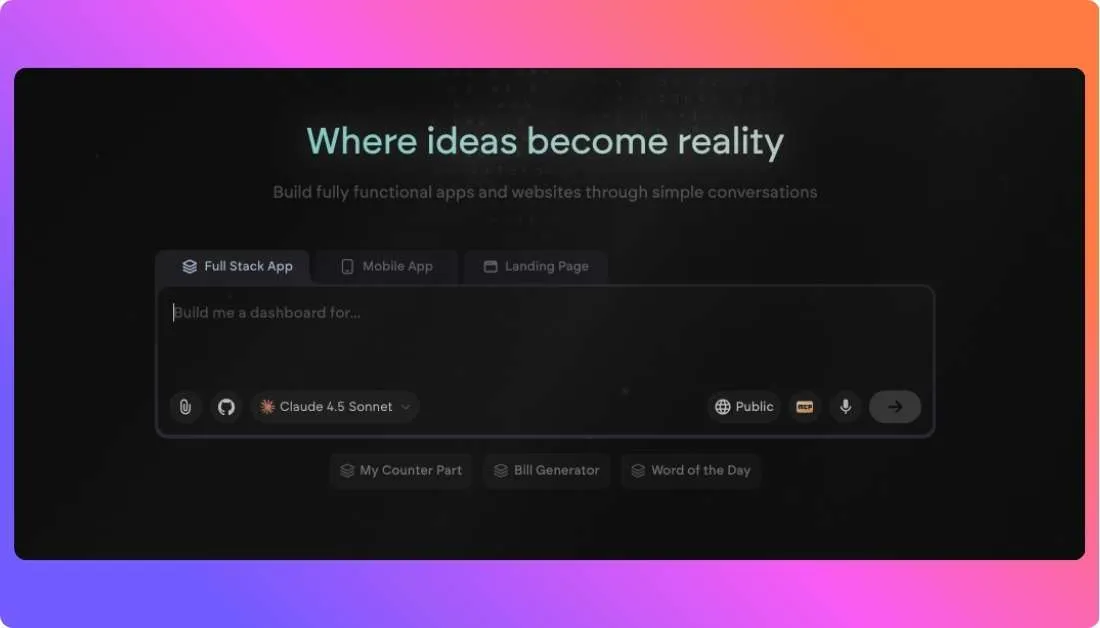
Emergent is one of the more interesting Base44 alternatives because it is not trying to be just another simple app generator. The platform positions itself around building production ready web and mobile apps through conversation, which already puts it in a slightly different category from lighter tools.
Base44 is appealing because it feels approachable. You can move fast and get something usable without much setup. But once the project becomes more important, many users start wanting more depth, better project handling, and features that feel built for serious product work rather than only quick experimentation.
That is where Emergent starts to look stronger. Its pricing page highlights private project hosting, GitHub integration, the ability to build web and mobile apps, and higher end capabilities on the Pro plan like a 1M context window, system prompt editing, custom AI agents, and high performance computing. That gives it a more advanced feel than a lightweight starter platform.
Where Emergent Outperforms Base44
Emergent’s biggest advantage is that it is built with a more serious product building angle.
The platform explicitly says it helps users build production ready apps through conversation, and its paid tiers back that up with features aimed at more advanced workflows. On the Standard plan, users get private project hosting, GitHub integration, 100 monthly credits, and support for building web and mobile apps. On the Pro plan, Emergent adds a 1M context window, custom AI agents, system prompt editing, high performance computing, and 750 monthly credits.
That makes Emergent a better fit for builders who already know they want more than just a quick prototype. It feels more suited to serious iteration, larger prompt context, and projects that need more control over how the AI behaves.
Another strong point is clarity around positioning. Emergent is clearly targeting creators, brands, product managers, SMB owners, and enterprise use cases, which suggests a broader long term use case than tools that mainly market themselves around beginner experimentation. This is an inference from the product and solutions sections on the pricing page.
The tradeoff is that Emergent can feel heavier than Base44. If the main goal is to get a simple app running as fast as possible, Base44 may still feel easier for first time users. That comparison is an inference based on both tools’ public positioning.
What I Liked
- Clear focus on production ready app building, not just lightweight generation
- Standard plan includes GitHub integration and private project hosting
- Supports both web and mobile app building on paid plans
- Pro plan adds advanced features like custom AI agents and system prompt editing
- 1M context window on Pro is a notable advantage for more complex projects
Limitations I Faced
- Free plan is quite limited with only 10 monthly credits
- The jump from Standard at $20 per month to Pro at $200 per month is very large
- Public pricing focuses on credits and feature access, but gives less detail on collaboration depth for teams outside enterprise sales conversations, which is an inference from the page structure
- Users who only need a simple MVP may find the platform more advanced than necessary, which is an inference based on Emergent’s feature set and positioning
- Extra credits are available, but usage planning still matters once builds become heavier
- Some advanced capabilities are locked behind the Pro tier, which can make serious usage expensive quickly
Emergent Pricing
Emergent’s official pricing page is public and fairly straightforward.
- Free: $0 per month with 10 free monthly credits and access to core platform features.
- Standard: $20 per month on annual billing, with 100 credits per month, private project hosting, GitHub integration, support for web and mobile apps, and the option to purchase extra credits as needed.
- Pro: $200 per month on annual billing, with 750 monthly credits, a 1M context window, ultra thinking, system prompt editing, custom AI agents, high performance computing, and priority support.
Compared to Base44, Emergent stands out as a stronger option for builders who care about advanced workflows and more serious app development. It is not the cheapest jump for higher end usage, but it does offer a clearer path for users who want more intelligence, more context, and more control as the project grows.
5. Appsmith
⭐ Best For:
Teams, developers, and businesses that want to build internal tools, admin panels, dashboards, and workflow apps with more control, stronger integrations, and a platform that is already built for serious business use.
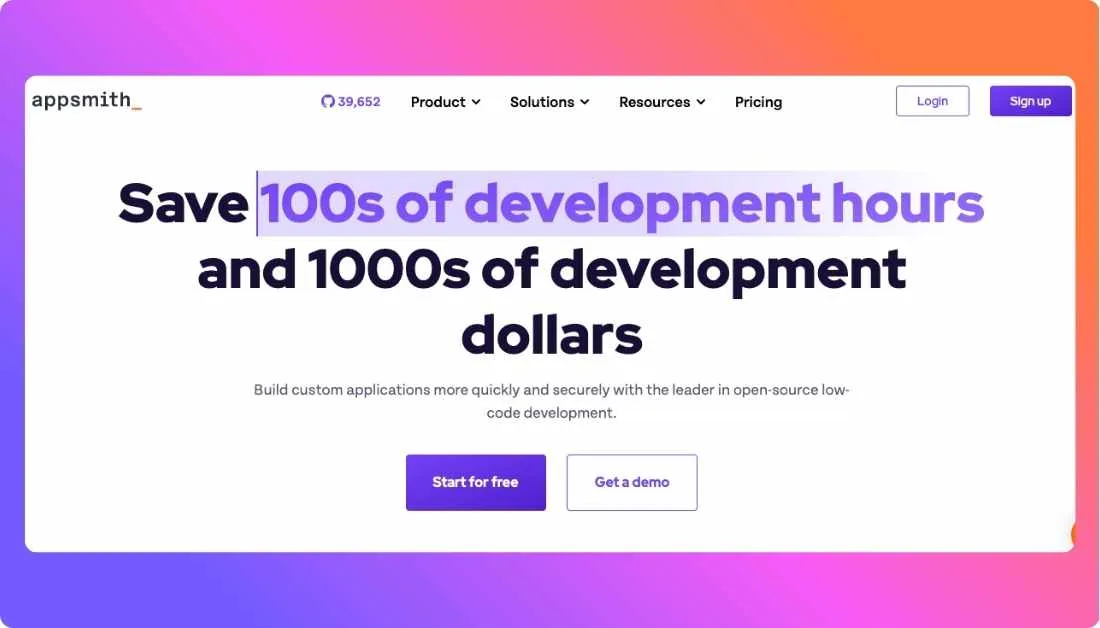
Appsmith is very different from Base44, and that is exactly why it belongs on this list.
Base44 is designed for fast AI driven app generation. It is helpful when the goal is speed and simplicity. But for teams building internal software, business workflows, or data heavy operational tools, that kind of lightweight app builder is not always enough.
Appsmith works better when the app needs structure, permissions, integrations, environments, and real team collaboration. It is less about generating a quick idea and more about helping teams build useful internal software that can actually support day to day operations.
Where Appsmith Outperforms Base44
Appsmith’s biggest strength is business app depth.
Its pricing page makes it clear that the platform is built around users, workspaces, roles, workflows, Git based version control, premium integrations, custom roles, audit logs, and enterprise security features. That makes it much more suitable for teams that need internal tools with serious access control and long term maintainability.
Another strong point is pricing predictability. Unlike prompt or credit driven AI builders, Appsmith uses a user based pricing model. That means teams know what they are paying for each month without having to track prompt usage or credits. For businesses building internal apps that will be used regularly, that can feel much easier to manage.
Appsmith also gives teams more room to build collaboratively. The Business plan includes unlimited environments, unlimited Git repos, workflows, reusable packages, premium integrations, and custom access controls. Those are the kinds of features that matter once multiple people are working on real tools together.
The tradeoff is obvious though. Appsmith is not trying to be a simple AI prompt to app product for beginners. If someone wants to go from idea to a polished first version in the fastest possible way, Base44 will likely feel easier. That comparison is an inference based on the public positioning of both tools.
What I Liked
- Predictable user based pricing instead of prompt or credit based usage
- Free plan supports up to 5 cloud users and includes Git based version control with 3 repos
- Business plan adds workflows, reusable packages, premium integrations, and audit logs
- Custom roles and access controls make it a much better fit for business apps than lightweight AI builders
- Enterprise plan includes SAML or OIDC SSO, SCIM, CI/CD, private app embedding, and dedicated support
- Strong fit for internal tools, admin apps, and operational dashboards
Limitations I Faced
- Not the best fit for users who mainly want a fast prompt to app AI builder
- The experience is more structured and tool oriented, so it can feel heavier for solo non technical builders
- Business pricing is low per user, but Enterprise starts at a much higher level for larger teams
- Some advanced deployment and enterprise capabilities are only available as higher tier or add on features
Appsmith Pricing
Appsmith uses a straightforward user based pricing model, which makes it easier to predict long term cost.
- Free: $0 for individual developers and small teams, with up to 5 cloud users, 5 workspaces, Git version control with 3 repos, Google SSO, standard access roles, and community support.
- Business: $15 per month per user, with support for up to 99 users, unlimited environments, Git repos, and workspaces, plus workflows, reusable packages, premium integrations, custom roles, audit logs, and email or chat support.
- Enterprise: $2,500 per month for 100 users, with everything in Business plus SAML or OIDC SSO, SCIM provisioning, CI/CD, private app embedding, managed hosting, custom integrations, and dedicated support with SLAs.
Compared to Base44, Appsmith is less about instant AI app generation and more about building dependable internal business software. That makes it a strong Base44 alternative for teams that care more about workflows, permissions, integrations, and long term operational use than pure generation speed.
Final Verdict: Which Base44 Alternative Should You Pick?
I’ve listed 5 of the best Base44 alternatives, and each one solves a different gap that Base44 can leave open, whether that is code ownership, pricing clarity, backend flexibility, internal tool depth, or a stronger path from prototype to real product.
But if the goal is to choose one tool that gives the best overall balance of speed, flexibility, editable code, and practical product building, Vitara.ai stands out as the most complete Base44 alternative on this list.
It gives builders a workflow that stays simple without feeling too limiting.
- Browser based AI app building that feels fast and approachable
- Paid plans include code editing and code download
- Public pricing that is easier to understand before committing
- Custom domain support for moving beyond test projects
- Better balance between quick prototyping and real product building
- Free plan available for testing the platform first
- Build plan starts at a more accessible price point
- Works well for founders, startups, and growing product teams
FAQs About Base44 Alternatives
Some of the best Base44 alternatives in 2026 include Lovable, Vitara.ai, Bolt.new, Emergent, and Appsmith. The right choice depends on what you want to build. Some tools are better for fast MVPs, some give more code control, and others are stronger for internal business apps.
Most people start looking for Base44 alternatives when they want more flexibility. Common reasons include needing editable code, clearer pricing, better backend control, stronger scalability, or a platform that fits real product development better than simple prompt based app generation.
Vitara.ai and Lovable are strong choices for beginners who want a smoother way to build apps with AI. They keep the workflow simple while still giving more room to grow. Base44 may feel easier at the very start, but these alternatives often give better flexibility once the project becomes more serious.
Lovable, Vitara.ai, and Bolt.new are better options if code control matters. These tools are more useful for builders who want editable projects, stronger development workflows, or the ability to work beyond a closed platform experience.
Yes, several Base44 alternatives offer free plans. Lovable, Vitara.ai, Bolt.new, Emergent, and Appsmith all have free entry options. The limits are different on each platform, so the best free option depends on whether the goal is testing ideas, building a simple MVP, or creating internal tools.
Bolt.new, Lovable, and Vitara.ai are strong options for full stack app building. They are better suited for users who want more than simple UI generation and need support for backend logic, databases, hosting, or deployment workflows.
Appsmith is one of the best Base44 alternatives for internal tools. It is built for dashboards, admin panels, workflow apps, and operational software. It also offers stronger permissions, integrations, and team collaboration features than lightweight AI app builders.
Yes, Bolt.new is a strong Base44 alternative for builders who want a more complete browser based development workflow. It is especially useful for users who want more control, built in hosting, and a setup that feels closer to real product development.
Lovable can be better than Base44 for users who care about code ownership, GitHub workflows, and long term flexibility. Base44 is simpler for quick starts, but Lovable is often a better fit when the goal is to build something that can grow beyond an early prototype.
Start by looking at what you actually need. If speed matters most, choose a tool built for fast MVPs. If code access matters, focus on platforms with editable or downloadable code. If the goal is internal business software, choose a platform built for workflows, permissions, and integrations. The best Base44 alternative depends more on your use case than on feature lists alone.