Shipper.now Alternatives: 5 Best AI App Builders in 2026

If you’ve used Shipper.now for a while, you already know it can turn prompts into working apps pretty fast. But the moment you need more control, more flexibility, or a smoother path from idea to real product, the limitations start to show.
- Code ownership? Not always as flexible as growing teams want.
- Customization? Fine for quick launches, but tighter when your product needs more depth.
- Scaling options? Good for MVP speed, but not always ideal for teams thinking beyond the first version.
- Workflow freedom? Limited if you want stronger developer control, better exportability, or a more flexible full stack setup.
For founders, product teams, and builders who want fast app creation without feeling boxed in later, that becomes a real issue.
And if you are also running into these limits and looking for the best Shipper.now alternative, this guide is for you.
I reviewed the top AI app builders and Shipper.now competitors across code control, full stack support, flexibility, ease of use, scaling potential, and overall value so you do not just get a tool like Shipper.now, but a better fit for the way you actually want to build.
Let’s get into it.
TL;DR — Top 3 Shipper.now Alternatives in 2026
Vitara.ai — Best Overall
AI powered full stack app builder for web and mobile apps with editable code, browser based development, GitHub integration, and code download support. Best for founders, startups, and teams that want speed without giving up long term flexibility.
Replit
Strong browser based AI development platform for building, editing, and deploying apps in one place. Best for users who want more hands on control and a real development workflow beyond simple prompt to app generation.
Bolt.new
Good for fast prompt based web app creation with browser based editing and deployment. Best for teams that want quick full stack web app building, but do not mind a token based pricing model as usage grows.
Top 3 Alternatives to Shipper.now Compared
My list now includes five AI app builders that offer stronger value in different areas than Shipper.now, depending on what you need. Vitara emphasizes editable full stack code and browser based building, Replit focuses on a more hands on build and deploy workflow, and Bolt.new leans into fast browser based web app generation with token based usage.
But among them, these are the top 3 Shipper.now competitors that genuinely go head to head in flexibility, product building workflow, and value for money.
Here’s a quick side by side comparison 👇🏼
| Feature |
Vitara.ai |
Replit |
Bolt.new |
| Entry Price |
Free |
Free |
Free |
| First Paid Plan |
$20/mo |
$20/mo billed annually |
$25/mo billed monthly |
| Best For |
Founders and teams that want full stack app building with editable code |
Builders who want a browser based build and deploy workflow with stronger developer control |
Teams that want fast browser based web app generation and deployment |
| Free Plan |
Yes |
Yes |
Yes |
| Web App Building |
Yes |
Yes |
Yes |
| Mobile App Positioning |
Yes |
Yes |
Not clearly highlighted on pricing page |
| Code Editing / Download |
Edit and download code on Build plan |
Real coding workspace |
Browser based editing workflow |
| GitHub / Developer Workflow |
GitHub integration highlighted on site |
Strong developer workflow |
Better for browser based web app iteration than simple no code flows |
| Hosting |
Custom domain on paid plans |
Publish one app on free plan |
Website hosting included, even on free plan |
| Pricing Model |
Monthly credits by plan |
Subscription plus monthly credits |
Token based usage |
5 Best Alternatives to Shipper.now
I have shared a detailed review of the 5 best tools that stand out as strong Shipper.now alternatives.
You will see what each one does well, where they fall short, and which tool is most likely to fit your product building workflow the best.
Let’s get into the details.
1. Vitara.ai
⭐ Best For:
Founders, startups, agencies, and product teams that want fast app building with real code, browser based development, and more flexibility than Shipper.now gives once a product starts growing. Vitara is built around full stack app generation, editable code, GitHub integration, and code download support on paid plans.
Vitara is not just a prompt to app tool.

It is a full stack AI app builder where you can create web and mobile apps, generate frontend and backend code, work inside a browser based environment, connect GitHub, and download your code when you need more control. Vitara’s official site highlights React for the frontend, Supabase for the backend, browser based development, and full code ownership with export support.
The reason I’m putting it at the top of this list is simple: most Shipper.now alternatives solve only one part of the problem.
Some give you better code access. Some are better for prototyping. Some are more developer focused. Vitara gives you the balance most teams actually need. You still get AI speed, but you also get editable code, download support, GitHub integration, and a clearer path from idea to real product under pricing that starts at free and then moves to $20 per month.
Vitara is the best Shipper.now alternative
What makes Vitara a stronger Shipper.now alternative?
The biggest difference between Vitara and Shipper.now comes down to flexibility after the first build.
Shipper.now is good when the priority is getting an app live quickly. Vitara is stronger for teams that want that speed but do not want to feel boxed in once they need deeper customization, code level changes, or a more scalable full stack workflow. Vitara explicitly says users can inspect, edit, download, and deploy the generated source code.
Here is how Vitara stands out in the feature to value comparison.
- Full Stack Web and Mobile App Building
Vitara is designed to build both web and mobile applications from natural language prompts. Its official site says the platform creates websites, mobile apps, and the backend that powers them, which makes it a broader option for builders who do not want to stay limited to one narrow app workflow.
- Real Code Ownership and Exportability
One of Vitara’s biggest advantages is that it generates real code that you can inspect, edit, download, and deploy. The platform states that users maintain full ownership of their code and data, and that the generated code is fully editable inside Vitara or after export to another editor. That is a big plus for teams that care about long term control.
- Browser Based Development with No Setup
Vitara runs inside the browser, so you do not need a complex local setup to start building. The official site describes it as a zero configuration environment where users can start building right away. That makes it easier for founders and non technical teams to move fast without losing access to real code.
- Built In React Frontend and Supabase Backend Workflow
Vitara’s stack is clearly defined. It uses React for frontend development and Supabase for backend services, including authentication, real time subscriptions, and APIs. That gives users a more practical full stack base instead of just generating UI screens.
- GitHub Integration for Better Team Workflows
Vitara includes GitHub integration for version control, collaboration, and continuous deployment. This matters when a project moves beyond quick testing and needs a cleaner workflow between founders, designers, and developers. It gives Vitara an edge for teams that want AI speed without losing normal product development habits.
Pros of Vitara.ai
- Builds full stack web and mobile apps from natural language prompts
- Browser based development with zero configuration
- Uses React frontend and Supabase backend out of the box
- Generated code is editable and can be exported or downloaded on paid plans
- GitHub integration supports version control and collaboration
- Free plan available for getting started without commitment
Cons of Vitara.ai
- Free plan has a tight daily and total credit limit, so it is better for testing than serious building
- Code download is not included in the free tier and starts on the Build plan
- Higher usage teams may need the Scale plan or a custom plan as projects grow
- Starter: Free plan with 5 credits per day and 20 one time total credits
- Build: $20 per month with 100 monthly credits, code editing and download, custom domain support, and faster AI processing
- Scale: $50 per month with 250 monthly credits and everything in Build
- Custom: Contact sales for a tailored plan beyond standard usage
Vitara keeps its pricing simple compared with many AI builder tools. You can start free, move to Build when you need code download and more serious usage, and then move to Scale as your workload increases. The pricing page also says there is no free trial because the free plan already acts as the entry point.
What users should know
Vitara is a strong fit for people who want more than a quick prototype. It is especially useful for founders and teams that like the speed of AI app generation but still want code ownership, GitHub based workflows, browser based development, and a cleaner path to scaling a real product.
2. Replit
⭐ Best For:
Founders, solo builders, and developers who want a browser based AI app builder with stronger hands on control, built in deployment, and a more coding friendly workflow than Shipper.now.
Replit is one of the strongest Shipper.now competitors.
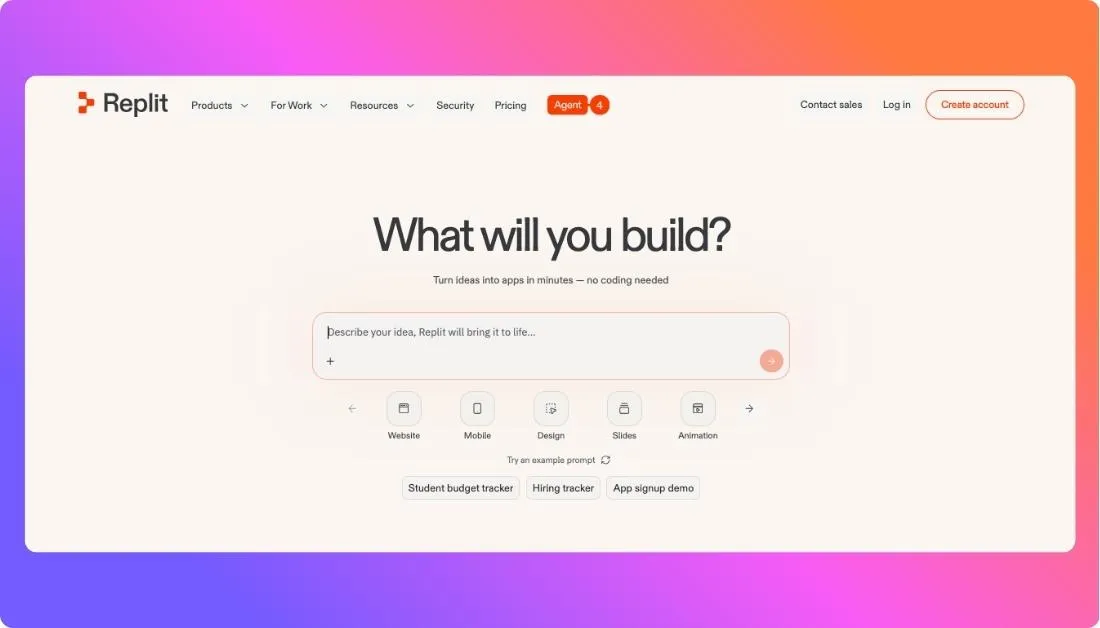
You can build apps and websites with AI, work inside a real browser based coding environment, use Replit Agent to turn prompts into working software, and launch directly from the same platform without dealing with setup or local configuration.
And that is where Replit starts to feel different from Shipper.now.
Shipper.now is appealing when you want speed and simplicity first. Replit is a better fit when you still want AI speed, but you also want to stay closer to the code, make direct edits, iterate faster, and keep working inside an environment that feels more like real product development than a lightweight app generator.
One of my favorite Replit strengths is how it blends AI building with an actual development workspace.
It is not just about generating an app once.
You can keep building, debugging, editing, and deploying in the same place, which makes it much more useful for teams that want to move past the prototype stage and keep improving the product without switching tools every few steps.
So if you are looking for an alternative to Shipper.now and you want more control, a more developer friendly workflow, and a stronger path from idea to deployed app, Replit is a very strong choice.
But if pricing flexibility is already one of your concerns, Replit is not always the lightest option.
So yes, Replit can get expensive as usage grows.
Pros of Replit
- Browser based AI app builder with no local setup required
- Builds full stack apps from natural language prompts
- Built in deployment makes it easy to launch from the same platform
- Good fit for both technical and non technical builders
- Stronger coding environment than many lighter prompt to app tools
- Mobile app building support is also part of Replit’s current positioning
Cons of Replit
- Agent pricing can be harder to predict because it uses effort based pricing for AI work
- Pro plan is a big jump at $100 per month for serious users
- Better suited to users who are comfortable with a more hands on build environment than very simple no code first tools
Pricing Plans
- Starter: Free plan to get started
- Core: $20 per month, with access to more features and up to 5 collaborators in a workspace according to Replit’s February 2026 updates
- Pro: $100 per month, with more powerful Agent modes, credit rollover, priority support, and up to 15 builders
- Enterprise: Custom pricing through sales contact
Replit’s pricing is strong if you want a real build and deploy environment in the browser. But compared with simpler flat priced AI app builders, it can become costlier once you start relying heavily on Agent for larger or longer tasks.
What Users Have to Say?
Replit has a 4.5 out of 5 rating on G2 based on 337 reviews on its seller profile, and recent G2 reviews highlight ease of use, speed, and the ability to bring ideas to life quickly even for users with little coding experience.
3. Lovable
⭐ Best For:
Founders, designers, and product teams who want to quickly turn ideas into working UI prototypes and simple web apps using AI without getting deep into backend complexity.
Another strong Shipper.now alternative on this list is Lovable.
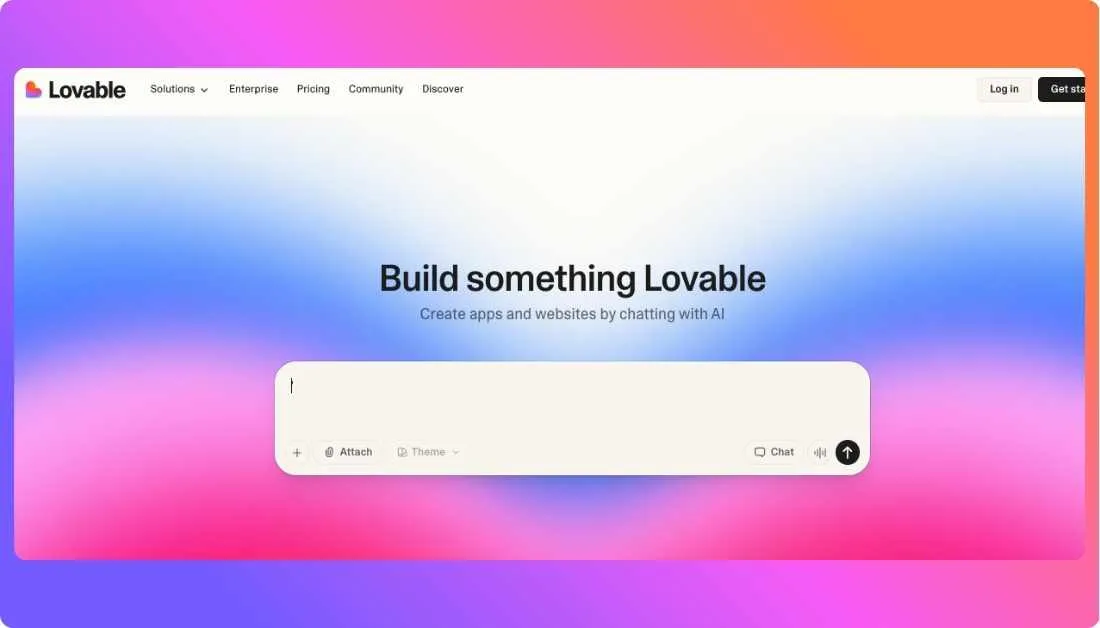
You can generate web apps, landing pages, and UI flows using simple prompts in Lovable. It focuses heavily on frontend generation, making it easy to create visually appealing interfaces fast.
But if you are expecting a complete full stack app builder out of the box, Lovable may feel limited compared to tools that go deeper into backend logic.
Similar to Shipper.now, it is built for speed and simplicity.
But the difference shows up when you start building something more complex. Lovable leans more toward UI and frontend generation, while backend setup and deeper integrations may require additional tools or manual work.
When testing Lovable, one thing stands out quickly.
The speed of UI creation is impressive. You can go from idea to a clean interface in minutes, which makes it great for early stage validation, demos, and MVP presentations.
However, there are a few trade offs.
Customization beyond the generated UI can take extra effort. Also, like many AI builders, usage is tied to credits, and pricing can increase as you scale usage or need more advanced features.
So if you are looking for an alternative to Shipper.now and your focus is fast UI creation, prototyping, and design-first workflows, Lovable is a solid choice.
But if your goal is to build a full product with backend, logic, and long term scalability in one place, it may not be the best standalone option.
Pros of Lovable
- Very fast UI and frontend generation from prompts
- Clean and intuitive interface for beginners
- Great for prototyping ideas and MVP validation
- Helps create visually polished layouts quickly
- Good for design focused workflows
Cons of Lovable
- Limited full stack capabilities compared to some alternatives
- Backend and integrations may require external setup
- Credit based usage can increase cost over time
- Not ideal for complex or large scale applications
Pricing Plans
- Free Plan: Limited credits to test the platform
- Pro Plan: Starts around $25 per month with more credits and features
- Team Plan: Higher pricing for collaboration and increased usage
- Enterprise Plan: Custom pricing based on needs
Lovable follows a credit based pricing model. You start free, but as usage grows, you will need to move to paid plans. The pricing is reasonable for prototyping, but it can increase if you rely heavily on AI generation for larger projects.
What Users Have to Say?
Users often highlight how easy Lovable makes it to turn ideas into working interfaces quickly.
Many reviews mention that it saves time during early stage product development, especially when teams need to test ideas fast without spending weeks on design.
4. Bolt.new
⭐ Best For:
Founders, product teams, and developers who want to turn prompts into working full stack web apps directly in the browser, then edit and deploy them fast. Bolt describes itself as an AI powered web development agent that lets users prompt, run, edit, and deploy full stack applications without local setup.
One of the Shipper.now alternatives that comes close to its workflow is Bolt.new.
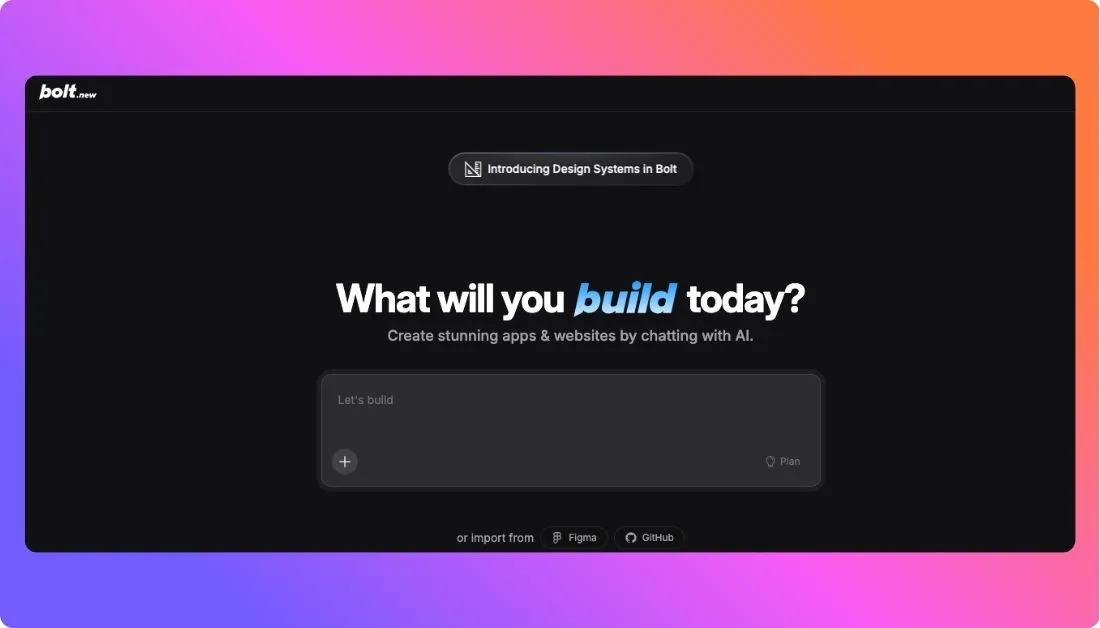
Just like Shipper.now, Bolt.new is built around speed. You can describe what you want, generate an app in the browser, edit the output, and keep shipping without dealing with a heavy setup.
Bolt’s official site says it helps users create and launch applications directly from the browser and focuses on letting the tool handle the code while the user focuses on the product vision.
Bolt.new is also known for its strong browser based workflow, especially for frontend heavy and full stack web app building.
It supports prompt based generation, editing, hosting, custom domains, SEO boosting, AI image editing, and database support across its paid plans. The pricing page also highlights public and private projects, website hosting, unused token rollover, unlimited databases on higher plans, and expanded database capacity.
When comparing it with Shipper.now, Bolt.new feels more developer friendly in the day to day workflow.
You are not just generating an app once and stopping there. You can keep editing, refining, and deploying inside the same browser based environment, which makes it more practical for teams that want AI speed but still expect an active build loop. That is one of Bolt’s biggest advantages for people who want more than a simple MVP generator.
However, Bolt.new does have its own trade offs.
Its pricing is token based, and that matters. The official pricing page says paid plans start at 10 million tokens per month, with higher tiers giving more usage. So while Bolt can feel powerful and flexible, it can also become expensive if your workflow relies heavily on repeated AI generation, edits, and iteration.
Bolt’s enterprise page separately promotes flat rate enterprise pricing with no token caps, which indirectly shows that token limits are a real concern for heavy users on standard plans.
For a full feature by feature comparison of how Bolt.new differs from other AI app builders, it stands out most for teams that want a serious browser based web app workflow rather than a lightweight no code experience.
Pros of Bolt.new
- Browser based AI app builder with no local setup required
- Supports prompt, run, edit, and deploy workflow in one place
- Paid plans include website hosting and custom domain support
- Offers private project support on paid plans
- Includes features like SEO boosting, AI image editing, and database support on higher plans
Cons of Bolt.new
- Token based pricing can become expensive for high usage workflows
- Better suited to web app building than broader web plus mobile product workflows based on current public positioning
- Public review depth still appears lighter than more mature software categories, so buyers may need hands on testing before committing
Pricing Plans
- Free: Free plan available to get started
- Pro: Starts at $20 per month with 10M tokens per month
- Teams: $30 per month per member billed monthly
- Enterprise: Custom pricing with flat rate, no token caps, and enterprise support options
Bolt.new’s pricing is attractive at the entry level, especially if you want browser based web app generation with hosting included. But once your usage grows, the token model can make costs less predictable than flat usage plans from some competitors. That is the main thing to watch before choosing it over Shipper.now or Vitara.
What Users Have to Say?
Bolt.new currently has a 4.6 out of 5 rating on G2. G2 describes it as an AI powered web development agent that lets users prompt, run, edit, and deploy full stack applications directly from the browser.
5. Cursor
⭐ Best For:
Developers, technical founders, and product teams who want stronger coding control, AI assisted development, and a real editor workflow instead of a simple prompt to app experience. Cursor positions itself as an AI coding environment with agent features, Auto mode, and access to multiple frontier models.
You should consider Cursor as a Shipper.now alternative if you want more direct control over how your product gets built.
Cursor is not really trying to be a lightweight app generator first. It is built more for people who want AI to speed up coding, planning, editing, debugging, and multi file changes inside a real development workflow. That makes it a strong option for builders who like the speed of AI but do not want to give up too much control over the build process.
Along with its agent features, Cursor also gives users access to multiple leading models and usage pools, which makes it flexible for different kinds of coding work.
That said, I would not put Cursor in the same category as tools like Vitara or even Bolt.new for beginners.
It is more developer centric. If your main goal is to type a short prompt and get a polished app live with minimal hands on work, Cursor may feel heavier than Shipper.now. But if you want to work closer to the codebase, make precise edits, and keep building inside an AI native coding editor, Cursor becomes a much more powerful option.
G2 reviews also consistently highlight Cursor’s value for debugging, refactoring, and understanding larger codebases.
Another feature I really like is Cursor’s model flexibility.
Cursor says users can choose among multiple frontier models from OpenAI, Anthropic, Gemini, xAI, and Cursor’s own options. That is useful for teams that want to adapt the tool to different coding tasks instead of relying on one fixed model experience.
Pros of Cursor
- Strong AI coding assistant for editing, debugging, refactoring, and code understanding
- Built for a real developer workflow rather than a one shot prompt to app flow
- Supports multiple frontier models for different coding tasks
- G2 users often praise its interface, productivity gains, and context awareness across the codebase
Cons of Cursor
- Less beginner friendly than simpler AI app builders because it is more coding focused
- Pricing and included usage are more complex than flat plan tools because they depend on usage pools and model costs
- Heavy agent usage can lead to extra usage based charges beyond the included plan amount
Pricing Plans
- Hobby: Free plan available
- Pro+: Recommended by Cursor for daily agent users
- Ultra: Recommended for agent power users
- Teams: Built for collaboration, pooled usage, and professional team workflows
- Enterprise: Custom pricing for larger organizations that need invoicing, pooled usage, and advanced security
Cursor’s pricing is one of the biggest things to understand before choosing it. Its official docs and pricing pages describe two usage pools and usage based model costs, so the experience is more flexible but also less straightforward than tools with simple monthly credit buckets. That is great for serious developers, but it can feel confusing if you just want predictable app builder pricing.
What Users Have to Say?
Cursor has a 4.5 out of 5 rating on G2 from 48 verified reviews on its seller page, and recent G2 review summaries say users especially like its intuitive interface, smart AI assistance, and ability to reduce time spent on repetitive coding and debugging work.
Which Shipper.now Alternative Should You Actually Pick?
After reviewing all 5 tools, here is what I’d recommend based on your situation:
Before choosing any alternative to Shipper.now, ask yourself these questions.
1. Do I want speed only, or speed with real control later?
If you only want to generate something quickly, many tools can do that. But if you want to keep improving the product, editing the code, and growing beyond the first version, you need a tool that gives you more flexibility from the start.
2. Am I building just a prototype, or something I want to scale in the next 6 months?
If you are planning to grow the product, pick a tool that will not slow you down later. Limited customization, weak export options, or pricing that gets expensive with usage can become a problem fast.
3. Do I need a simple builder, or a more developer friendly workflow?
If you want the easiest path, go with a tool that keeps things simple. But if you or your team want more control, GitHub workflows, deeper editing, and a stronger build environment, choose a tool that supports that from day one.
Once you are clear on these three things, the right tool on this list becomes much easier to choose.
There is no single best tool for everyone.
But if I had to pick one that covers the most ground for the widest range of founders, startups, and product teams, it would be Vitara.ai, and I’d suggest starting with the free plan to see if it fits your workflow before committing.
So, Which Is the Shipper.now Alternative?
I have wrapped up my unbiased review of all the Shipper.now alternatives.
So, which one is the best Shipper.now alternative?
Well, the answer depends on your product building needs.
Do you want faster prototyping, more code control, a better full stack workflow, or a smoother path from idea to a scalable app?
However, if you are still unsure which of these Shipper.now alternatives to choose, you can start with Vitara.ai. It has a free plan, which can help you test the platform and make a decision faster.
FAQs About Shipper.now Alternatives
Vitara.ai is the best Shipper.now alternative for most users. It gives you fast AI app building, editable full stack code, browser based development, GitHub integration, and a better path from prototype to real product. It works well for founders, startups, agencies, and product teams that want speed without losing flexibility later.
Most people start looking for Shipper.now alternatives when they want more control over the generated code, better customization, stronger full stack support, or a smoother way to scale beyond an MVP. Shipper.now is useful for fast app creation, but some users outgrow its workflow once their product becomes more serious.
Yes, some Shipper.now alternatives offer free plans. Vitara.ai, Replit, Bolt.new, and Cursor all give users a way to get started without paying upfront. These free plans are useful for testing the platform, building simple projects, or checking whether the workflow matches your needs before moving to a paid plan.
Vitara.ai is one of the best options for beginners because it keeps the app building process simple while still offering more flexibility than many lightweight AI builders. Lovable is also beginner friendly if your main goal is fast UI creation and simple prototyping.
Cursor is the best fit for developers who want deeper coding control, AI assisted editing, debugging, and a real editor based workflow. Replit is also a strong option if you want a browser based development environment with built in deployment and hands on app building.
Vitara.ai is the strongest choice here because it is built around full stack web and mobile app creation, not just UI generation. Replit and Bolt.new are also strong picks for full stack workflows, especially if you want a more active build and edit environment.
Lovable can be better than Shipper.now if your main focus is quick UI generation, frontend prototyping, and design first workflows. But if you need deeper full stack support or better long term flexibility, Vitara.ai or Replit may be a better fit.
Yes, Replit is a very good Shipper.now alternative for users who want AI speed with more direct control over development. It is especially useful for founders and developers who want to build, edit, test, and deploy in one browser based workspace.
You should look for code ownership, full stack support, ease of use, pricing clarity, backend flexibility, deployment options, and room to scale. The best Shipper.now alternative is not just the one that generates an app fast. It is the one that still works well when your product grows.
Most teams should start with Vitara.ai. It offers the best balance of AI speed, real code access, browser based development, and long term product flexibility. That makes it the safest choice for teams that want to move fast now without creating limitations for themselves later.
To choose the right Shipper.now alternative, you need to:
- Identify what you want to build
- Check how much code control and customization you need
- Evaluate the platform’s full stack capabilities
- Review pricing and long term scalability
- Look at how easy the tool is to use for your workflow