V0 vs Bolt.new: Which AI App Builder Should You Choose?
Choosing the wrong AI app builder can quietly waste days of development time.
- Bad UI = endless redesigns.
- Bad code = painful refactors.
- Bad architecture = prototypes that never ship.
When deciding between V0 and Bolt.new, you are not just picking an AI coding tool.
You are actually deciding how your next product, landing page, dashboard, or MVP will get built.
Both platforms promise faster app development.
Both claim to turn prompts into working interfaces.
But they are built for completely different building styles:
- V0 = UI → polished React components, clean layouts, great for frontend work.
- Bolt.new = Full app → browser-based coding, live preview, better for complete prototypes.
The challenge?
Most reviews tell you what these tools can generate, but not which one actually helps you build something useful with fewer rewrites.
I compared both tools across real app-building workflows, from landing pages and dashboards to full-stack prototypes, auth flows, and project setup, so you don’t have to.
This guide compares V0 and Bolt.new on UI quality, full-stack support, code quality, pricing, ease of use, and day-to-day usability.
So you can confidently choose the tool that helps you build faster, not just generate more code.
Build Smarter Apps with AI Powered Development
Prismetric helps businesses build scalable web apps, SaaS products, MVPs, and AI powered digital platforms.
Get Started Today
V0 vs Bolt.new: Quick Comparison Table
If you only want the quick answer, here it is:
V0 is better when you need polished frontend UI, especially for React, Next.js, Tailwind, and shadcn-style components.
Bolt.new is better when you want to generate a more complete app structure, run it in the browser, and move from idea to working prototype faster.
Here is a side-by-side comparison:
| Feature |
V0 |
Bolt.new |
Winner |
| Best for |
Building polished UI components, landing pages, dashboards, and frontend sections |
Building full app prototypes, MVPs, and runnable projects in the browser |
Depends on use case |
| Main output |
React components, UI screens, and frontend code |
Full project scaffolds with files, dependencies, preview, and app structure |
Bolt.new |
| Frontend quality |
Stronger visual polish, cleaner layouts, and better component styling |
Good UI, but often more focused on getting the app working |
V0 |
| Backend support |
Limited compared to full-stack builders |
Better for backend scaffolding, APIs, and app logic |
Bolt.new |
| Database support |
Usually needs manual setup or external integration |
Can help scaffold database-connected apps, but still needs review |
Bolt.new |
| Auth support |
Can generate auth screens, but not always full secure auth flows |
Better at generating full auth flow structure, but security still needs manual checks |
Bolt.new |
| Code export |
Easy to copy or move frontend code into an existing project |
Better for exporting or continuing a generated full project |
Tie |
| Deployment |
Strong fit for Vercel and Next.js workflows |
Good for browser-based preview and moving quickly from prompt to project |
Tie |
| Ease of use |
Very easy if you need UI only |
Easy to start, but can get more complex as the app grows |
V0 |
| Pricing model |
More predictable for focused UI generation |
Can become harder to predict during larger builds and debugging loops |
V0 |
| Token or credit usage |
Usually lighter for small UI tasks |
Can use more credits because it works across more files and project context |
V0 |
| Best user type |
Frontend developers, designers, React teams, and builders with an existing app |
Founders, indie hackers, full-stack developers, and MVP builders |
Depends on user |
| Production readiness |
Good starting point for UI, but still needs testing and integration |
Good starting point for prototypes, but still needs security, testing, and cleanup |
Tie |
| Learning curve |
Lower learning curve for UI generation |
Slightly higher because it handles more of the app |
V0 |
| Customization |
Great for refining layouts, components, and visual details |
Better for changing app structure, features, and workflows |
Tie |
| Debugging experience |
Easier when working on isolated UI components |
More powerful, but debugging can become messy in larger projects |
V0 for small tasks, Bolt.new for full apps |
The simplest way to think about it is this:
- Choose V0 if your main problem is frontend quality.
- Choose Bolt.new if your main problem is getting a working app structure quickly.
V0 feels more like an AI frontend designer that writes React code.
Bolt.new feels more like an AI coding workspace that tries to build the whole app with you.
So the winner depends on what you are trying to build.
If you already have a React or Next.js project and only need better UI, V0 is the better choice.
If you are starting from a blank screen and want a working MVP, Bolt.new will usually get you further, faster.
But for production apps, neither tool should be trusted blindly.
Both can save time, but both still need human review, testing, refactoring, and proper deployment checks before you ship to real users.
What Is V0?
V0 is an AI UI generator built by Vercel.
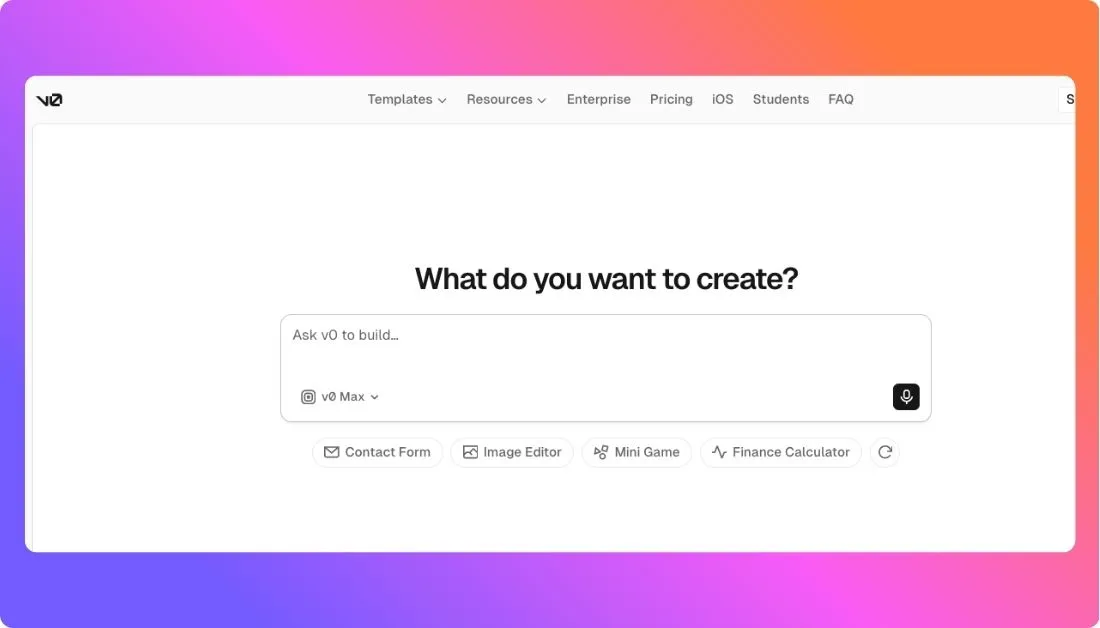
It helps you turn text prompts into React and Next.js interfaces. It is especially strong with Tailwind CSS and shadcn/ui, which makes it useful for creating clean, modern frontend components quickly.
V0 works best when you already have a project, backend, or app structure in place and need better UI. It is a strong fit for building dashboards, forms, landing pages, pricing sections, admin panels, and component libraries.
It also fits naturally into Vercel and Next.js workflows, which makes it useful for frontend developers who want production-friendly UI without starting from scratch.
V0 Key Features
- Prompt-to-UI generation
- React and Tailwind CSS output
- shadcn/ui support
- Live component previews
- Iterative chat-based editing
- Works well with GitHub, Vercel, and Next.js workflows
- Useful for frontend developers, designers, and product teams
V0 Strengths
V0’s biggest strength is UI quality.
It can generate polished layouts, clean components, and strong first drafts from simple prompts. If you need a dashboard, landing page, form, or pricing section, V0 can often get you close in minutes.
It is also easier to integrate into existing React or Next.js projects because the output is focused on frontend code instead of trying to build the entire app for you.
V0 Limitations
V0 is not mainly a full-stack app builder.
It can help with frontend screens, but backend logic, authentication, databases, billing, APIs, and business rules still need proper setup.
Complex app behavior usually requires manual engineering. Generated UI may also need review for accessibility, responsiveness, state management, and production quality before it is shipped.
What Is Bolt.new?
Bolt.new is an AI-powered browser development environment built by StackBlitz.
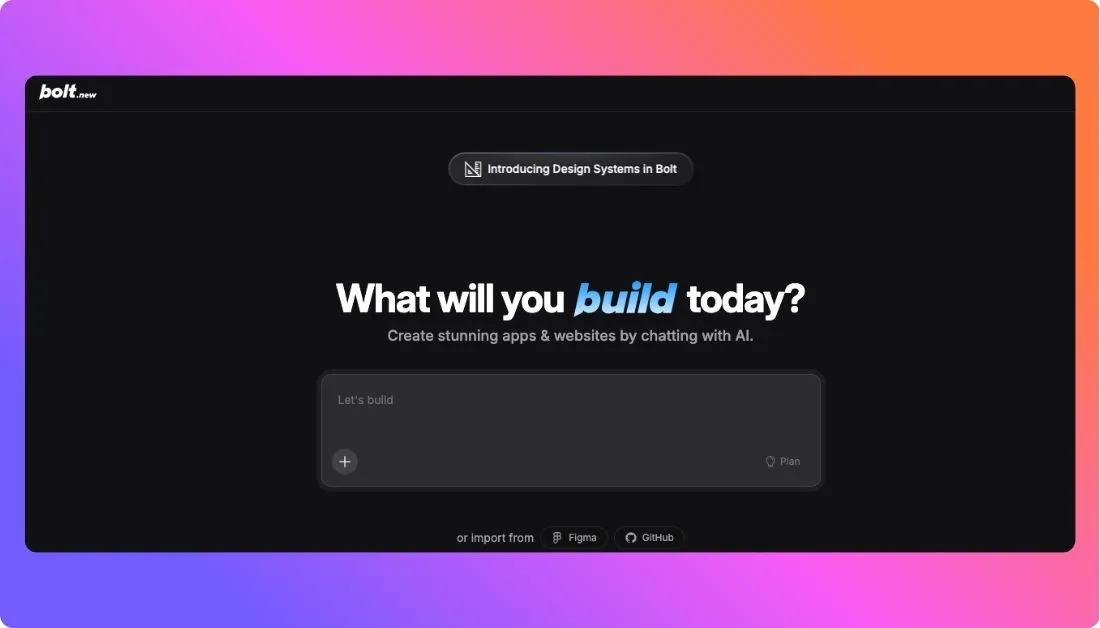
Instead of only generating UI components, Bolt.new helps you create broader app structures directly in the browser. It can create files, install packages, run previews, and help scaffold frontend and backend logic.
It runs projects in the browser using StackBlitz WebContainers, so you can start building without setting up a local development environment.
Bolt.new is better suited for full-stack prototypes, MVPs, hackathon projects, demos, and quick app scaffolds.
Bolt.new Key Features
- Prompt-to-app generation
- Browser-based coding environment
- Frontend and backend scaffolding
- Live app preview
- Package installation
- Multi-file project generation
- GitHub export or integration
- Deployment workflows
- Useful for MVPs, demos, hackathons, and early product validation
Bolt.new Strengths
Bolt.new gives you a more complete starting point than a UI-only generator.
It is useful when you want to go from idea to working app quickly. You can describe what you want, generate the project, preview it, and continue editing in the browser.
It is especially helpful for users who do not want to set up a local dev environment and want to see a working prototype as fast as possible.
Bolt.new Limitations
Bolt.new can use credits or tokens quickly, especially when working on larger projects or debugging repeated errors.
Because it works across multiple files and dependencies, changes can sometimes become messy if your prompts are vague. The AI may update parts of the project you did not expect.
The output can be useful, but it still needs cleanup before production. Larger apps require proper Git usage, code review, testing, and manual development discipline.
Turn App Ideas into Scalable Software Faster
Prismetric develops custom AI powered applications with strong UI, clean architecture, and reliable backend systems.
Build Your App
V0 vs Bolt.new Core Features Breakdown
In this section, I’ll compare both tools across the key features that matter when you’re choosing an AI app builder.
This will give you a clear understanding of how V0 and Bolt.new differ and help you decide which one fits your building style better.
- UI and Frontend Generation
- Full-Stack App Generation
- Code Quality and Customization
- Backend, Database, and Auth Support
- Debugging and Iteration
- Deployment and Export
- Pricing and Credit Usage
1. UI and Frontend Generation
When you’re using an AI app builder, the first thing you notice is the quality of the interface it creates.
A good AI tool should not just give you random code.
It should help you create clean layouts, usable components, responsive pages, and designs that don’t need hours of fixing.
Fortunately, both V0 and Bolt.new can generate frontend screens from prompts.
But after comparing both tools, here’s what I found…
Quick TL;DR of UI and Frontend Generation Comparison
| Comparison |
V0 |
Bolt.new |
Winner |
| React UI Generation |
✅ |
✅ |
Tie |
| Tailwind CSS Support |
✅ |
✅ |
Tie |
| shadcn/ui Style Output |
✅ |
✅ |
V0 |
| Landing Pages |
✅ |
✅ |
V0 |
| Dashboards |
✅ |
✅ |
V0 |
| Forms and Components |
✅ |
✅ |
V0 |
| Multi-Page UI Flow |
✅ |
✅ |
Bolt.new |
| Visual Polish |
✅ |
⚠️ |
V0 |
| Best For |
Clean frontend components |
Working app screens |
Depends on use case |
V0’s UI Generation vs. Bolt.new’s UI Generation?
V0 is clearly built with frontend quality in mind.
It works especially well when you want polished React components, Tailwind layouts, shadcn-style UI, landing pages, pricing sections, dashboards, forms, and admin panels.
The output usually feels more refined.
You’ll notice better spacing, cleaner component structure, and a stronger sense of visual hierarchy.
Bolt.new can also generate good UI, but its main focus is not just frontend design.
It is trying to build more of the app around that UI, including project files, logic, dependencies, and live preview. So, sometimes the interface looks decent, but not as polished as what V0 gives you.
A Reddit user summed up the common opinion well:
“Bolt is better for the backend and V0 for the frontend.”
V0 vs Bolt.new UI Review –Read more on Reddit
That said, V0 is not perfect.
Some users also say V0 can feel like a guessing game when you’re waiting for the final design to come out right.
“I’ve been using v0.dev for a while primarily for design inspiration… it’s like a guessing game waiting for tons of code generation and hoping the final design turns up reasonable.”
V0 UI/UX Review –Read more on Reddit
So, V0 gives better frontend output, but you may still need to iterate a few times before the design matches your exact vision.
Which Platform Has Better UI and Frontend Generation – V0 or Bolt.new?
Both tools can generate frontend screens, but they serve slightly different needs.
- V0 is better if you want polished UI components and frontend sections.
- Bolt.new is better if you want UI connected to a broader app structure.
- V0 works best when you already know what screen or component you want.
- Bolt.new works better when you want the tool to create the app flow around the UI.
So, if your main goal is frontend quality, V0 is the obvious winner.
But if you want the UI to be part of a working prototype with routing, files, and app logic, Bolt.new can be more useful.
2. Full-Stack App Generation
Once your UI is ready, the next question is simple:
Can the tool help you build the actual app behind it?
This is where the difference between V0 and Bolt.new becomes much clearer.
V0 is strong at generating frontend code.
Bolt.new is stronger when you want to create a full project structure and run it directly in the browser.
Quick TL;DR of Full-Stack App Generation Comparison
| Comparison |
V0 |
Bolt.new |
Winner |
| Prompt-to-App Generation |
⚠️ |
✅ |
Bolt.new |
| Multi-File Project Creation |
✅ |
✅ |
Bolt.new |
| Frontend Scaffolding |
✅ |
✅ |
Tie |
| Backend Scaffolding |
⚠️ |
✅ |
Bolt.new |
| API Route Setup |
⚠️ |
✅ |
Bolt.new |
| Package Installation |
⚠️ |
✅ |
Bolt.new |
| Live App Preview |
✅ |
✅ |
Tie |
| Browser-Based Development |
✅ |
✅ |
Bolt.new |
| Best For |
UI-first projects |
Full-stack prototypes |
Bolt.new |
V0’s Full-Stack App Generation vs. Bolt.new’s?
V0 can help you build frontend-heavy web apps, especially if you’re working in React, Next.js, Tailwind CSS, and Vercel.
It can generate pages, components, layouts, and even some app structure.
But it still feels more like a frontend-focused AI tool.
You’ll usually need to bring your own backend, database, authentication, billing, and business logic.
Bolt.new feels different.
It is built more like an AI-powered browser coding environment. You can describe an app, and it can create files, install packages, run the project, show a live preview, and help you continue editing from there.
That makes it more useful for:
- SaaS MVPs
- Internal tools
- Hackathon projects
- Demo apps
- Full-stack prototypes
- Startup product ideas
- Browser-based app building
This is where Bolt.new has a real advantage.
It gives you a more complete starting point instead of only giving you UI pieces.
But there’s a catch.
The more files and logic Bolt.new handles, the more careful you need to be with your prompts.
Some users have reported that Bolt can change unrelated parts of the project if the request is not specific enough.
“Bolt sometimes overwrites queries in ways that break previous use cases, leading to backtracking and debugging headaches.”
Bolt.new Debugging Review –Read more on Reddit
So, Bolt.new gets you closer to a working app, but it also needs more supervision.
Which Platform Has Better Full-Stack App Generation – V0 or Bolt.new?
Bolt.new is the better choice for full-stack app generation.
It gives you more than frontend screens. You can create a working app structure, preview it, edit files, install packages, and build directly in the browser.
V0 is still useful if your app is already set up and you mainly need better frontend components.
So, choose Bolt.new if you want to start from a blank screen and quickly create a working MVP.
Choose V0 if you already have the app structure and only need cleaner UI.
3. Code Quality and Customization
AI-generated code is only useful if you can understand it, edit it, and keep building on top of it.
This matters a lot because many AI app builders can create something impressive in the first prompt, but the real problem starts when you want to customize it.
Let’s look at how V0 and Bolt.new compare when it comes to code quality and editing flexibility.
Quick TL;DR of Code Quality and Customization Comparison
| Comparison |
V0 |
Bolt.new |
Winner |
| Frontend Code Quality |
✅ |
✅ |
V0 |
| Component Structure |
✅ |
⚠️ |
V0 |
| Multi-File Editing |
⚠️ |
✅ |
Bolt.new |
| Custom App Logic |
⚠️ |
✅ |
Bolt.new |
| Easy to Copy Into Existing Project |
✅ |
⚠️ |
V0 |
| Easy to Continue Building in Browser |
⚠️ |
✅ |
Bolt.new |
| Refactoring Support |
✅ |
✅ |
Tie |
| Risk of Messy Changes |
Low to Medium |
Medium to High |
V0 |
| Best For |
Clean UI code |
Full project editing |
Depends on use case |
V0’s Code Quality vs. Bolt.new’s Code Quality?
V0 usually gives cleaner frontend code because its scope is narrower.
It is not always trying to build your entire app.
Instead, it focuses on components, pages, layouts, and UI sections. That makes the output easier to copy, review, and add into an existing React or Next.js project.
This is helpful if you’re a frontend developer or designer who wants a strong starting point without giving the AI control over the full codebase.
Bolt.new gives you more control over the whole project, but that also makes the output more complex.
Since it can create and update multiple files, install dependencies, and modify app logic, the code can become harder to track if you keep asking for broad changes.
This is especially true when your project grows.
Some Bolt.new users recommend using it for scaffolding first, then moving to other tools for smaller edits and debugging.
“Let Bolt do the heavy lifting. Use it to scaffold features/pages. Then switch to tools like Cursor or Windsurf for tweaks and debugging.”
Bolt.new Code Workflow Review –Read more on Reddit
That’s actually a smart way to use Bolt.new.
Let it create the first version of the app, but don’t rely on it blindly for every small change.
Which Platform Has Better Code Quality and Customization – V0 or Bolt.new?
V0 is better for clean frontend code and reusable components.
Bolt.new is better for editing a complete app structure.
Both tools have their strengths:
- V0 is better when you want frontend code that’s easy to move into an existing project.
- Bolt.new is better when you want to keep building and editing the full app in one browser workspace.
- V0 is safer for small UI-focused changes.
- Bolt.new is more flexible for larger app-building workflows.
So, if code quality means clean, reusable React components, V0 wins.
But if customization means changing the full app structure, adding pages, editing files, and connecting different parts of the project, Bolt.new gives you more room to work.
4. Backend, Database, and Auth Support
A good-looking app is only half the job.
If you’re building a SaaS tool, dashboard, internal app, or customer portal, you also need the parts behind the screen to work properly.
That includes things like:
- User login
- Database connections
- API routes
- Permissions
- Form submissions
- Payment logic
- Server-side validation
This is where V0 and Bolt.new feel very different.
Quick TL;DR of Backend, Database, and Auth Support Comparison
| Comparison |
V0 |
Bolt.new |
Winner |
| Auth UI Screens |
✅ |
✅ |
Tie |
| Full Auth Flow Setup |
⚠️ |
✅ |
Bolt.new |
| Backend Logic |
⚠️ |
✅ |
Bolt.new |
| API Route Scaffolding |
⚠️ |
✅ |
Bolt.new |
| Database Setup Help |
⚠️ |
✅ |
Bolt.new |
| Supabase/Firebase Style App Ideas |
⚠️ |
✅ |
Bolt.new |
| Billing Logic |
⚠️ |
⚠️ |
Tie |
| Production Security |
⚠️ |
⚠️ |
Tie |
| Best For |
Frontend auth screens |
App logic and scaffolding |
Bolt.new |
V0’s Backend, Database, and Auth Support vs. Bolt.new’s?
V0 can help you create the frontend part of backend-heavy features.
For example, it can generate:
- Login pages
- Signup forms
- Settings pages
- User profile screens
- Dashboard layouts
- Billing page UI
- Admin panel screens
But V0 is not mainly built to manage your backend logic.
You’ll still need to connect authentication, database rules, API routes, billing providers, and user permissions yourself.
Bolt.new goes further.
It can help scaffold the actual app structure around those features. You can ask it to create a full-stack app with login, database-connected pages, API routes, and basic app logic.
That makes it more useful if you’re starting from scratch and want a working prototype instead of only UI screens.
But this is also where you need to be careful.
AI-generated backend logic should never be trusted blindly, especially for real users, private data, payments, or permissions.
A Bolt.new user shared how their app worked at first, but things became difficult after adding real API logic:
“The app was working great… then I asked it to implement my OpenAI API key… then it imploded.”
Bolt.new Backend Issue –Read more on Reddit
This is a common issue with AI app builders.
They can create the first version quickly, but once you add real business logic, API keys, auth, and database rules, you need proper review.
Which Platform Has Better Backend, Database, and Auth Support – V0 or Bolt.new?
Bolt.new is better for backend, database, and auth scaffolding.
It gives you more help when you want to build a working app instead of just a nice interface.
That said, neither tool should be treated as production-ready by default.
Use Bolt.new if you want to prototype full app flows quickly.
Use V0 if you already have your backend and only need clean frontend screens for login, dashboards, forms, and settings pages.
5. Debugging and Iteration
The real test of any AI coding tool is not the first prompt.
It is what happens after the first version breaks.
Can the tool understand the issue?
Can it fix bugs without damaging other parts of the project?
Can it make small changes without rewriting everything?
That’s where debugging and iteration matter.
Quick TL;DR of Debugging and Iteration Comparison
| Comparison |
V0 |
Bolt.new |
Winner |
| Small UI Fixes |
✅ |
✅ |
V0 |
| Layout Iteration |
✅ |
✅ |
V0 |
| Multi-File Debugging |
⚠️ |
✅ |
Bolt.new |
| Repeated Error Fixing |
⚠️ |
⚠️ |
Tie |
| Risk of Breaking Existing Code |
Lower |
Higher |
V0 |
| Better for Isolated Changes |
✅ |
⚠️ |
V0 |
| Better for Full App Debugging |
⚠️ |
✅ |
Bolt.new |
| Needs Git Discipline |
✅ |
✅ |
Tie |
| Best For |
UI iteration |
Project-level debugging |
Depends on use case |
V0’s Debugging Experience vs. Bolt.new’s?
V0 is easier to manage when you’re making small frontend changes.
For example, if you want to adjust a pricing card, improve a dashboard layout, change a form, or redesign a landing page section, V0 usually handles that well.
Because the scope is smaller, the risk is also smaller.
You’re mostly working with UI code.
Bolt.new has a bigger job.
It may be editing several files at once, changing dependencies, fixing backend logic, updating routes, or modifying database-related code.
That makes it more useful for full app debugging, but also more risky.
If you give vague instructions, Bolt.new may change parts of the project you didn’t want touched.
Many Bolt.new users mention that repeated debugging can also burn through tokens quickly.
“The bolt-produced program had errors… then kept having the same error with the same fixes that didn’t fix the error.”
Bolt.new Debugging Issue –Read more on Reddit
V0 users also report similar frustration when credits are spent fixing issues created by the tool itself.
“Most of my prompts are just trying to fix the errors v0 made and now I must pay for that usage.”
V0 Debugging and Pricing Issue –Read more on Reddit
So, both tools can help you debug, but both can also get expensive or frustrating if the tool keeps missing the real issue.
Which Platform Has Better Debugging and Iteration – V0 or Bolt.new?
V0 is better for small UI changes and visual iteration.
Bolt.new is better when you need to debug a full app with multiple files, logic, dependencies, and routes.
But in both cases, you should work in small steps.
Here’s what I’d recommend:
- Ask for one fix at a time.
- Tell the tool which file or section to edit.
- Avoid broad prompts like “fix everything.”
- Use Git before major changes.
- Review the code before accepting big updates.
- Stop the loop if the AI repeats the same failed fix.
If you’re building a serious app, don’t depend on either tool as your only debugger.
Use them to move faster, but keep human review in the workflow.
6. Deployment and Export
Generating an app is useful.
But at some point, you need to move it out of the AI builder and actually ship it.
That’s why deployment and export matter.
You should ask one simple question:
Can I take this project, host it, edit it, and keep building without being trapped inside the tool?
Quick TL;DR of Deployment and Export Comparison
| Comparison |
V0 |
Bolt.new |
Winner |
| Vercel Deployment Fit |
✅ |
✅ |
V0 |
| Browser Preview |
✅ |
✅ |
Tie |
| GitHub Workflow |
✅ |
✅ |
Tie |
| Code Export |
✅ |
✅ |
Tie |
| Full Project Export |
⚠️ |
✅ |
Bolt.new |
| Best for Existing Next.js Apps |
✅ |
⚠️ |
V0 |
| Best for New Projects |
⚠️ |
✅ |
Bolt.new |
| Production Deployment |
⚠️ |
⚠️ |
Tie |
| Best For |
Frontend-to-Vercel workflow |
Full project handoff |
Depends on use case |
V0’s Deployment and Export vs. Bolt.new’s?
V0 fits naturally with Vercel.
That makes sense because it’s built by Vercel and works well with React, Next.js, Tailwind CSS, and shadcn/ui workflows.
If your team already uses Vercel, V0 can be a smooth way to generate frontend code, preview it, and move it into your app.
Bolt.new is better when you want to generate and run a broader project in the browser.
You can start from a prompt, preview the app, edit files, and then continue the project through export or GitHub-style workflows.
This is useful for MVP builders, freelancers, and founders who want to get something working quickly without local setup.
But deployment is not the same as production readiness.
A project can deploy successfully and still have:
- Weak auth rules
- Missing validation
- Broken mobile layout
- Exposed API keys
- Poor error handling
- No logging
- No tests
- Database security issues
Some users like V0 because of the Vercel workflow, but still mention quality concerns.
“I genuinely enjoy the convenience and deployment workflow of V0 with Vercel… But the persistent quality issues make it hard to justify the premium price.”
V0 Deployment Workflow Review –Read more on Reddit
Bolt.new users also talk about moving projects into GitHub and Netlify once the app becomes serious.
“Connect to Github and commit to a repository. Then connect that to Netlify. Whenever a commit is executed, the app auto deploys.”
Bolt.new Deployment Workflow Review –Read more on Reddit
Which Platform Has Better Deployment and Export – V0 or Bolt.new?
V0 is better if your project already lives in the Vercel and Next.js ecosystem.
Bolt.new is better if you want to create a full project first and then move it into your own development workflow.
Both are good for getting started.
But for production, you should still move carefully.
Before shipping, check:
- Environment variables
- Database permissions
- API security
- Auth redirects
- Build errors
- Mobile responsiveness
- Error tracking
- Hosting limits
- Domain setup
- Rollback process
So, V0 wins for Vercel-first frontend projects.
Bolt.new wins for full project export and app handoff.
7. Pricing and Credit Usage
Pricing is one of the trickiest parts of comparing V0 and Bolt.new.
Both tools can save time.
But both can also get expensive if you spend a lot of prompts fixing bugs, regenerating screens, or asking the AI to rebuild large parts of your app.
The real cost is not just the monthly plan.
It is how many usable outputs you get before your credits or tokens run out.
Quick TL;DR of Pricing and Credit Usage Comparison
| Comparison |
V0 |
Bolt.new |
Winner |
| Free Plan |
✅ |
✅ |
Tie |
| Paid Plans |
✅ |
✅ |
Tie |
| Credit/Token Based Usage |
✅ |
✅ |
Tie |
| Better for Small UI Tasks |
✅ |
⚠️ |
V0 |
| Better for Large App Builds |
⚠️ |
✅ |
Bolt.new |
| Cost Predictability |
✅ |
⚠️ |
V0 |
| Risk of Burning Credits While Debugging |
⚠️ |
⚠️ |
Tie |
| Larger Project Context Cost |
Lower |
Higher |
V0 |
| Best For |
Focused UI generation |
Bigger app scaffolding |
Depends on project |
V0’s Pricing vs. Bolt.new’s Pricing?
V0 is usually easier to control when your tasks are small and focused.
If you’re generating one dashboard, one landing page, one form, or one component, you can usually manage the cost better because the scope is limited.
Bolt.new can feel more expensive during larger builds because it works with more project context.
It may need to read files, understand dependencies, update multiple parts of the app, and debug errors across the project.
That can use tokens quickly.
A Bolt.new user explained this frustration clearly:
“My biggest problem… is that I waste too many tokens in just fixing the same issue again and again.”
Bolt.new Token Usage Review –Read more on Reddit
V0 also has pricing complaints, especially when users feel they are paying for repeated fixes.
“I enjoy the tool, but when 50% of my credits are used to fix its own issues, doesn’t seem to make sense.”
V0 Credit Usage Review –Read more on Reddit
So, neither tool is automatically cheap.
The cost depends on how clear your prompts are, how complex the app is, and how often the tool needs to fix its own mistakes.
Which Platform Has Better Pricing and Credit Usage – V0 or Bolt.new?
V0 is usually better for cost predictability if you’re doing focused frontend work.
Bolt.new can be worth it if you’re building a larger prototype and it saves you hours of setup, file creation, package installation, and app scaffolding.
But you need to use both tools carefully.
To save credits or tokens:
- Start with a detailed prompt.
- Build one feature at a time.
- Avoid asking for the full app in one huge prompt.
- Ask the tool to explain the plan before editing.
- Use Git before major changes.
- Stop repeated debugging loops early.
- Move to a code editor when the project gets complex.
So, if you need a few polished UI screens, V0 will usually be more cost-friendly.
If you need a working MVP scaffold, Bolt.new may justify the higher token usage.
But if either tool gets stuck in a loop, the cost can rise fast.
Final Take on V0 vs Bolt.new Core Features
V0 and Bolt.new are not built for the same type of user.
V0 is better when your main goal is clean frontend UI.
Bolt.new is better when your main goal is building a working app prototype.
So, the choice is simple:
- Choose V0 if you need polished React components, landing pages, dashboards, forms, and frontend sections.
- Choose Bolt.new if you need a browser-based AI app builder that can scaffold a fuller project.
- Use both if you want V0 for UI quality and Bolt.new for app structure.
- Don’t use either blindly for production without testing, security checks, and code review.
If you’re building a serious SaaS product, internal tool, or customer-facing app, these tools can save a lot of time.
But they should be treated as accelerators, not replacements for good engineering decisions.
Build Full Stack Apps with AI Expertise
Prismetric develops frontend, backend, database, API, and deployment ready solutions for modern digital products.
Start Building Now
V0 vs Bolt.new Pricing Comparison
Pricing is one of the biggest deciding factors, especially for founders, indie hackers, freelancers, and startups trying to build fast without wasting budget.
Both V0 and Bolt.new offer free plans, but they work differently when it comes to credits, tokens, usage limits, and team pricing.
Let’s break it down.
V0 offers a free plan and multiple paid plans.
- Free – $0/month
- Premium – $20/month, but it is being sunsetted and may not be available to new users
- Team – $30/user/month
- Business – $100/user/month
- Enterprise – Custom pricing
Similarly, Bolt.new also has a free plan and 3 paid plans:
- Free – $0/month
- Pro – $25/month
- Teams – $30/month/member
- Enterprise – Custom pricing
Key Difference Between V0 and Bolt.new Pricing Plans
With V0, pricing is based on credits.
Each plan includes a monthly credit allowance, and those credits are used when you generate, edit, or iterate with AI. The Free plan includes limited credits, while Team and Business plans give each user monthly credits and allow teams to buy extra credits when needed.
This makes V0 easier to predict if you’re mainly generating frontend screens, React components, dashboards, landing pages, or smaller UI sections.
Bolt.new, on the other hand, uses a token-based system.
Tokens are consumed as Bolt reads your project, understands the files, writes code, installs packages, fixes bugs, and updates the app. Since Bolt.new often works across a bigger project context, token usage can increase quickly when you’re building full-stack apps or debugging repeated issues.
The biggest difference is how each tool charges for work.
V0 feels more cost-friendly when your tasks are focused and frontend-heavy.
Bolt.new can feel more valuable when you want a larger app scaffold, live preview, backend structure, databases, and project files generated in one place.
But it can also burn through tokens faster if your prompts are vague or your project becomes complex.
So, if you only want to generate polished UI, V0 will usually give you better cost control.
If you want to build a working MVP from scratch, Bolt.new may justify the higher usage because it handles more of the app-building process.
Another key difference is team usage.
V0’s Team plan includes shared collaboration features and credits per user, which makes sense for product teams already working with Vercel and Next.js.
Bolt.new’s Teams plan is better for teams that want a browser-based AI app builder with centralized billing, access management, and shared project workflows.
So, the pricing decision comes down to what you’re building.
Choose V0 if you want predictable pricing for UI generation.
Choose Bolt.new if you’re okay spending more tokens to get closer to a working full-stack prototype.
V0 vs Bolt.new: Final Verdict
V0 and Bolt.new are both useful AI app builders, but they solve different problems.
V0 is the better choice if your main focus is frontend quality.
It works best when you want polished React components, clean layouts, Tailwind CSS styling, shadcn/ui-style interfaces, landing pages, dashboards, pricing sections, forms, or admin panels.
If you already have a Next.js project, backend, database, or product structure in place, V0 can help you move faster on the UI side without rebuilding the whole app.
Bolt.new is the better choice if you want to start from a blank screen and generate a broader runnable app.
It is more useful for full-stack prototypes, MVPs, hackathon projects, internal tools, and early-stage product ideas where you want files, dependencies, app logic, and live preview in one browser-based workspace.
So, the final choice is simple:
- Choose V0 if you need better frontend UI.
- Choose Bolt.new if you need a working app scaffold.
- Use V0 if you’re building inside React, Next.js, Tailwind, or Vercel workflows.
- Use Bolt.new if you want to quickly test an app idea without setting up a local development environment.
But don’t treat either tool as a one-click path to a production-ready app.
Both can generate useful code.
Both can save hours.
Both can also create bugs, messy logic, weak auth flows, or code that needs cleanup.
If you’re building something serious, use these tools to speed up the first version, then review the code, test the app, fix security issues, refactor messy parts, and harden everything before launch.
My recommendation?
Use V0 when the experience needs to look polished.
Use Bolt.new when the product needs to work quickly.
And if you want the best workflow, use both: V0 for high-quality UI and Bolt.new for fast app scaffolding.
V0 is better than Bolt.new if your main goal is to create polished frontend UI.
It’s a strong choice for React components, Next.js pages, Tailwind layouts, shadcn/ui-style interfaces, dashboards, forms, landing pages, and pricing sections.
But if you want to build a more complete app with project files, backend scaffolding, live preview, and browser-based development, Bolt.new is the better option.
So, V0 is better for UI.
Bolt.new is better for full-stack app scaffolding.
Bolt.new is better than V0 when you want to create a runnable app from a prompt.
It can help you generate files, install packages, run the project in the browser, preview changes, and build more of the app structure.
This makes it useful for MVPs, demos, internal tools, SaaS prototypes, and early product ideas.
V0 is still better if you only need clean frontend components.
V0 can help with frontend-heavy app building, but it is not mainly a full-stack app builder.
It works best as an AI UI generator for React, Next.js, Tailwind CSS, and shadcn/ui components.
You can use it to create pages, layouts, forms, dashboards, and app screens.
But backend logic, authentication, database setup, payments, APIs, and business rules usually need manual setup or another development tool.
Bolt.new can generate useful app scaffolds, but you should not treat the first output as production-ready.
It can help you create a working prototype, connect app logic, build pages, and set up project files.
But before using it for real users, you still need to review the code, test the app, check security, configure the database properly, protect API keys, and clean up messy logic.
Bolt.new is good for getting started fast.
Production still needs proper engineering review.
Bolt.new may feel easier for non-coders because it creates more of the app in one place.
You can describe an idea, generate a project, preview it, and keep editing in the browser without setting up a local coding environment.
But non-coders can still get stuck when bugs appear, deployment fails, authentication breaks, or database setup becomes complex.
V0 is easier if you only need UI, but it becomes harder if you don’t know how to connect that UI to a real app.
V0 is usually better for React developers who want fast, clean component generation.
It works well for Next.js projects, Tailwind CSS layouts, shadcn/ui components, dashboards, landing pages, forms, and frontend sections.
Bolt.new is better when React is only one part of a larger full-stack prototype.
If you’re a React developer with an existing app, V0 will usually fit your workflow better.
If you’re starting a new app from scratch, Bolt.new may help you move faster at the project setup stage.
V0 is often cheaper for small UI tasks because you’re usually generating focused components or pages.
Bolt.new can become more expensive during larger projects because it works across more files, dependencies, app logic, and debugging context.
That doesn’t mean Bolt.new is always more expensive.
If it helps you create a working MVP faster, the cost may be worth it.
But if the tool gets stuck in debugging loops, token usage can rise quickly.
V0 usually creates better frontend UI.
It has a stronger edge when it comes to polished layouts, clean components, Tailwind styling, shadcn/ui-style design, landing pages, dashboards, and forms.
Bolt.new can also create good-looking interfaces, but its main strength is broader app generation.
So, if visual quality is the priority, choose V0.
If you want the UI connected to a working app structure, choose Bolt.new.
Bolt.new is usually better for quickly scaffolding a SaaS MVP.
It can help you create the project structure, app screens, basic logic, live preview, and full-stack starting point faster than V0.
But V0 can still be useful inside that workflow.
A practical approach is to use Bolt.new to create the app scaffold and V0 to improve the UI.
Just remember that a real SaaS product still needs testing, auth review, database security, payment setup, error handling, and cleanup before launch.
Yes, using both can be a smart workflow.
Use V0 when you want polished UI components, clean layouts, landing pages, dashboards, or frontend sections.
Use Bolt.new when you want to scaffold the full app, generate project files, preview the app, and build faster from a blank idea.
A good workflow looks like this:
- Generate high-quality UI in V0.
- Build the app structure in Bolt.new.
- Move the project into GitHub.
- Review the code carefully.
- Test the app.
- Fix security, database, auth, and deployment issues before launch.
This gives you the best of both tools: V0 for design quality and Bolt.new for faster app building.