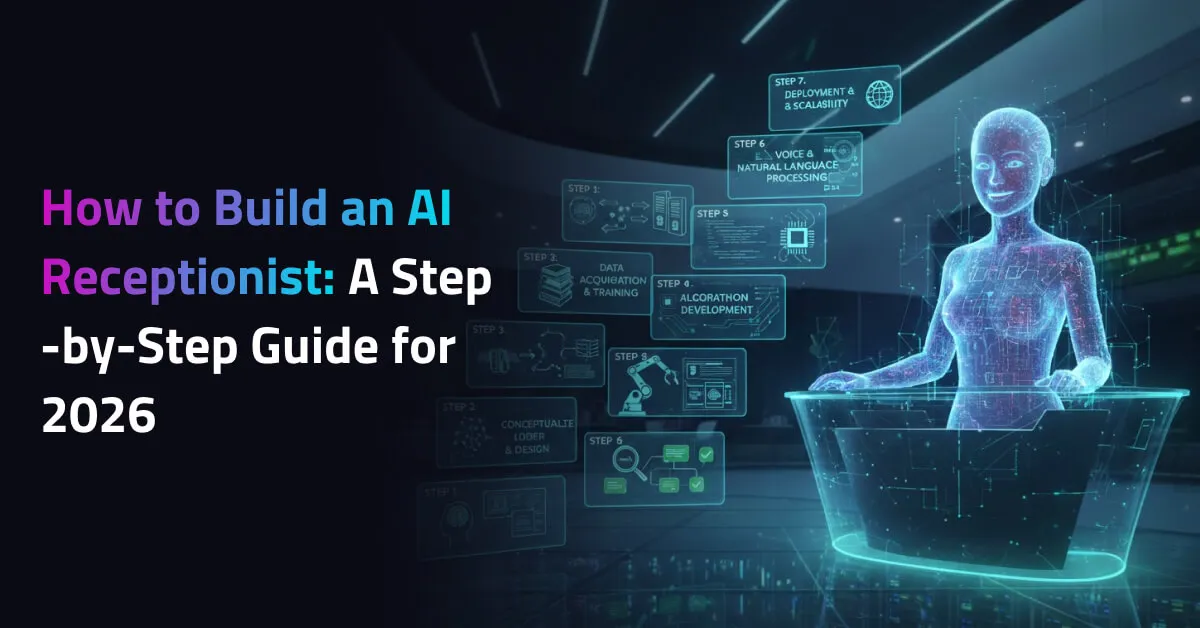
How to Build an AI Receptionist: A Step-by-Step Guide for 2026
Key Takeaways
- An AI receptionist works 24/7, handles calls, messages, and bookings, and scales with your business without added costs.
- Core tech includes NLP, speech recognition, TTS, ML models, and CRM/calendar integrations for smooth operations.
- Businesses can build AI receptionists using no-code tools or custom frameworks like Rasa and Dialogflow.
- Personalization, testing, and ongoing updates are essential for delivering helpful and human-like interactions.
- AI receptionists improve lead capture, reduce support load, and create consistent customer experiences across channels.
Imagine walking into a business where the front desk never misses a call, responds instantly, and works 24/7 without ever needing a coffee break. That’s the power of an AI receptionist. It’s not just a trend. It’s a practical tool that’s changing how businesses handle customer communication and support. And the demand is rising fast. The global virtual receptionist market reached about $3.85 billion in 2024 and is projected to hit $9 billion by 2033, growing at a 9.8% CAGR, showing how quickly companies are adopting AI-driven front-desk automation.
In this guide, you’ll learn how to build your own AI receptionist, from choosing the right tools to setting up workflows that run like clockwork. Whether you’re a small business owner or a developer building for clients, this article will walk you through every step with clarity, real examples, and actionable tips.
How an AI Receptionist Can Help Your Business Grow
An AI receptionist does more than just answer calls. It becomes a reliable, scalable part of your team helping you deliver faster service, reduce costs, and impress customers from the first interaction. Here’s how it drives real business growth:
- 24/7 Availability
Never miss a lead. AI receptionists work around the clock, capturing every inquiry even after business hours.
- Instant Responses
Speed matters. AI answers questions instantly, reducing wait times and improving customer satisfaction.
- Lower Operational Costs
No need to hire extra staff for phone support or front desk tasks. AI handles high volumes without increasing payroll.
- Improved Lead Capture
Smart automation helps qualify and route leads to the right department, increasing conversion rates.
- Consistent Customer Experience
AI delivers the same professional tone and accurate information every time no bad days, no missed greetings.
- Multilingual Support
Reach more customers by offering seamless communication in multiple languages.
- Scalable Without Growing Overhead
As your business grows, AI can handle more interactions without additional cost or training.
AI Technologies You Need to Build an AI Receptionist
Behind every smart AI receptionist is a stack of powerful technologies working together to understand, respond, and interact like a human. Choosing the right tools is key to building a system that’s both efficient and scalable.
Bringing together NLP, speech recognition, conversational logic, and system integrations requires more than just tools it requires experience. Businesses often partner with experts offering AI chatbot development services to ensure their AI receptionist is accurate, scalable, and production-ready from day one. Here are the core technologies you’ll need:
- Natural Language Processing (NLP)
NLP enables your AI to understand and process human language. It allows the receptionist to interpret what users are saying, extract intent, and respond in a way that makes sense. Tools like Google Dialogflow, Microsoft LUIS, or spaCy are commonly used for this purpose.
- Automatic Speech Recognition (ASR)
If your AI receptionist handles voice calls, ASR is a must. It converts spoken language into text, enabling the system to process voice commands accurately. Popular options include Google Speech-to-Text, Amazon Transcribe, and Whisper by OpenAI.
- Text-to-Speech (TTS)
To speak back to the caller or visitor, your AI needs TTS. It transforms text into lifelike audio responses. Services like Amazon Polly, Google Cloud Text-to-Speech, and Microsoft Azure TTS offer natural-sounding voice options.
- Conversational AI Platform
This is the brain of your AI receptionist. It manages conversation logic, context, and flow. Platforms like Rasa (open-source), Dialogflow, or IBM Watson Assistant help you build and manage complex dialogues effectively.
- Machine Learning Models
These models improve your AI over time. By learning from past conversations and feedback, they help the receptionist adapt to user behavior, improve accuracy, and handle more advanced queries.
- CRM and Calendar Integrations
To make your AI truly useful, connect it with your existing tools. CRM integrations allow it to log leads or pull customer data. Calendar integration lets it schedule or reschedule appointments without human help.
- Cloud Hosting and APIs
Most AI components run in the cloud. You’ll need reliable cloud infrastructure (like AWS, Google Cloud, or Azure) and access to APIs to connect different services together securely and efficiently.
Step-by-Step Guide on How to Build an AI Receptionist
Building an AI receptionist might sound technical, but with the right approach, it becomes a structured and manageable process. This guide breaks it down into clear, actionable steps so you can build a system that fits your business needs, improves efficiency, and delivers a seamless customer experience.
Step 1: Define the Purpose and Use Cases
Start with clarity. What do you want the AI receptionist to handle? Think beyond just answering calls.
- Do you want it to greet visitors on a website or at a physical location?
- Should it answer FAQs, book appointments, or route calls?
- Will it work alongside human staff or operate independently?
Having a defined purpose ensures you don’t overcomplicate the build. Focus on the core tasks that deliver value.
Step 2: Choose the Right Platform or Framework
Next, pick the right technology stack. There are two main routes:
- No-code/low-code platforms like Tidio, ManyChat, or Voiceflow for quick setups.
- Custom development using frameworks like Rasa, Dialogflow, or Microsoft Bot Framework for more control and flexibility.
If you’re starting small or testing the concept, a no-code platform helps you move faster. For full customization or enterprise-level needs, go with a developer-led solution.
Step 3: Design Conversation Flows
This is where your AI starts to feel human. Map out typical customer interactions in the form of conversational flows.
- Start with common questions: business hours, pricing, location, services.
- Build a decision tree that helps the AI guide users step-by-step.
- Use simple, friendly language and keep answers short.
The goal is clarity and ease. Don’t try to make the bot sound too human make it helpful.
Step 4: Train Your AI with Real Conversations
Once the conversation flows are designed, it’s time to train your AI to handle real-world interactions. Use transcripts from past customer calls, chat logs, or common email inquiries to teach the system how people actually communicate. The more relevant data you provide, the smarter and more accurate your AI becomes over time.
Step 5: Integrate with Communication Channels
Your AI receptionist should be available wherever your customers reach you phone, website chat, email, or messaging apps. Integrating it with tools like Twilio for voice or WhatsApp Business API for messaging ensures a seamless experience across platforms. Make sure it’s connected to your CRM or booking system to keep everything in sync. At this stage, many companies choose to invest in custom conversational AI solutions to ensure deep CRM integrations, personalization, and long-term scalability.
Step 6: Add Personalization and Context Awareness
A good AI receptionist doesn’t just respond it remembers. Configure it to recognize returning users, recall past interactions, and personalize responses based on context. For example, if a customer recently booked a service, the AI should acknowledge that instead of repeating basic info. This creates a smoother, more human-like experience.
Step 7: Test Your AI Receptionist Thoroughly
Before going live, run your AI through real-world scenarios. Test how it responds to different accents, unexpected questions, and incomplete inputs. Make sure it handles errors gracefully and redirects to a human when needed. This phase helps you catch blind spots early and fine-tune the experience.
Step 8: Deploy and Monitor Performance
Once testing is complete, deploy your AI receptionist across your selected channels. Monitor how it performs in live environments. Keep an eye on key metrics such as:
- Response accuracy
- Drop-off rates
- Average handling time
- Customer satisfaction (CSAT)
Use this data to identify what’s working and where adjustments are needed.
Step 9: Continuously Improve Based on Feedback
AI gets better over time, but only if you help it grow. Regularly review conversation logs, customer feedback, and performance reports. Update scripts, improve responses, and add new conversation paths as your business evolves. Treat your AI receptionist like a team member that’s always learning.
What Is the Future of AI Receptionists?
The future of AI receptionists is all about becoming more human-like, proactive, and integrated. With advances in emotional intelligence, these systems will soon recognize tone, mood, and urgency, responding with empathy and adjusting their approach based on how a customer feels. They won’t just answer questions; they’ll anticipate needs, follow up automatically, and personalize every interaction.
We’ll also see AI receptionists blending across channels, handling voice, video, and chat simultaneously, whether online or at a physical location. As privacy and security grow more important, future systems will prioritize data protection while delivering smarter, faster, and more seamless customer support. It’s not just automation anymore, it’s an intelligent experience at scale.
Conclusion
An AI receptionist isn’t just a tech upgrade. It’s a growth tool. It helps you deliver faster service, cut overhead, and stay available 24/7 without burning out your team. And the best part? It scales with you.
Whether you’re just starting out or ready to build a custom solution, the steps are clear and achievable. Start small, choose the right tools, and focus on creating helpful, human-like interactions. The future of customer experience is smart, seamless, and already within reach.
Frequently Asked Questions
An AI receptionist handles customer interactions through voice or chat. It can answer common questions, route calls, schedule appointments, and provide information all without human input. It’s designed to save time, reduce workload, and improve the customer experience.
Not necessarily. With no-code platforms, you can build a basic AI receptionist in just a few hours. For more advanced features or custom logic, you may need a developer or AI specialist. Either way, it’s a step-by-step process that’s easier than most people think.
Costs can vary widely depending on your setup. No-code solutions start as low as $30–$100 per month. Custom-built AI systems with advanced features may range from $1,000 to $10,000 or more, including development and integration. Start with your budget and scale as needed.
Yes. Many platforms now support both voice and chat channels. You can use tools like Twilio for voice integration and combine it with chatbot frameworks like Dialogflow to offer a seamless, multi-channel experience for your customers.
Not completely. AI receptionists are best for handling repetitive tasks, common questions, and after-hours inquiries. For complex or sensitive issues, human staff are still essential. Think of AI as a support system that frees up your team to focus on higher-value tasks.