AI in Product Design: Tools, Benefits, Workflow, Examples, and Future Trends
Let’s be honest, if your product team is still using AI only to write quick copy or generate a few moodboard ideas, you’re already leaving speed, insight, and better decisions on the table. The real question has shifted from “Should we use AI in product design?” to “How fast can we use it to research, prototype, test, and improve products without losing human judgment?”
AI in product design isn’t just about creating screens faster anymore. It’s becoming a practical layer across the full product development lifecycle. From analyzing user interviews and summarizing customer feedback to generating wireframes, building interactive prototypes, testing design ideas, and personalizing user experiences, AI is changing how product teams move from idea to launch.
The numbers make it clear: AI adoption is no longer sitting in the experimental corner. McKinsey’s 2025 global AI survey found that 88% of organizations now use AI regularly in at least one business function, up from 78% the year before. The same report says 64% of respondents believe AI is helping their organizations improve innovation. In product design and engineering, the market is moving fast too. Fortune Business Insights valued the global generative AI in product design and engineering market at USD 5.69 billion in 2025 and projects it to reach USD 39.12 billion by 2034.
What’s driving this shift? Product teams are under pressure to validate ideas faster, reduce design rework, and ship better user experiences with leaner resources. AI helps by turning raw research into patterns, generating multiple design directions in minutes, spotting usability gaps, and giving teams a faster path from concept to working prototype. Figma’s 2025 AI report found that 78% of surveyed designers and developers agree AI improves their work efficiency, but only 32% say they can rely on AI output. That gap says everything: AI is useful, but it still needs skilled designers, product managers, and engineers to guide it.
This blog dives deep into that shift. You’ll see how AI is used in product design, where it creates the most value, which tools support each stage of the workflow, and what risks teams need to watch before putting AI-generated ideas into production. We’ll also look at how AI changes UX, prototyping, user research, product validation, and design handoff, so you can move beyond asking “Can AI help us design?” and start asking “How do we use AI to build better products, faster?”
What Is AI in Product Design?
AI in product design means using artificial intelligence to make the product design process faster, smarter, and more data-driven. It helps teams research users, explore ideas, create wireframes, build prototypes, test concepts, and improve the final product with less manual effort.
In simple words, AI supports designers and product teams by handling repetitive work, finding patterns in data, and generating useful starting points. The final decisions still need human judgment, creativity, and product thinking.
Two meanings of AI product design
AI product design usually means two things.
The first is using AI to design products. This includes tools like ChatGPT, Claude, Figma AI, Lovable, V0, Cursor, and Autodesk Fusion to research, ideate, prototype, test, or generate different design options faster.
The second is designing AI-powered products. These are products where AI is part of the user experience, such as recommendation engines, AI copilots, personalized dashboards, AI search, smart assistants, predictive tools, and adaptive interfaces.
Why this distinction matters
This distinction matters because both use AI, but they solve different problems.
When you’re designing with AI, you’re using AI to speed up the workflow. It helps your team move faster through research, ideation, wireframing, prototyping, testing, and design handoff.
When you’re designing AI products, AI becomes part of what the user experiences. The product may give recommendations, answer questions, personalize content, predict behavior, or adapt the interface in real time.
So, designing with AI changes how your team works. Designing AI-powered products changes how users interact with the product.
How AI Fits Into the Product Design Lifecycle
AI can support almost every stage of product design, from early research to post-launch improvement. The point isn’t to let AI “design the product” on its own. The point is to use AI where it saves time, reveals patterns, creates options, and helps the team make better decisions.
That matters because teams are already using AI, but they still don’t fully trust the output. Figma’s 2025 AI report found that 78% of designers and developers say AI improves work efficiency, while only 32% say they can rely on AI output. So, AI is helpful but it still needs human review, product context, and design judgment.
1. User research and discovery
AI can help product teams process research data much faster. Instead of manually reading every interview note, survey response, app review, Reddit thread, support ticket, or competitor page, teams can use AI to find repeated themes and early signals.
Here’s what AI can help with during discovery:
- Summarizing user interviews into key pain points
- Analyzing survey responses by user segment or problem type
- Mining app store reviews, Reddit discussions, and support tickets
- Creating first-draft personas from real user data
- Identifying repeated user complaints and feature requests
- Comparing competitor positioning, features, and user feedback
For example, a SaaS team can feed AI 300 support tickets and ask it to group issues by onboarding friction, billing confusion, missing integrations, and product usability. That gives the team a faster starting point for product discovery.
But AI can’t replace direct user empathy. It can summarize what users said, but it can’t fully read hesitation, frustration, tone, or context the way a skilled researcher can during a real conversation.
2. Research synthesis
Once the research is collected, AI can help turn messy notes into usable product insights.
It can group findings into affinity maps, customer journey maps, opportunity areas, jobs-to-be-done, problem statements, and “how might we” questions.
For example, if users keep saying they “don’t know what to do next” after signup, AI can help turn that into a clearer problem statement: “New users need guided next steps after account creation so they can reach value faster.”
The smart move is to ask AI to separate confirmed insights from assumptions. That keeps the team grounded in real evidence instead of polished guesses.
3. Ideation and concept generation
AI works well when your team needs more directions to explore. It can generate feature ideas, alternative user flows, edge cases, moodboard themes, visual directions, product names, microcopy, and empty-state messages.
These are the types of ideation tasks where AI can give teams useful starting points:
- Brainstorming feature ideas for a specific user problem
- Creating multiple onboarding or checkout flow options
- Exploring edge cases like failed payments, empty dashboards, or permission errors
- Suggesting moodboard themes and visual directions
- Drafting product names, button labels, tooltips, and UX copy
This is where AI supports divergent thinking. It gives your team more options to react to.
The designer still has to choose what makes sense. A good product decision depends on user need, technical feasibility, business goals, brand fit, and long-term product strategy.
4. Wireframing and UI exploration
AI can reduce the blank-canvas problem. A designer can describe a screen, flow, or feature in plain language and get a first wireframe or layout direction.
Here’s how AI fits into wireframing and UI exploration:
| AI use case |
What it helps product teams do |
| Text to wireframe |
Turn a written product idea into an early screen layout |
| Sketch to wireframe |
Convert rough sketches into cleaner digital wireframes |
| Layout variations |
Compare different screen structures before refining one |
| Component suggestions |
Recommend cards, tables, forms, filters, menus, and CTAs |
| Design system aware UI |
Generate screens that follow existing component rules |
| Responsive layouts |
Explore how screens may adapt across mobile, tablet, and desktop |
For example, a product designer can ask AI to create three dashboard layouts for a B2B analytics tool: one focused on charts, one focused on tables, and one focused on alerts. The designer can then choose the strongest direction and refine it manually.
5. Prototyping
AI is making prototyping faster and more accessible. Teams can now move from a written idea to a clickable prototype, front-end demo, or rough working product without waiting for a full engineering sprint.
This helps founders, product managers, and designers test the shape of an idea before investing too much development time. Tools like Figma Make, Lovable, V0, Bolt, and Cursor are commonly used for AI-generated prototypes, vibe coding, and design-to-code workflows.
NN/g gives a useful warning here: AI-assisted prototyping can create working prototypes quickly, but speed can hide flaws. Teams should use these prototypes for exploration and validation, not treat them as production-ready products.
6. Usability testing and validation
AI can support usability testing before, during, and after user sessions. It helps teams prepare better tests, analyze feedback faster, and find repeated friction points across sessions.
Before testing, AI can generate test plans, interview scripts, participant criteria, task scenarios, and success metrics.
During and after testing, AI can summarize session transcripts, group user comments, flag repeated confusion, and help analyze heatmaps, behavioral patterns, and A/B test results.
NN/g also notes that AI-generated prototype content, such as realistic tables and charts, can improve user testing because participants respond better to realistic product content than empty placeholders.
Still, AI should not become the test itself. Real users need to click, read, hesitate, misunderstand, complete tasks, and react naturally. That’s where the useful insight comes from.
7. Design QA and handoff
AI can act like a second reviewer before designs move to development. It can catch small issues that often slip through when teams are moving fast.
These are the design QA and handoff checks AI can support:
- Accessibility checks for contrast, labels, and readable layouts
- Visual hierarchy checks for headings, CTAs, and content priority
- Typography consistency across screens
- Missing empty states, loading states, and error states
- Edge cases like long names, failed payments, or no search results
- Developer handoff notes for interactions and component behavior
- Code guidelines for front-end implementation
For example, AI can review a checkout flow and flag that the form has no error message for an invalid card, the CTA copy is unclear, and the mobile layout may break with long product names.
It won’t replace a proper design review, but it can reduce back-and-forth between design and engineering.
8. Post-launch optimization
AI keeps adding value after the product goes live. At this stage, it helps teams understand user behavior, spot friction, personalize experiences, and decide what to improve next.
Here’s how AI supports post-launch product optimization:
| Post-launch use case |
How AI helps |
| Behavioral analytics |
Finds where users drop off, hesitate, or repeat actions |
| Personalization |
Adapts content, recommendations, and flows based on user behavior |
| Churn prediction |
Flags users who may stop using the product |
| Pricing experiments |
Helps compare pricing behavior across user groups |
| Feature recommendations |
Suggests which features different users may need next |
| Continuous improvement |
Turns usage data into product improvement ideas |
For example, an e-commerce product can use AI to personalize recommendations, while a SaaS platform can use AI to identify why users abandon onboarding after the first session.
This is where AI in product design becomes bigger than wireframes or prototypes. It becomes part of a continuous product improvement loop. McKinsey’s 2025 global AI survey found that 88% of organizations now use AI regularly in at least one business function, which shows how quickly AI is moving into everyday business workflows.
Benefits of AI in Product Design: Faster Research, Smarter Decisions, and Better User Experiences
AI has quickly changed how product teams research, design, test, and improve digital products. What once took days of manual research sorting, wireframe exploration, and prototype changes can now move faster with AI support. The real value of AI in product design isn’t just speed. It helps teams understand users better, explore more ideas, reduce design rework, and make product decisions with stronger evidence. When used wisely, artificial intelligence gives designers, product managers, and engineers more room to focus on strategy, creativity, and product quality.
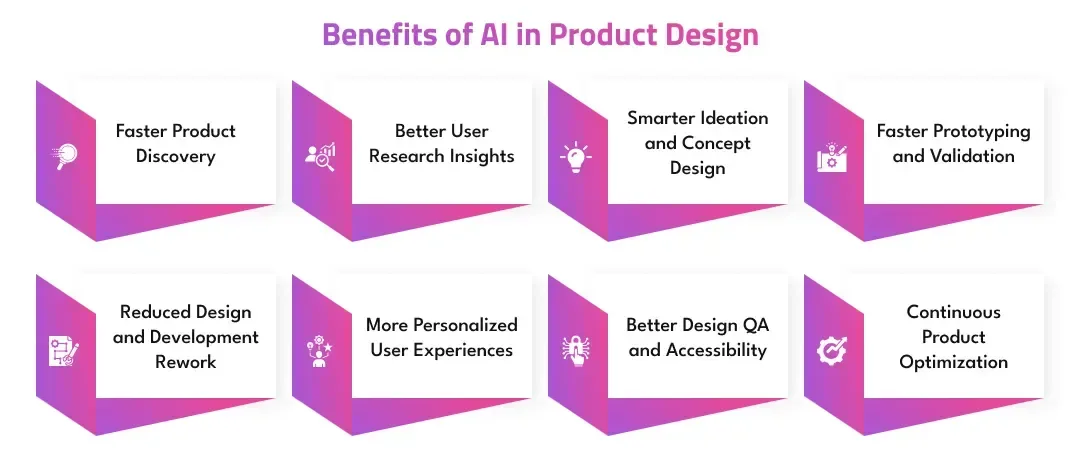
Core Benefits of AI-Powered Product Design:
- Faster Product Discovery
- Better User Research Insights
- Smarter Ideation and Concept Design
- Faster Prototyping and Validation
- Reduced Design and Development Rework
- More Personalized User Experiences
- Better Design QA and Accessibility
- Continuous Product Optimization
1. Faster Product Discovery
AI helps product teams cut through early research much faster. It can summarize interview notes, analyze survey answers, review competitor products, and pull patterns from support tickets or app reviews.
For startups and product teams working with tight timelines, this means they can move from scattered user data to clear product opportunities without spending weeks on manual sorting.
2. Better User Research Insights
AI can turn large amounts of user feedback into useful themes. It helps teams identify repeated complaints, common user goals, feature requests, emotional triggers, and friction points.
This makes research easier to use in real product decisions. Instead of relying only on assumptions, teams can see what users are actually struggling with and design around those needs.
3. Smarter Ideation and Concept Design
AI gives designers more directions to explore before they settle on one idea. It can generate feature concepts, user flow options, layout directions, UX copy, product names, and edge-case scenarios.
This helps teams avoid narrow thinking. Designers still choose the best direction, but AI gives them more raw material to compare, challenge, and refine.
4. Faster Prototyping and Validation
AI-powered design tools can turn prompts, sketches, or rough ideas into wireframes, clickable prototypes, or front-end demos. This helps teams test ideas before investing heavy engineering effort.
For example, a product manager can validate a new onboarding flow with users before developers build it. That saves time, reduces risk, and helps the team avoid building features that users may not need.
5. Reduced Design and Development Rework
AI can help catch gaps earlier in the product design process. It can flag missing empty states, unclear form labels, weak hierarchy, inconsistent layouts, and possible usability issues.
This reduces the back-and-forth between designers, developers, and product managers. When teams fix problems before handoff, the build process becomes smoother and less expensive.
6. More Personalized User Experiences
AI helps product teams design experiences that adapt to each user. It can support personalized dashboards, product recommendations, smart search, dynamic content, and behavior-based suggestions.
This is especially useful for SaaS, e-commerce, fintech, healthcare, and marketplace products where different users have different goals. Instead of giving everyone the same journey, AI helps products feel more relevant.
7. Better Design QA and Accessibility
AI can act as an extra review layer during design QA. It can check contrast, readability, spacing, typography consistency, missing states, and basic accessibility issues.
It doesn’t replace expert review, but it helps teams catch small problems before they reach users. That leads to cleaner interfaces, fewer usability issues, and better product quality across devices.
8. Continuous Product Optimization
AI keeps helping after the product is launched. It can analyze user behavior, detect drop-off points, predict churn, recommend feature improvements, and support pricing or A/B test analysis.
This turns product design into an ongoing improvement loop. Teams can learn from real usage data, refine weak spots, and keep improving the experience instead of treating launch as the finish line.
Best AI Tools for Product Design by Workflow Stage
The best AI tool for product design depends on where your team is in the workflow. A UX researcher may need AI to summarize interviews, while a founder may need a working prototype, and a product designer may need faster wireframes or design QA.
For example, Vitara.AI fits best in the prototyping and design-to-code stage because it helps teams build web and mobile apps with AI, including the backend that powers them. Its website positions it as a platform to create websites, mobile applications, and backend systems from AI-assisted workflows.
Here’s a simple breakdown of AI product design tools by workflow stage:
| Design stage |
Best-fit AI tools |
What they help with |
| Research |
ChatGPT, Claude, Perplexity, Gemini |
Interview scripts, research synthesis, market research, competitor analysis |
| Ideation |
ChatGPT, Claude, FigJam AI, Miro AI |
Brainstorming, personas, user flows, feature ideas, how might we questions |
| UI generation |
Figma AI, Figma Make, V0, Lovable, Uizard, Galileo AI |
Wireframes, layouts, mockups, UI concepts, responsive screen variations |
| Prototyping |
Figma Make, Lovable, V0, Bolt, Framer AI, Vitara.AI |
Clickable prototypes, front end demos, interactive product flows, early app concepts |
| Design to code |
Cursor, Replit, V0, Lovable, Vitara.AI |
Front end prototypes, full stack app generation, developer handoff, faster MVP builds |
| Visual assets |
Adobe Firefly, Midjourney, Canva Magic Design |
Product visuals, moodboards, illustrations, marketing graphics, concept visuals |
| Product analytics |
Amplitude, Mixpanel, FullStory AI features |
Behavioral insights, drop off analysis, funnel optimization, product improvement ideas |
| Design QA |
Beacon AI, Stark, Figma plugins |
Accessibility checks, visual hierarchy, consistency, contrast, handoff reviews |
| Physical product design |
Autodesk Fusion, Siemens NX, nTopology |
Generative design, simulation, material optimization, manufacturing ready concepts |
AI tools work best when teams match them to a clear job. Use ChatGPT or Claude when you need thinking support, Figma AI when you need design exploration, Vitara.AI or Lovable when you want to turn an idea into a working app, and analytics tools when you need to improve the product after launch.
How to Use AI in Product Design: Step-by-Step Workflow
AI works best when your team gives it clear direction. Treat it like a fast assistant, not a final decision-maker.
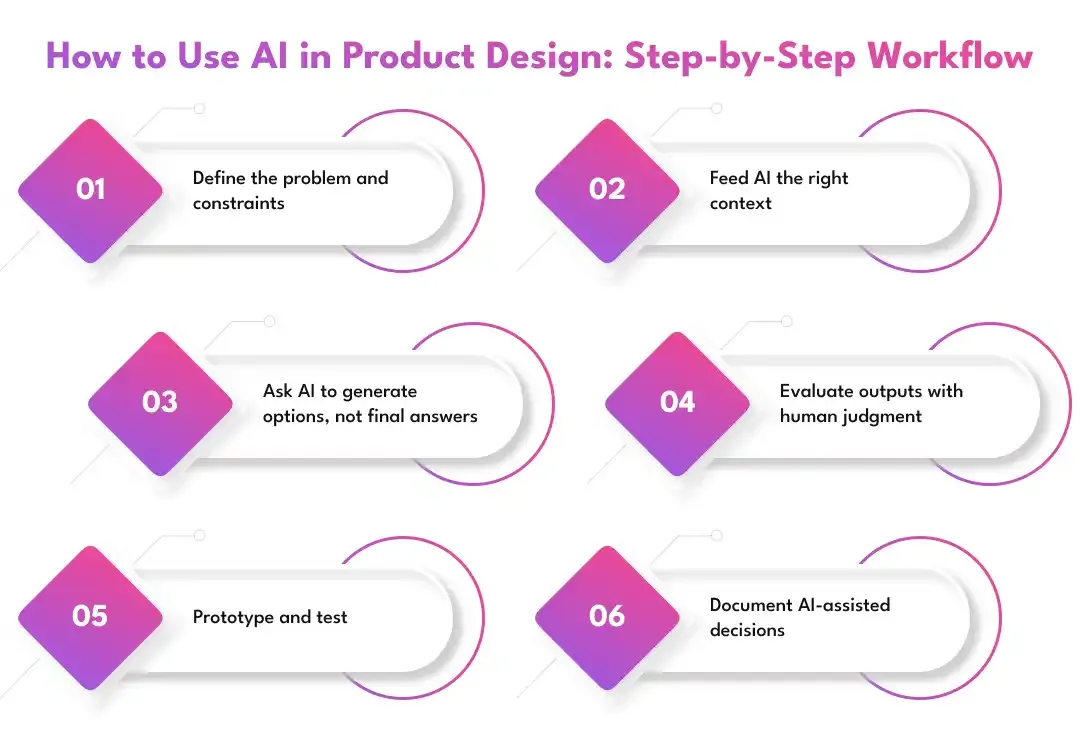
Step 1: Define the problem and constraints
Start with the basics before opening any AI tool. Define the user goal, business goal, platform, target audience, technical constraints, accessibility needs, brand rules, and success metrics.
For example, “Improve mobile onboarding for first-time fintech users and increase completed account setup by 20%.”
Step 2: Feed AI the right context
AI gives better output when it has better input. Share the product brief, research notes, competitor examples, design system rules, user segments, and current pain points.
Without context, AI will give generic ideas. With context, it can generate more useful product directions.
Step 3: Ask AI to generate options, not final answers
Use AI to explore choices. Don’t ask it to “design the best flow.” Ask it to create multiple directions with trade-offs.
Example prompt:
“Generate five different onboarding flows for a fintech app targeting first-time investors. For each flow, explain the trade-off.”
Step 4: Evaluate outputs with human judgment
Review every AI output against real product criteria: user value, usability, feasibility, accessibility, brand fit, business viability, and ethical risk.
AI can suggest. Your product team should decide.
Step 5: Prototype and test
Use AI to create wireframes, clickable prototypes, or early demos faster. Then test those ideas with real users.
A fast prototype is useful only when it helps you learn what users actually need.
Step 6: Document AI-assisted decisions
Track the prompts, outputs, assumptions, edits, and final human decisions. This helps your team stay transparent and avoid repeating weak ideas later.
It also makes AI-assisted design easier to review, improve, and scale across future product work.
Examples of AI in Product Design
AI fits into product design differently depending on the industry, product type, and user journey. Here are a few practical examples.
SaaS product
In SaaS product design, AI can summarize user feedback, identify onboarding friction, generate dashboard layout variations, and test different product flows before development.
For example, a project management tool can use AI to redesign its dashboard based on how teams track tasks, deadlines, and workload.
Common SaaS use cases include:
- Summarizing support tickets and feature requests
- Creating dashboard layout variations
- Testing onboarding flows with early prototypes
- Identifying drop-off points in the user journey
E-commerce product
In e-commerce, AI helps personalize product recommendations, search results, product pages, offers, and promotions.
For example, an online fashion store can show different homepage sections based on browsing history, size preferences, and past purchases.
Fintech product
In fintech, AI can support risk-aware flows, fraud alerts, financial insights, credit recommendations, and explainable dashboards.
For example, an investment app can use AI to explain why a user received a specific portfolio recommendation in simple language.
Useful fintech design applications include:
- Designing fraud alert flows
- Creating explainable recommendation screens
- Personalizing financial dashboards
- Testing risk disclosure and consent screens
Healthcare product
In healthcare product design, AI can support triage flows, patient dashboards, accessibility checks, appointment guidance, and safety-first user experiences.
For example, a telehealth app can guide patients through symptom inputs while clearly showing when they should contact a medical professional.
Automotive or physical product
For automotive and physical product design, AI can support generative design, simulation, material optimization, digital twins, and manufacturing-ready concepts.
For example, an automotive team can use AI to test lighter part designs that still meet strength, safety, and performance requirements.
AI can help physical product teams with:
- Generating multiple part design options
- Testing strength, weight, and material trade-offs
- Simulating product performance before manufacturing
- Creating digital twins for testing and optimization
Marketplace product
In marketplace products, AI can improve matching, ranking, trust signals, search results, and support automation.
For example, a freelance marketplace can use AI to match clients with professionals based on project needs, budget, skills, ratings, and availability.
Future of AI in Product Design
The future of AI in product design will be less about quick prompts and more about connected design workflows. AI will help teams move from research to prototype, from prototype to code, and from launch to continuous improvement with fewer manual handoffs. The biggest shift won’t be that AI replaces product designers. It will be that designers, product managers, and engineers work with AI as a daily design partner.
Agentic AI Design Workflows
AI agents will increasingly handle multi-step product design tasks, not just one-off prompts. Instead of asking AI for a single wireframe, teams may ask an agent to analyze user feedback, create flow options, generate screens, prepare a prototype, and list open questions for testing.
This can reduce repetitive work and help teams move faster. Human review will still matter because agents need direction, constraints, and product judgment.
Vibe Design and Natural-Language UI Creation
Product teams will create more interfaces through plain language, voice, screenshots, sketches, and reference links. A product manager may describe a feature in simple words and get an early prototype within minutes.
This style of “vibe design” will make product exploration easier for non-designers too. Designers will spend less time starting from scratch and more time refining structure, usability, brand fit, and edge cases.
Design-to-Code Convergence
The gap between a mockup and a working prototype will keep shrinking. AI tools will turn design ideas into front-end code, interactive demos, and even early full-stack products faster than traditional workflows.
This will help teams test ideas before long development cycles. It will also make design handoff more detailed because components, states, and interactions can move closer to code earlier in the process.
Adaptive Interfaces
AI will push products beyond fixed screens. Interfaces will adjust layouts, content, recommendations, and flows based on user behavior, intent, role, history, and context.
For example, a SaaS dashboard may show different widgets to a new user, a power user, and an admin. The goal is to make the product feel more relevant without making the experience confusing or unpredictable.
AI Design QA
AI design QA will become a normal part of the product design process. Tools will help catch accessibility issues, weak hierarchy, inconsistent typography, missing states, unclear labels, and usability problems before development starts.
This won’t remove the need for design reviews. It will simply give teams an extra safety layer, especially when they are shipping quickly.
Digital Twins and Simulation
AI will play a bigger role in physical product design and manufacturing through digital twins and simulation. Teams will test product behavior, material choices, weight, cost, performance, and safety before building physical versions.
This is useful for industries like automotive, healthcare devices, aerospace, industrial equipment, and consumer hardware. It helps teams reduce waste, lower risk, and improve designs earlier.
More Importance on Human Taste and Judgment
As AI makes production easier, the real difference will come from human taste, strategy, and insight. Many teams will be able to generate screens, prototypes, and copy quickly, but not every team will know what is worth building.
Good product designers will stand out by asking better questions, understanding users deeply, making clear trade-offs, and turning AI-generated options into products people actually trust and use.
Why Prismetric is the Right Partner for Your AI in Product Design Vision
Picking a technology partner isn’t just about finding a team that can add AI features to your product. It’s about finding people who understand your users, your business goals, your product constraints, and the real reason AI should be part of the design process. That’s what sets Prismetric apart. We don’t start with the tool or the trend. We start with the product problem, the user journey, and the outcome your business wants to achieve.
What makes our work strong is the balance between product thinking and AI execution. As a custom AI development company, our teams help businesses use artificial intelligence across research, ideation, prototyping, product validation, personalization, and workflow automation. Designers, developers, product strategists, and AI specialists work together to turn rough ideas into practical, user-ready digital products. Every screen, flow, feature, and AI interaction is shaped around usability, business value, and technical feasibility.
The AI product design solutions we build don’t just make interfaces look smarter. They help products respond better to user needs. Whether it’s an AI-powered dashboard that explains business insights, a recommendation engine that improves product discovery, a smart search experience that understands intent, or an enterprise copilot that reduces manual work, our goal is to make AI useful inside the actual product experience. That means clear flows, human-in-the-loop controls, strong data handling, and interfaces users can trust.
As an AI product development partner, Prismetric can help you move faster from idea to validated product. We support teams with AI-assisted research, UX strategy, prototype development, MVP planning, product architecture, AI model integration, and post-launch optimization. From the first product brief to the final handoff, we focus on building AI experiences that are practical, scalable, and easy for real users to understand.
Get in touch with our experts to turn your AI product design vision into a clear, testable, and market-ready digital product.
FAQs About AI in Product Design
AI in product design means using artificial intelligence to support different stages of the product design process, such as user research, ideation, wireframing, prototyping, usability testing, personalization, and post-launch optimization.
It helps product teams move faster, find patterns in user data, and create more design options. Still, the final decisions should come from designers, product managers, and business stakeholders.
AI is used across the full product design lifecycle. Product teams commonly use it for:
- Summarizing user interviews and survey responses
- Analyzing app reviews, support tickets, and user feedback
- Creating draft personas and journey maps
- Generating feature ideas and user flows
- Turning prompts into wireframes or prototypes
- Testing usability issues and design gaps
- Personalizing product experiences
- Improving products after launch with behavioral data
No, AI won’t replace skilled product designers. It can speed up repetitive tasks, generate ideas, and create first drafts, but it cannot fully replace human empathy, product judgment, visual taste, business understanding, and ethical decision-making.
AI is best used as a design assistant. Designers still need to decide what users need, what the business should build, and what experience feels clear, useful, and trustworthy.
The best tool depends on the task. Some commonly used AI tools for product design include:
- ChatGPT and Claude for research synthesis, UX copy, personas, and product thinking
- Perplexity and Gemini for market research and competitor analysis
- Figma AI and FigJam AI for design exploration and collaboration
- Lovable, V0, Bolt, and Vitara.AI for prototypes and app generation
- Cursor and Replit for design-to-code workflows
- Adobe Firefly, Midjourney, and Canva Magic Design for visual assets
- Autodesk Fusion, Siemens NX, and nTopology for physical product design
Yes, AI can create early product designs from prompts. Tools can turn written instructions into wireframes, UI layouts, clickable prototypes, and even front-end code.
But AI-generated designs usually need refinement. A designer should still review the layout, hierarchy, accessibility, responsiveness, brand fit, copy, and edge cases before the design moves forward.
Product teams can use AI to organize and analyze large amounts of research data. For example, AI can summarize interview transcripts, group survey answers, find repeated pain points, and identify feature requests from support tickets or app reviews.
A good workflow is:
- Collect real user data
- Ask AI to find themes and patterns
- Separate confirmed insights from assumptions
- Review the output manually
- Validate important findings with users
Using AI in product design means AI helps your team work faster. For example, you may use AI to summarize research, generate wireframes, or create prototypes.
Designing AI products means AI is part of the product experience itself. Examples include:
- AI copilots
- Recommendation engines
- Smart search
- Personalized dashboards
- Predictive alerts
- Chatbots and virtual assistants
- Adaptive interfaces
The first improves your workflow. The second changes how users interact with your product.
AI helps UX designers understand users faster and explore more design directions. It can support UX tasks like journey mapping, persona creation, usability test planning, wireframing, UX writing, and feedback analysis.
For example, a UX designer can use AI to turn 20 interview transcripts into key pain points, then generate possible user flows based on those problems.
Yes, AI can make product prototyping much faster. Product teams can use AI tools to create clickable prototypes, front-end demos, and early app concepts before full development starts.
This helps teams:
- Test ideas earlier
- Get stakeholder feedback faster
- Reduce engineering waste
- Compare different product flows
- Validate user interest before building
Yes, AI is useful in physical product design, not just digital product design. In manufacturing, automotive, healthcare devices, and consumer hardware, AI can support generative design, simulation, material selection, performance testing, and digital twins.
For example, a product engineering team can use AI to generate lighter part designs while still meeting safety, strength, and cost requirements.
The biggest benefits of AI in product design include:
- Faster product discovery
- Better research synthesis
- More design options
- Quicker prototyping
- Reduced design and development rework
- More personalized user experiences
- Better design QA
- Faster post-launch optimization
The main advantage is not just speed. AI helps product teams make better decisions when they combine automation with human judgment.
AI can create value, but it also comes with risks. Common risks include:
- Generic design output
- Incorrect or hallucinated insights
- Privacy and data security issues
- Biased recommendations
- Poor accessibility decisions
- Brand inconsistency
- Weak UX copy
- Overreliance on AI-generated ideas
- IP and copyright concerns
Teams should review every AI output before using it in a real product.
Start with low-risk tasks before using AI in core product decisions. A simple starting point is to use AI for research summaries, brainstorming, user flow ideas, UX copy variations, and prototype planning.
You can begin with this basic workflow:
- Define the product problem
- Add user and business context
- Ask AI for multiple options
- Review the output with your team
- Prototype the strongest idea
- Test it with real users
- Document what AI helped with and what humans changed
AI can help create a first version of an app or SaaS product, especially with tools that support prompt-to-app or design-to-code workflows. It can generate screens, user flows, components, and sometimes working front-end or full-stack demos.
But a production-ready SaaS product still needs product strategy, UX review, scalable architecture, security checks, integrations, testing, and real user validation.
AI helps product managers work faster across discovery, planning, and validation. PMs can use AI to analyze feedback, write product briefs, compare competitors, create feature ideas, draft PRDs, generate user stories, and prepare prototype testing plans.
For example, a PM can ask AI to turn user complaints into a ranked list of product opportunities based on user value, business impact, and implementation complexity.
AI helps product designers move faster from research to design exploration. Designers can use AI for:
- Draft personas
- Journey maps
- User flows
- Wireframe ideas
- Layout variations
- UX copy options
- Accessibility checks
- Design QA notes
- Prototype content
It gives designers a stronger starting point, but it should not replace craft, taste, or user understanding.
You should avoid using AI as the only source of truth for important product decisions. Don’t use AI blindly for:
- Final user research conclusions
- Medical, financial, or legal UX decisions without expert review
- Accessibility approval
- Brand-critical visual decisions
- Sensitive customer data analysis without security approval
- Final production code without testing
- Ethical or compliance decisions
AI can assist these areas, but humans need to verify the output.
AI can personalize product experiences by adapting content, recommendations, dashboards, search results, alerts, and next-best actions based on user behavior and preferences.
For example, a SaaS product may show different onboarding steps to a beginner and an advanced user. An e-commerce app may reorder product recommendations based on browsing history, size, style, and purchase behavior.
The future of AI in product design will move toward connected workflows. AI agents will help with multi-step design tasks, natural-language tools will create prototypes faster, and design-to-code platforms will reduce the gap between mockups and working products.
At the same time, human judgment will become more valuable. When everyone can generate screens quickly, the real advantage will come from better strategy, sharper user insight, stronger taste, and responsible product decisions.